I/o mode – Solid State Logic SSL 12 USB Audio Interface User Manual
Page 27
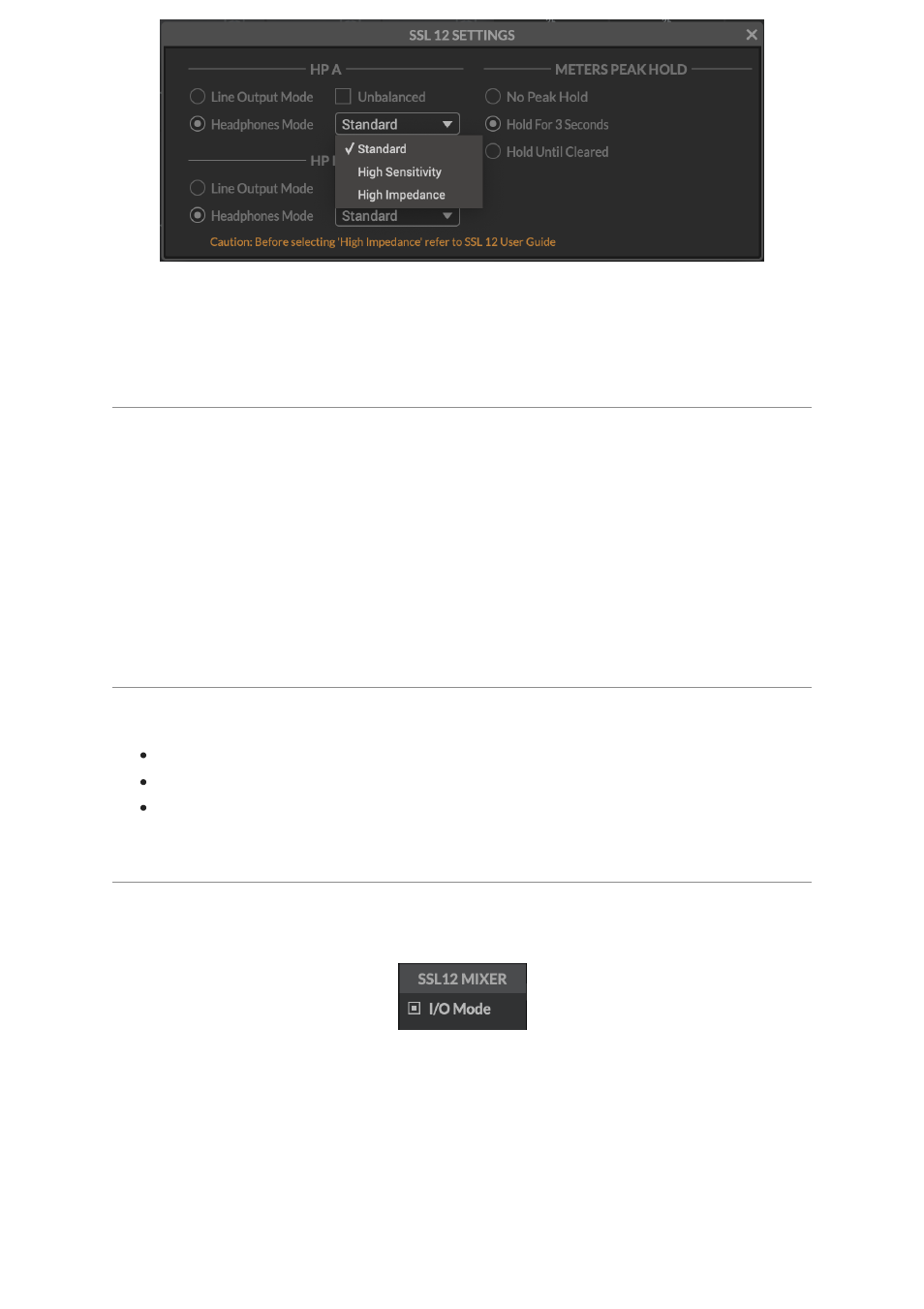
Beware
: Always make sure
BEFORE
you switch your headphone output to
High
Impedance
, to turn the front panel level control down to avoid accidentally
overloading your headphones if you are unsure of what sensitivity they are.
Line Output Mode Options
HP A and HP B can be switched into Line Output Mode. This allows you to use them
as additional mono line outputs, instead of headphone outputs.
By default they are balanced but you can make them unbalanced by click the
Unbalanced
box.
Please beware when switching the output setting between Balanced & Unbalanced
to be aware of the cables being used and the destination of the signal as not to
introduce noise or distortion into the circuit.
METERS PEAK HOLD
Determines how long the peak hold segment of the SSL meters hold for.
No Peak Hold
Hold for 3 Seconds
Hold Until Cleared
I/O MODE
You can put SSL 12 into
I/O Mode
by engaging the tickbox in the upper-left corner
of the SSL 12 Mixer.
I/O Mode
bypasses the SSL 12 Mixer's routing matrix and fixes the routing as
shown in the table below: