Solo clear, How-to / application examples connections overview – Solid State Logic SSL 12 USB Audio Interface User Manual
Page 31
Advertising
Solo Clear
The Solo Clear button allows you to quickly clear any active solo's (or AFLs) in the
SSL 12 Mixer. When any channels have been put into
SOLO
or
AFL
, the Solo Clear
button will illuminate yellow.
How-To / Application Examples
Connections Overview
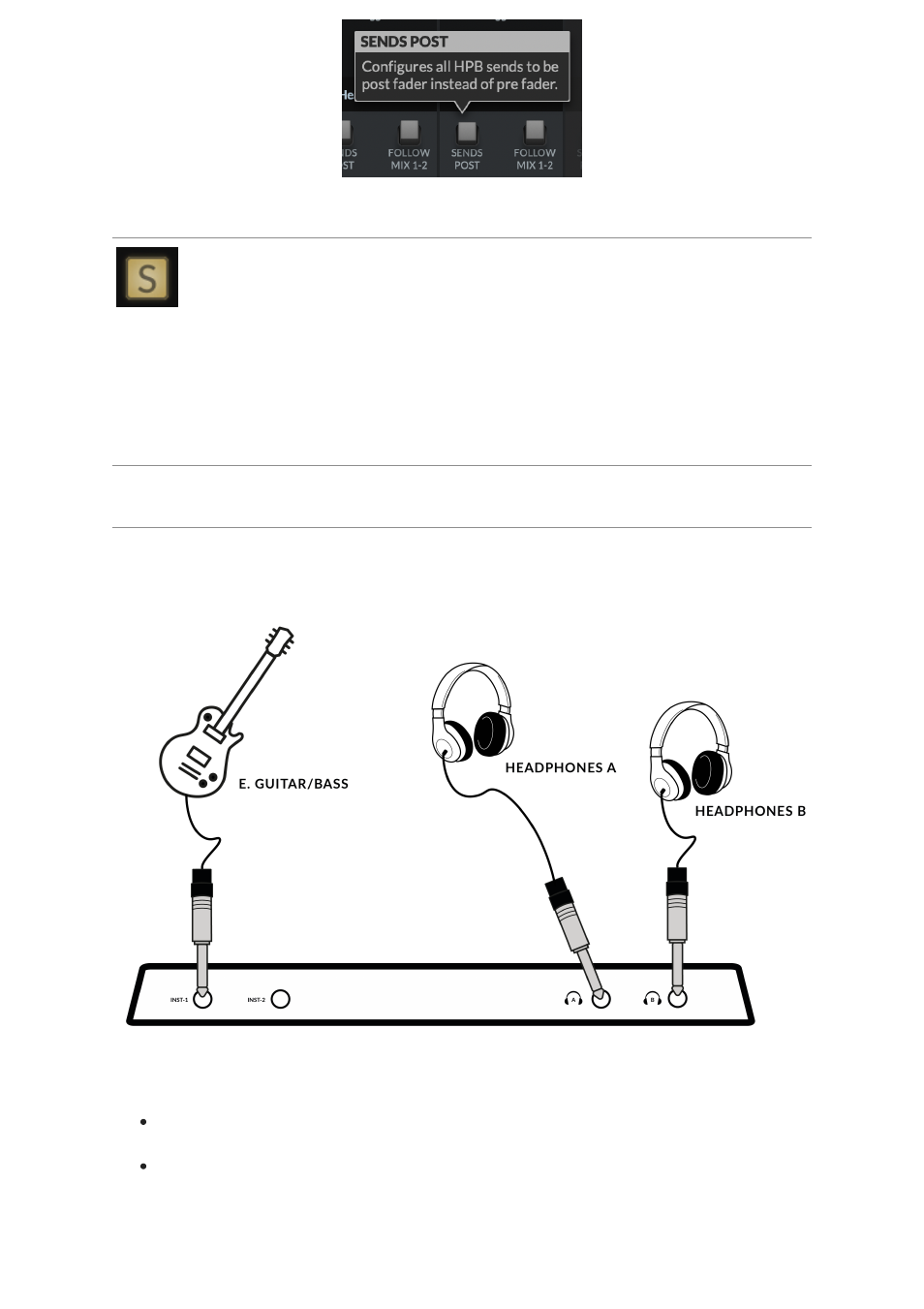
The diagram below illustrates where the various elements of your studio connect to
SSL 12 on the front panel.
This diagram shows the following:
An E Guitar/Bass plugged into
INST 1
, using a TS Jack Instrument cable.
Two pairs of Headphones each connecting directly to the Headphone Outputs
HP A
&
HP B
The below example visually details some likely uses for all the potential connections
available on the rear panel of the SSL 12 Interface.
Advertising