Ssl 360° overview & home page, The home screen – Solid State Logic SSL 12 USB Audio Interface User Manual
Page 13
Meters in the 360° Mixer are DC coupled hence you can still expect them to
work and show a DC signal.
6. INPUTS
Combo XLR / 1/4" Jack Input Sockets
The 4 rear combo jacks accept Mic-level inputs (on XLR) and Line-level inputs (on
TRS). Hi-Z inputs for Channels 1 & 2 are located at the lower front of the interface
and plugging into these will over-ride any Mic/Line rear panel inputs.
SSL 360°
Overview & Home Page
SSL 12 is configured via the SSL 12 page in SSL 360°. SSL 360° is a cross-platform
Mac and Windows application that also manages other SSL 360°- enabled
products.
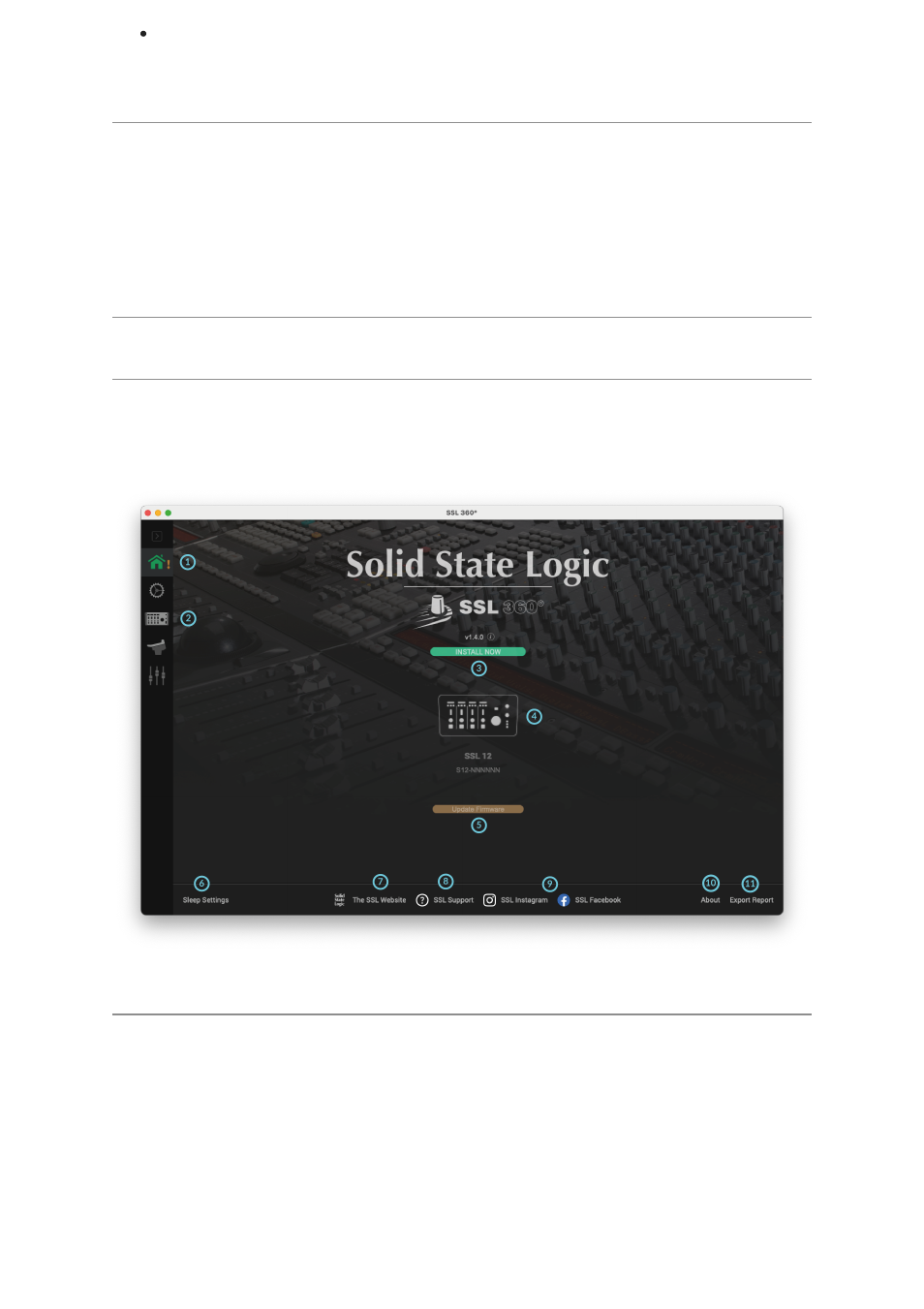
The Home Screen
1. Menu Toolbar
This toolbar allows you to navigate through the various pages of SSL 360°.
2. SSL 12 Mixer
This tab opens the SSL 12 Interface Mixer; allowing for Routing, Input channel &
Playback management, Monitor controls & settings for the SSL 12 interface within
your system. More information on the SSL 12 360° Mixer is detailed in the next
chapter.