User buttons, Control – Solid State Logic SSL 12 USB Audio Interface User Manual
Page 29
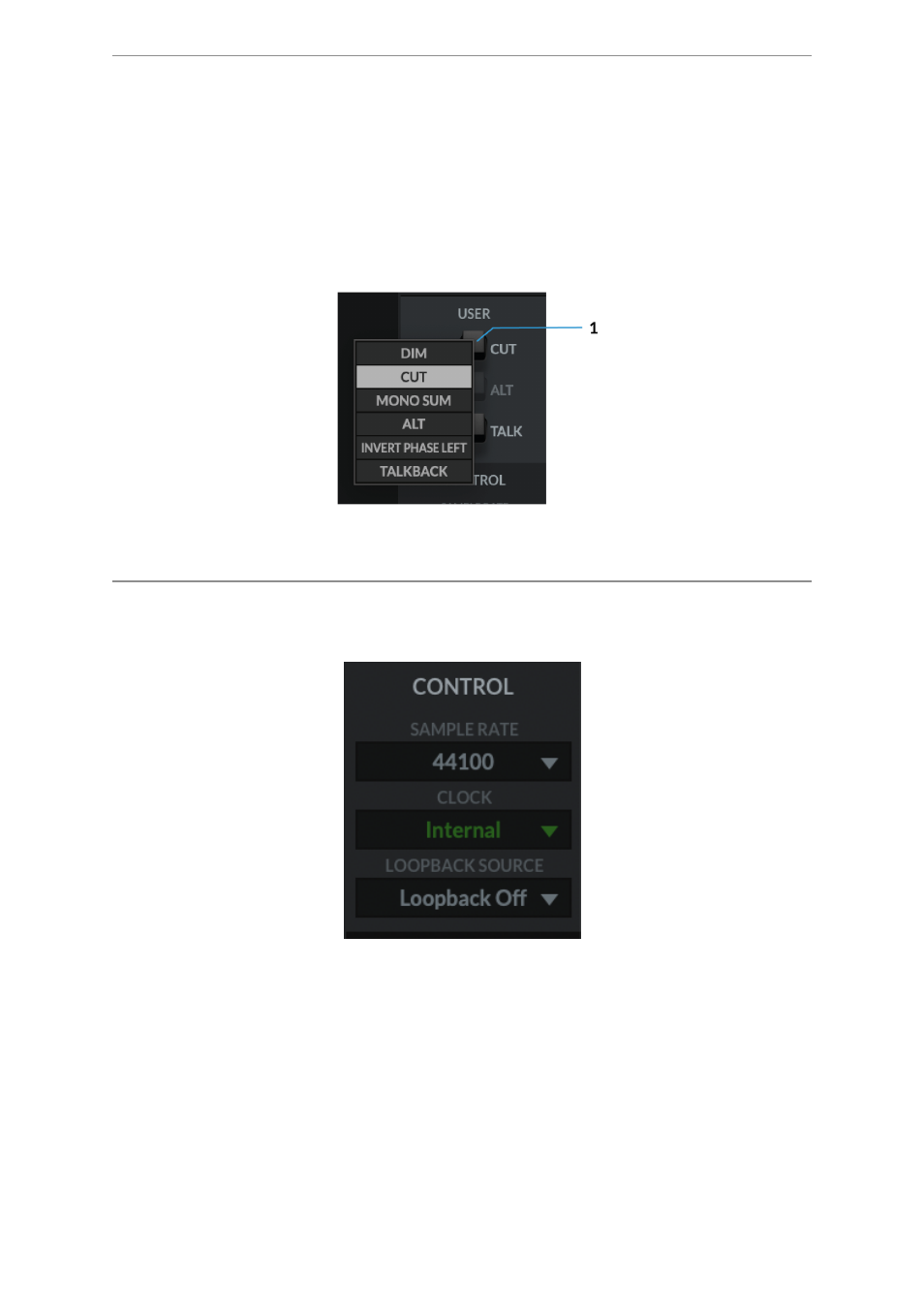
USER Buttons
By Default, the User buttons are assigned to match the printing on the SSL 12
Interface front panel -
CUT
,
ALT
&
TALK
.
A right-mouse click presents a menu whereby you can change the assignment of
these buttons. You can choose between
DIM
,
CUT
,
MONO SUM
,
ALT
,
INVERT
PHASE LEFT
,
TALKBACK ON/OFF
.
CONTROL
The Control section displays key information in setting up your Interface ready for
working within your DAW.
1. SAMPLE RATE
The drop-down menu allows the user to select the Sample Rate that the SSL 12
Interface will operate at. The selection allows for 44.1 kHz, 48 kHz, 88.2 kHz, 96
kHz, 176.4 kHz & 192 kHz. Note, that when any DAW is opened, SSL 12 will follow
the DAW's sample rate setting.
2. CLOCK
The Clock source menu allows the change between
INTERNAL
clocking or
ADAT
.