Contextual help – Solid State Logic SSL 12 USB Audio Interface User Manual
Page 30
When using an external ADAT unit connected to the SSL 12, select the source to
ADAT,
allowing the ADAT-connected device to act as the clocking source (set the
ADAT device to Internal).
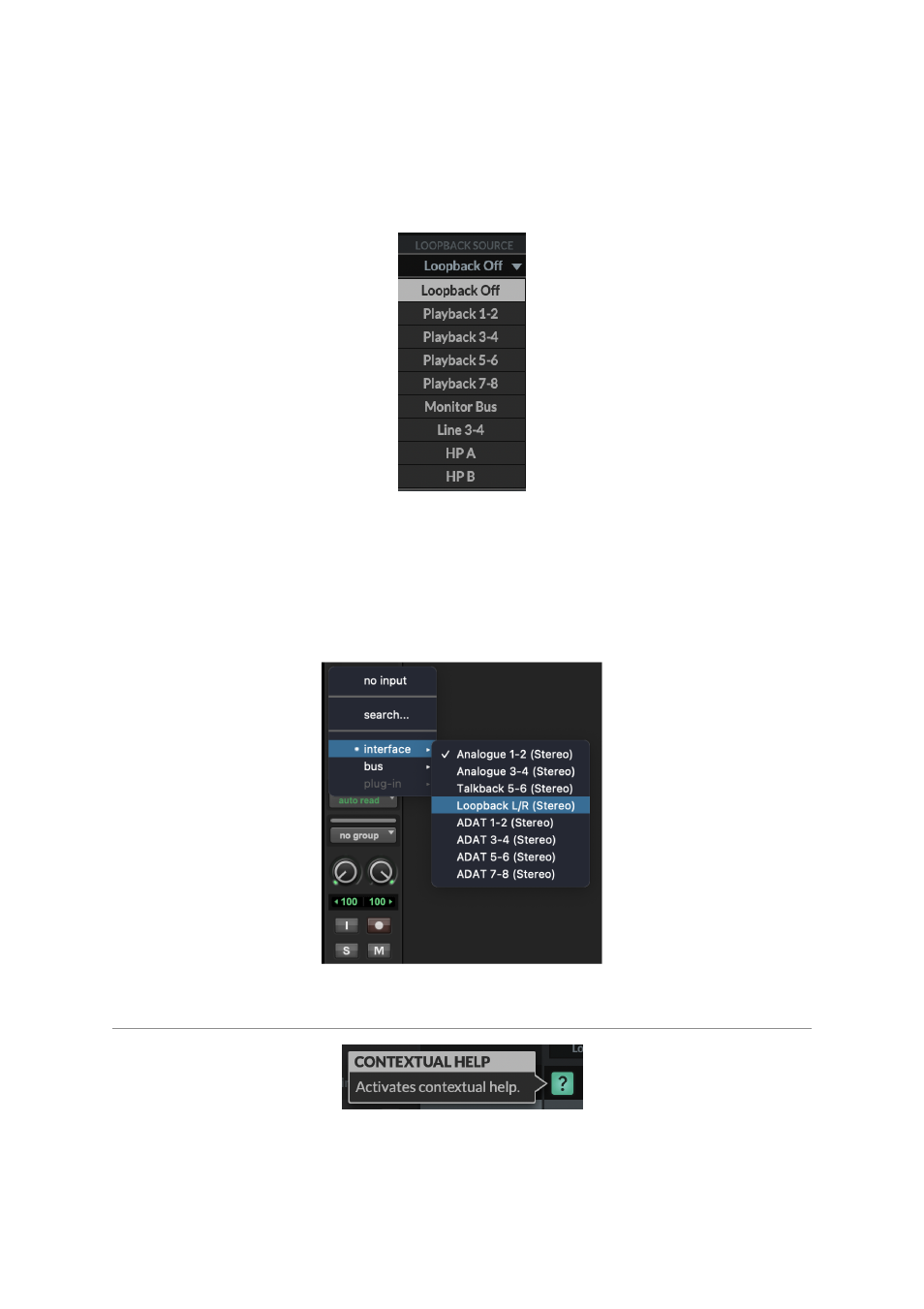
3. LOOPBACK SOURCE
This option allows you to record USB audio back into your DAW. This is especially
useful for recording audio from other applications such as Youtube.
To set this up, simply select the
LOOPBACK SOURCE
channel you wish to record
from the drop-down menu (for example Playback 1-2 to record the output of a media
player), then in your DAW, select the input channel as
Loopback
as shown below
and record the audio as you would with any other input channel. Be sure to mute the
recording channel in your DAW to avoid creating a feedback loop!
Contextual Help
The Contextual Help, once activated by clicking the
?
button (as shown above) adds
a text bar to the tooltip with a brief explanation of the parameter's function. The
below image demonstrates this with an explanation text box when hovering the
mouse over the
SENDS POST
on the HP B Channel.