Printer hard disk operations – Canon imagePROGRAF TX-3100 36" Printer with Basket User Manual
Page 738
Printer Hard Disk Operations
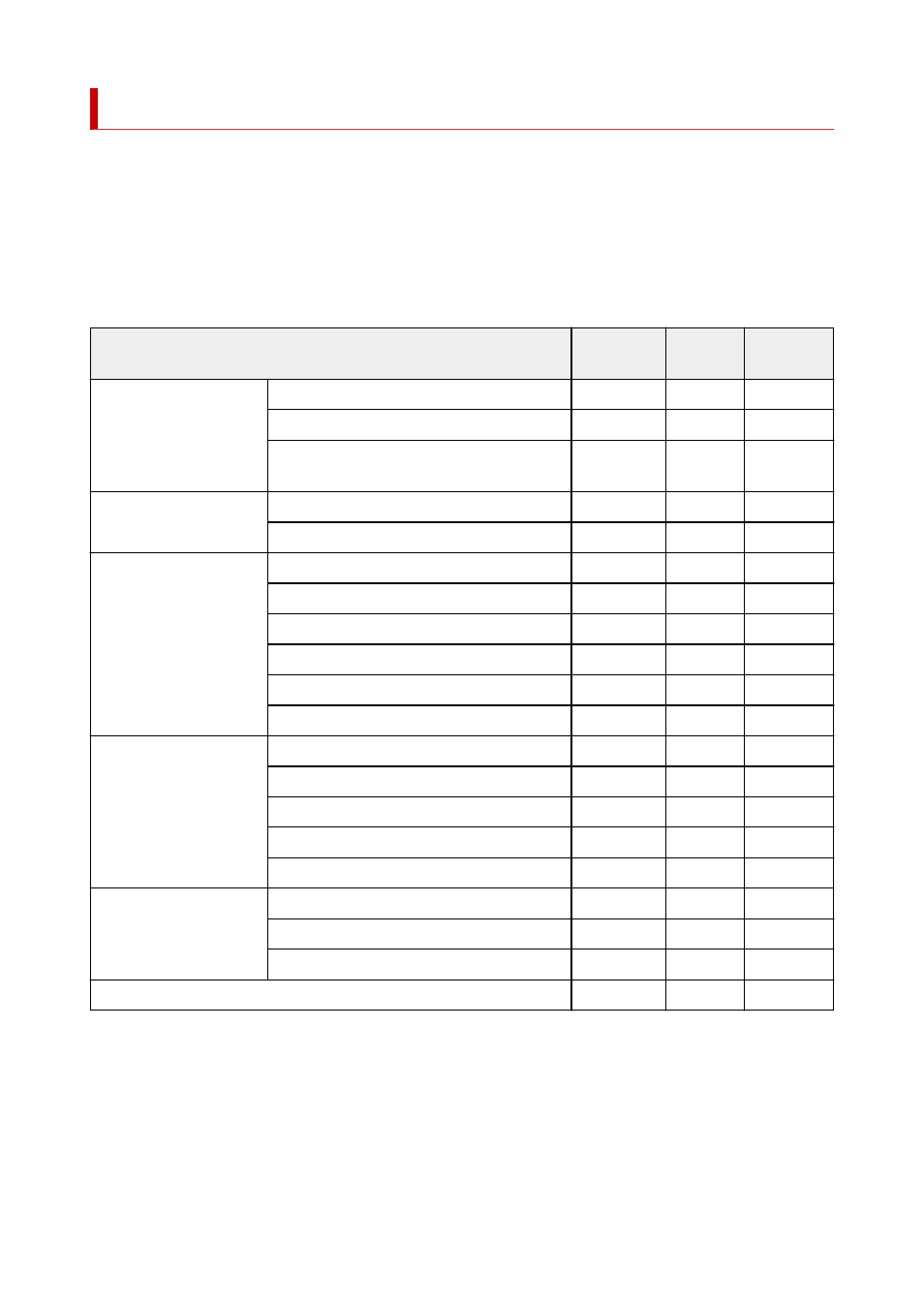
Printer hard disk operations are available from the following programs and interfaces.
•
Printer driver
•
•
Remote UI
•
•
Operation panel
•
The hard disk operations available through each interface are as follows.
Operation
Printer driv-
er
Remote UI Operation
panel
Saving print jobs
Save to job box
✓
-
-
Print without saving jobs in common job box
-
-
✓
Save print jobs sent from sources other than
printer driver
-
-
✓
Operations with saved jobs Print saved jobs
-
✓
✓
Delete saved jobs
-
✓
✓
Job queue management
Display job queue
-
✓
✓
Delete
-
✓
✓
Priority printing
-
✓
✓
Operations with pending jobs
-
✓
✓
Operations with security print jobs
-
-
✓
Delete Operations with security jobs
-
✓
✓
Job box management
Move saved jobs
-
✓
-
Modify saved jobs
-
✓
-
Modify job boxes
-
✓
-
Print a list of saved jobs
-
-
✓
Display a list of saved jobs
-
✓
✓
Other operations
Display free hard disk space
-
✓
✓
Initialize hard disk
-
-
✓
Display the time of printing
-
✓
✓
Display error messages
-
✓
✓
738