Batch file tab – Faronics Deep Freeze Enterprise User Manual
Page 49
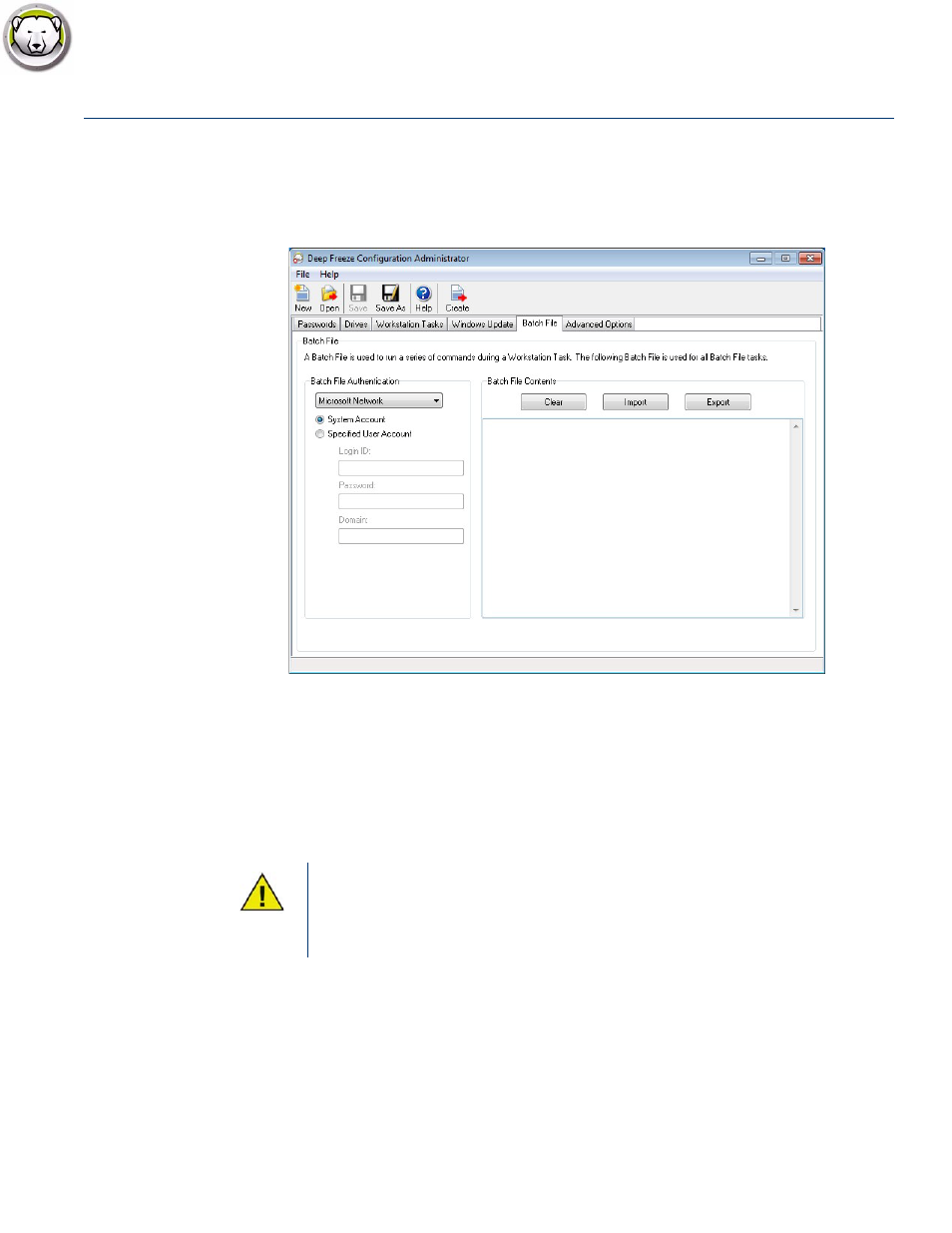
Batch File Tab
|
49
Deep Freeze Enterprise User Guide
Batch File Tab
The Batch File tab allows you to customize settings for the Batch File task. When you schedule a
Batch File task from the Workstation Tasks tab, you must configure the settings in the Batch File
tab.
Configure the following options:
•
Batch File Authentication
Select Microsoft Network and select if the account to be used is a System account or a Specified
user account. If you select Specified user account, specify the Login ID, Password, and
Domain. For Novell Network, select Novell, specify the Login ID, Password, Tree, Context, and
Server.
•
Batch File Contents
Enter a custom batch file to run during the Batch File task. The same batch file applies to all
Batch File tasks. The following options are available when running custom batch files:
— To clear the current batch file, click Clear.
— To load an existing file, click Import and browse to the location of the file.
— To save the contents of the field, click Export and browse to the preferred save location.
The default configuration using the Microsoft Network/System Account
authentication must be tested prior to using alternative credentials. Using this
machine level account often is sufficient to complete the task. Use of a specified
user account may be required if the batch file requires network access to secure
resources.