Combine – TA Triumph-Adler 1855 User Manual
Page 96
5-17
Operation on the Machine > Copying
Combine
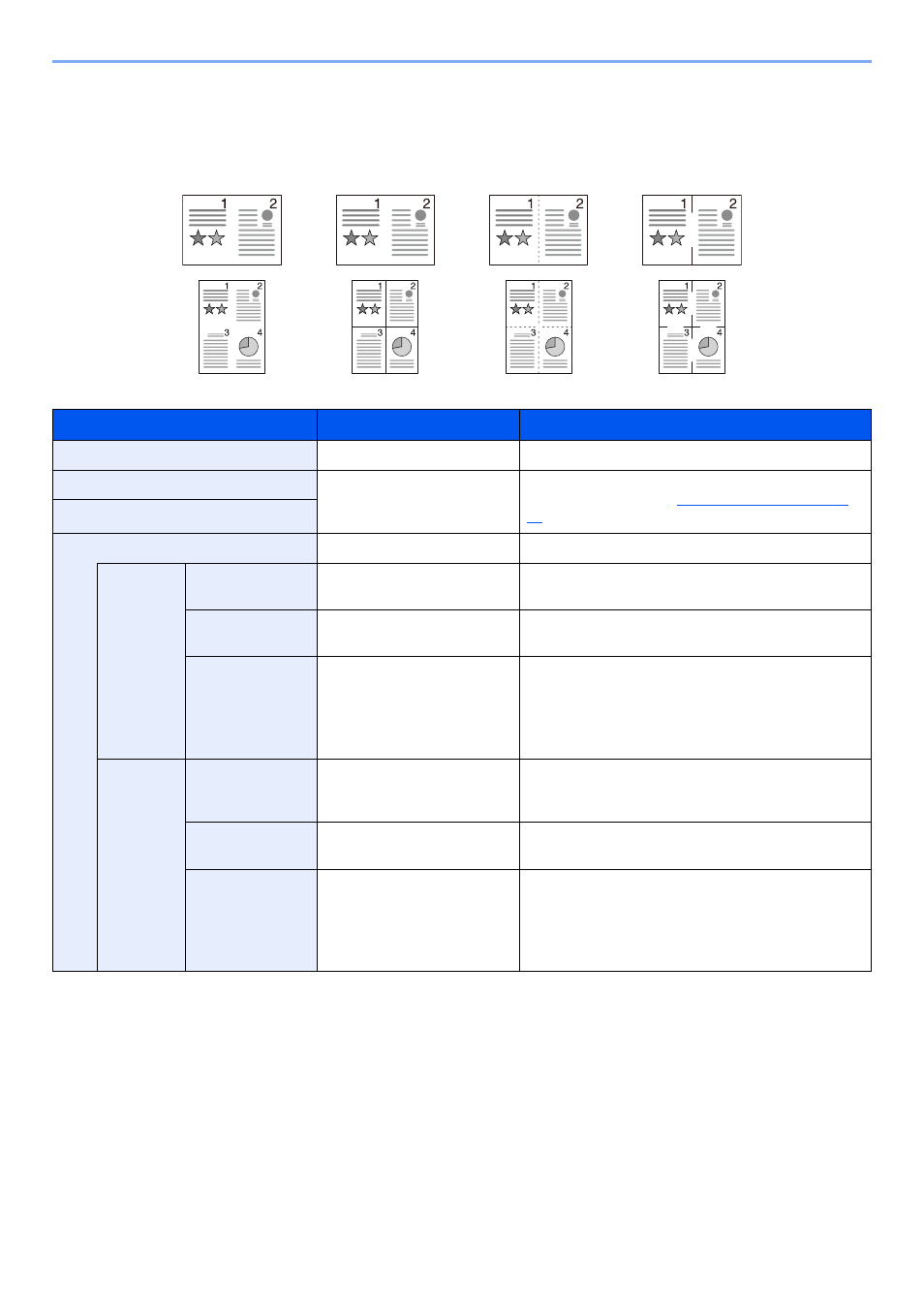
Combines 2 or 4 original sheets into 1 printed page. You can select the page layout and the type of boundary lines
around the pages.
The following types of the boundary lines are available.
Item
Value
Description
Off
―
Disables the function.
2 in 1
―
Copies the original with the default setting. For the
default settings, refer to
.
4 in 1
Advanced Combine
―
Changes the settings.
2 in 1
Layout
L to R/T to B, R to L
Select the page layout of scanned originals, and press
the [
OK
] key.
Border Line
None, Solid Line, Dotted Line,
Positioning Mark
Select the page boundary line, and press the [
OK
] key.
Orig. Orientation
Top Edge on Top, Top Edge
on Left
Select the orientation of the original document top
edge to scan correct direction.
Choose orientation of the originals, either [Top Edge
on Top] or [Top Edge on Left]. Then press the [
OK
]
key.
4 in 1
Layout
Right then Down, Down then
Right, Left then Down, Down
then Left
Select the page layout of scanned originals, and press
the [
OK
] key.
Border Line
None, Solid Line, Dotted Line,
Positioning Mark
Select the page boundary line, and press the [
OK
] key.
Orig. Orientation
Top Edge on Top, Top Edge
on Left
Select the orientation of the original document top
edge to scan correct direction.
Choose orientation of the originals, either [Top Edge
on Top] or [Top Edge on Left]. Then press the [
OK
]
key.
None
Dotted Line
Solid Line
Positioning Mark