TA Triumph-Adler DC 2025 User Manual
Page 79
CHAPTER 6 FUNCTIONS
6-5
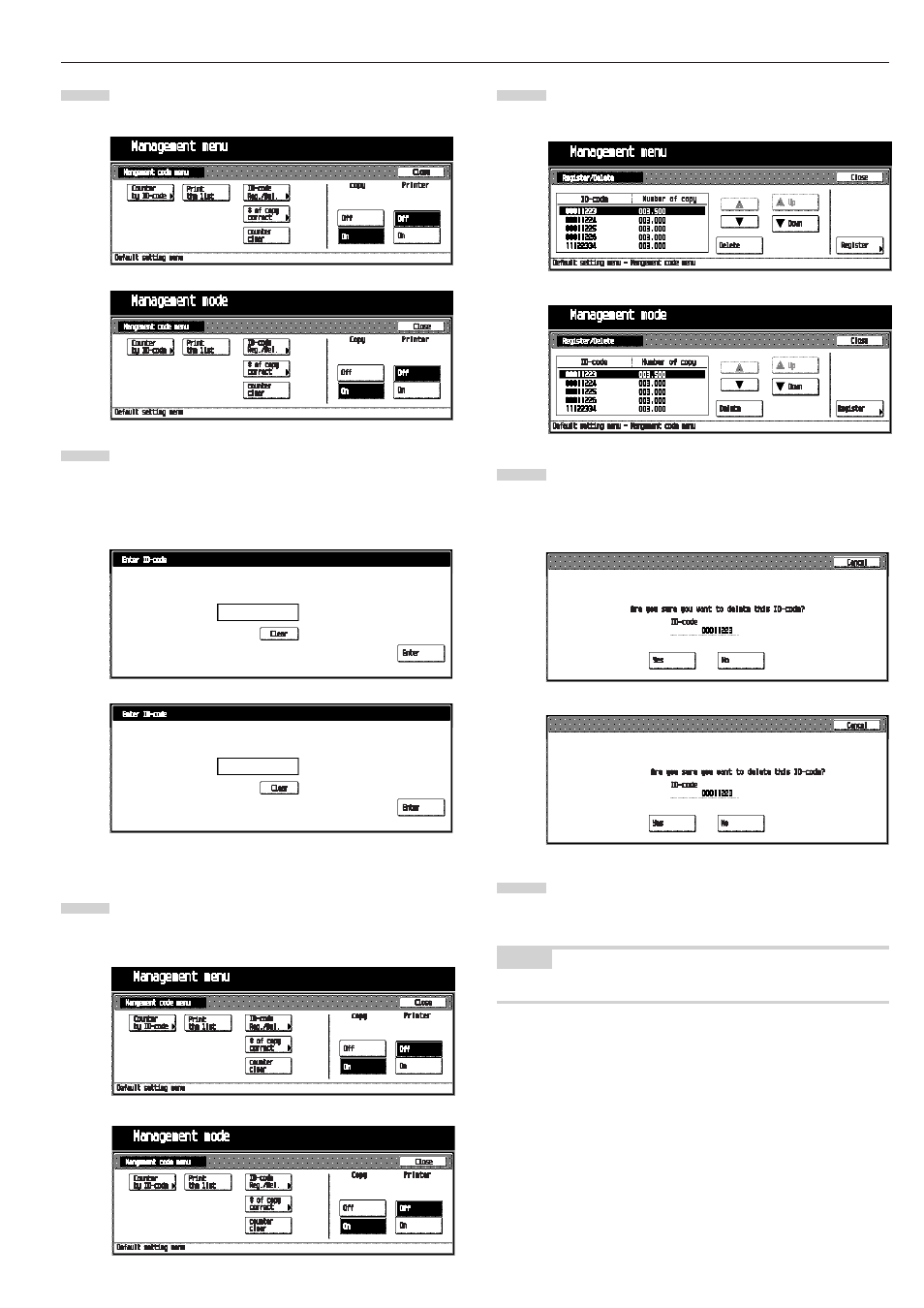
Touch the [Close] key .
The “Management code menu” screen will appear.
Touch the [On] key below “Copy”, and then touch the
[Close] key.
The selected management code is becomes valid. “Enter
ID- code” screen will appear every time you start up the
copier.
•
Deleting ID codes
Delete the ID codes already registered.
Display the “Management code menu” screen. (See (2)
How to display the “Management code menu” screen.)
Touch the [ID-code Reg./Del.] key.
The “Register/Delete” screen will appear.
Select the ID code to be deleted, and then touch the
[Delete] key.
The message “Are you sure you want to delete this ID-
code?” will appear.
Make sure to check the code to be deleted, and then
touch the [Yes] key.
The “Register/Delete” screen will appear.
NOTE
• To delete other ID code, repeat steps 2 to 4.
7
8
1
2
3
4
Inch specifications
Inch specifications
Metric specifications
Inch specifications
Metric specifications
Inch specifications
Metric specifications
Metric specifications
Inch specifications
Metric specifications