Using lens filters (sold separately) – Canon PowerShot G3 X User Manual
Page 171
171
Appendix
Index
Before Use
Basic Guide
Advanced Guide
Camera Basics
Auto Mode /
Hybrid Auto Mode
Other Shooting Modes
P Mode
Tv, Av, M, C1, and C2 Mode
Playback Mode
Wi-Fi Functions
Setting Menu
Accessories
Using Lens Filters (Sold Separately)
Still Images
Movies
Attaching a lens filter to the camera protects the lens and allows you
to shoot with various effects. To attach a lens filter, you will need Filter
Adapter FA-DC67B, which is included with Lens Hood LH-DC100 (sold
separately).
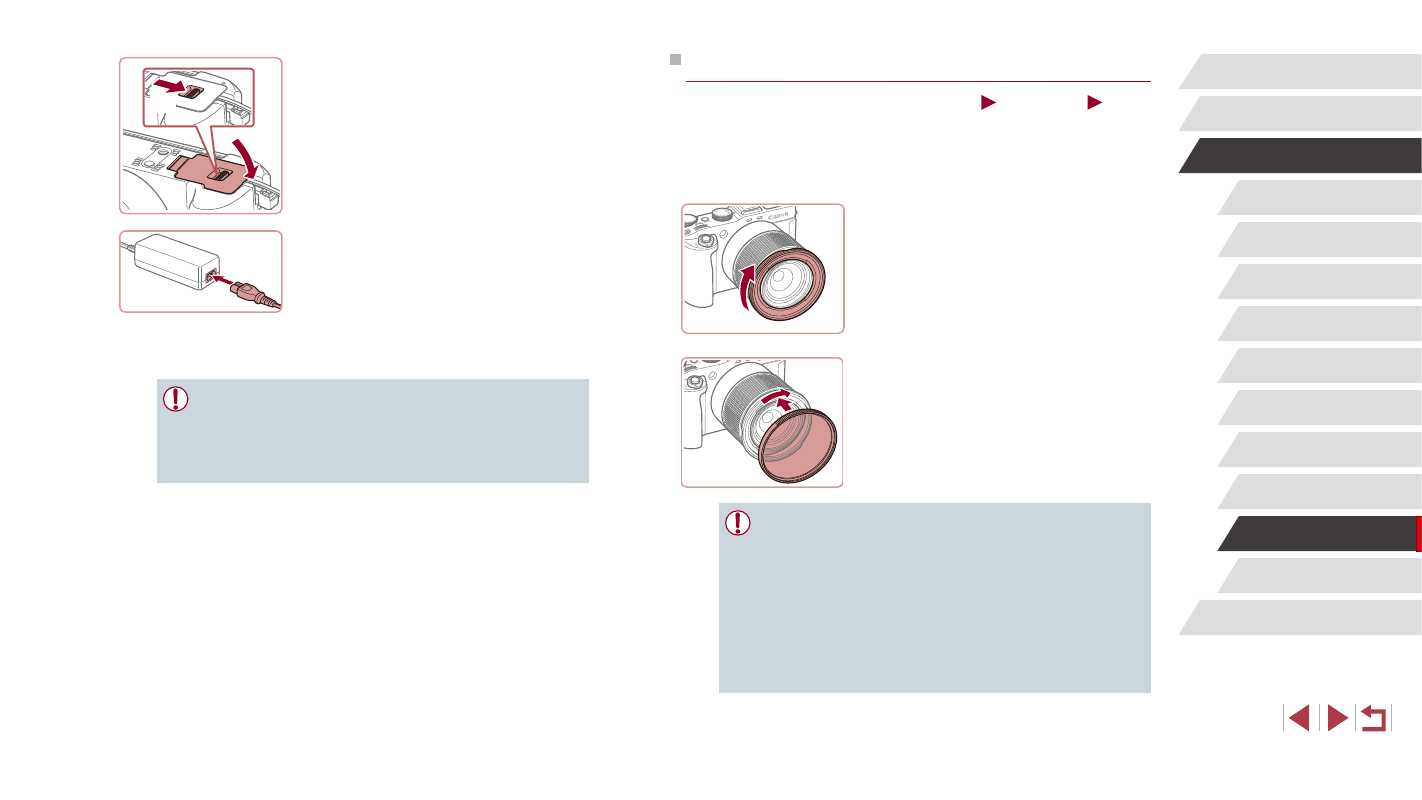
1
Attach the filter adapter.
z
Make sure the camera is off.
z
Align the notches on the camera and the
filter adapter and turn the adapter in the
direction of the arrow until locked.
z
To remove the filter adapter, turn it in the
opposite direction.
2
Attach a filter.
z
Turn the filter in the direction of the arrow
to attach it to the camera.
z
Make sure not to attach the filter too
tightly. Doing so could prevent removal of
the filter and damage the camera.
●
We recommend the use of genuine Canon filters (67 mm dia.).
●
When not using auto focus to shoot, set the manual focus option
[Safety MF] to [On].
●
If you use the built-in flash with the filter adapter attached,
portions of the image may appear darker.
●
When using the filter adapter, be sure to use only one filter at a
time. Attaching multiple filters, or accessories such as a heavy
lens, may cause the attachments to fall off and become damaged.
●
Do not grip the filter adapter tightly.
●
Remove the filter adapter when not using a filter or a hood.
5
Close the cover.
z
Lower the cover (1) and hold it down as
you slide the switch, until it clicks into the
closed position (2).
6
Connect the power cord.
z
Insert one end of the power cord into the
compact power adapter, and then plug
the other end into a power outlet.
z
Turn the camera on and use it as desired.
z
When finished, turn the camera off and
unplug the power cord from the outlet.
●
Do not disconnect the adapter or unplug the power cord while
the camera is still on. This may erase your shots or damage the
camera.
●
Do not attach the adapter or adapter cord to other objects. Doing
so could result in malfunction or damage to the product.
(2)
(1)