Canon imagePROGRAF GP-300 User Manual
Page 98
Advertising
Note
• For instructions on removing the roll holder from rolls, see "
Removing Rolls From the Roll Holder
•
7.
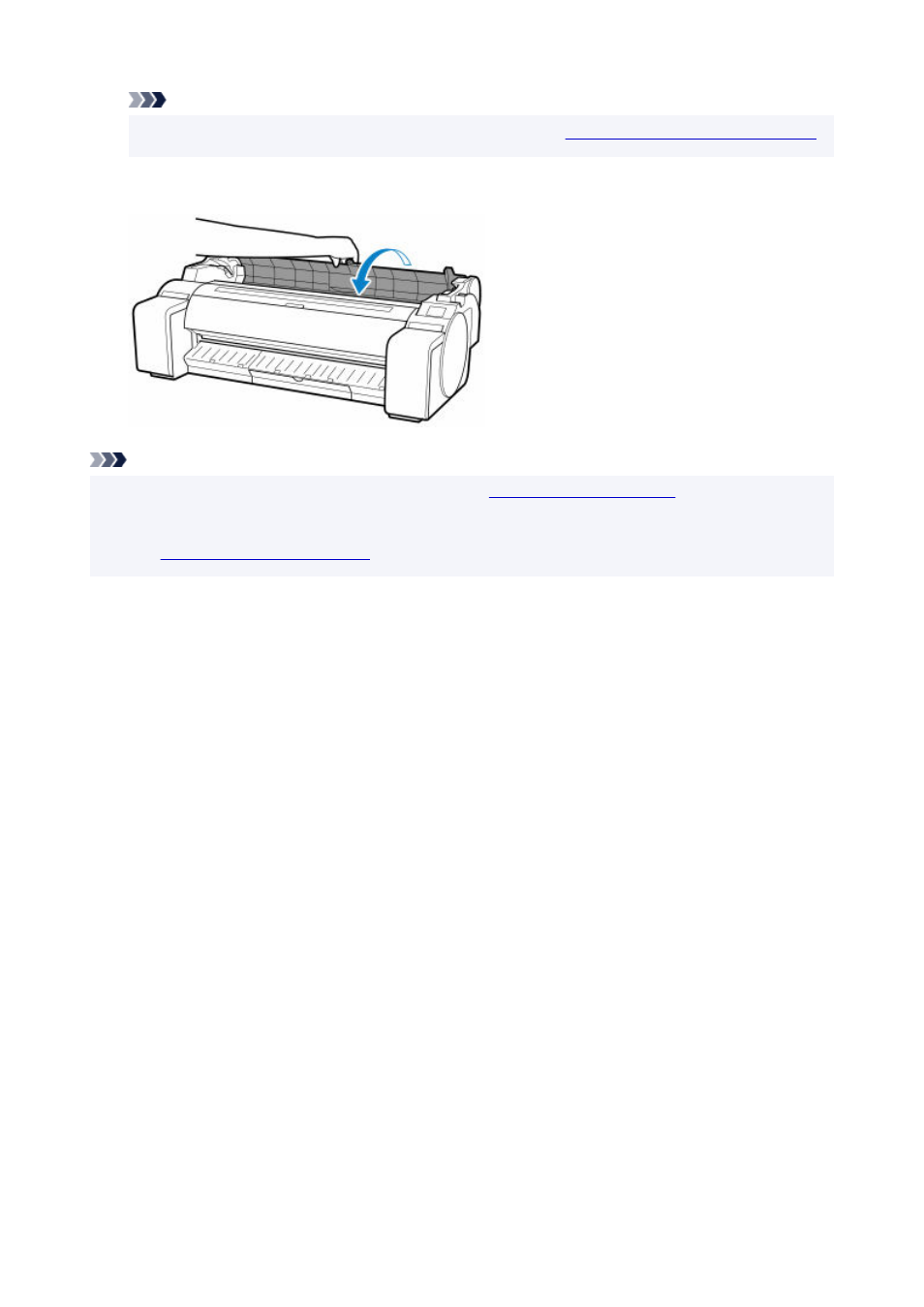
Holding it at the positions indicated, close the roll paper cover.
7.
Note
• To load new roll paper in the printer at this point, see "
."
•
• Clean inside the top cover before loading paper.
•
(See "
98
Advertising
See also other documents in the category Canon Printers:
- mx860 (997 pages)
- mp620 (815 pages)
- mp495 (759 pages)
- PIXMA iP2600 (72 pages)
- Pixma MP 190 (396 pages)
- PIXMA iX6540 (335 pages)
- PIXMA iX6520 (300 pages)
- PIXMA iX6540 (339 pages)
- BJC-3000 (350 pages)
- BJC-3000 (80 pages)
- BJC-50 (141 pages)
- BJC-55 (181 pages)
- BJC-6200 (281 pages)
- BJC-8200 (85 pages)
- BJC-8500 (159 pages)
- BJC-8500 (13 pages)
- i475D (2 pages)
- i80 (1 page)
- i850 (2 pages)
- CP-100 (110 pages)
- SELPHY CP750 (50 pages)
- CP 300 (53 pages)
- CP100 (62 pages)
- C70 (421 pages)
- W8200 (196 pages)
- H12157 (359 pages)
- ImageCLASS MF4570dw (61 pages)
- i 350 (9 pages)
- C560 (2 pages)
- C2880 Series (16 pages)
- Color imageRUNNER C3080 (4 pages)
- BJ-30 (183 pages)
- CDI-M113-010 (154 pages)
- imagerunner 7095 (14 pages)
- C3200 (563 pages)
- Direct Print (109 pages)
- IMAGERUNNER ADVANCE C5030 (12 pages)
- IMAGERUNNER 3530 (6 pages)
- IMAGERUNNER 3530 (352 pages)
- IMAGERUNNER ADVANCE C7065 (12 pages)
- BJC-4400 (106 pages)
- IMAGERUNNER 2525 (3 pages)
- ImageCLASS 2300 (104 pages)
- IMAGECLASS D440 (177 pages)
- ImageCLASS MF7280 (4 pages)