Canon imageCLASS MF264dw II Multifunction Monochrome Laser Printer User Manual
Page 150
3
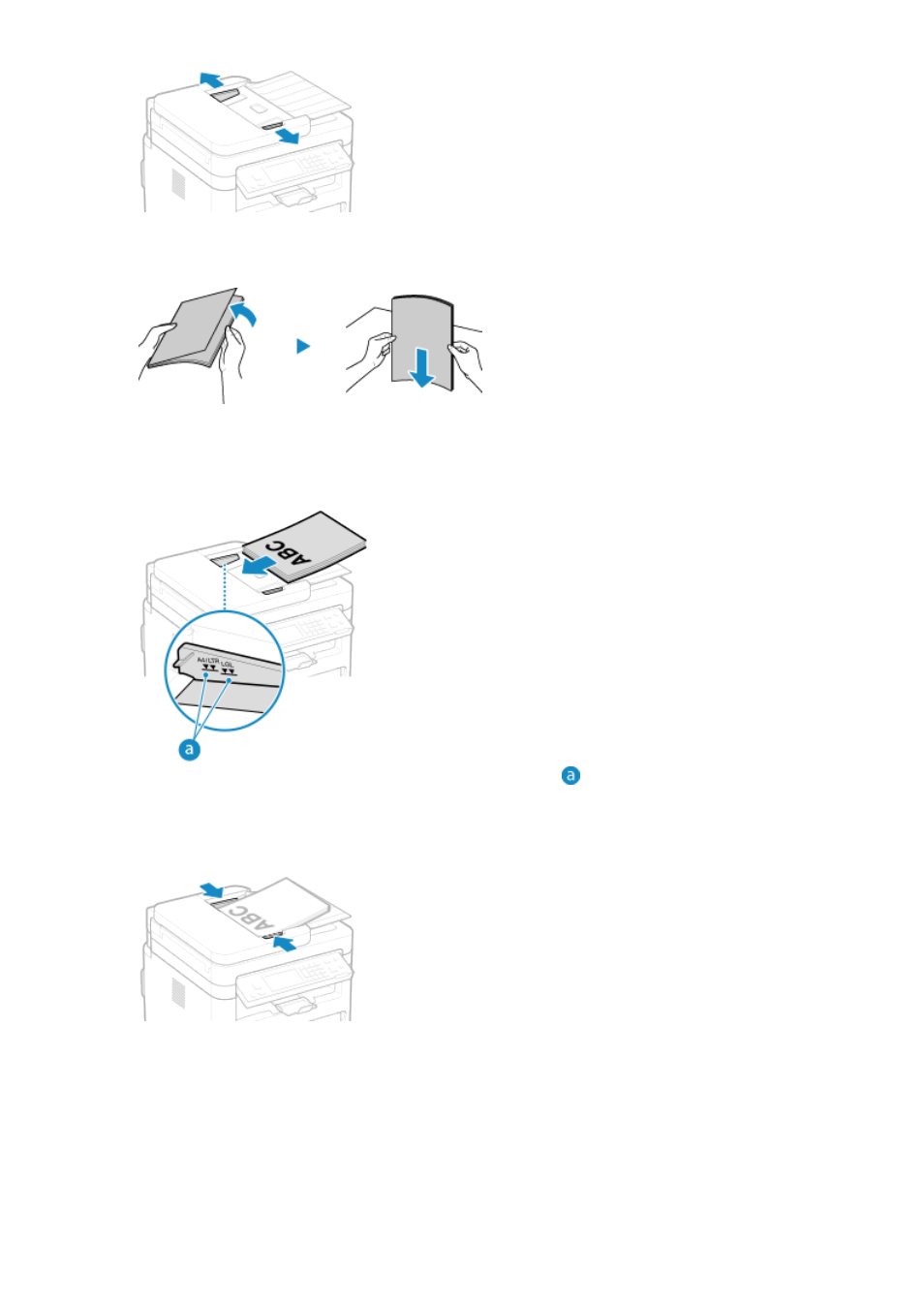
Fan the originals and align the edges.
Fan the originals in small batches, and align the edges by tapping the originals on a flat surface a few times.
4
Place the sides of the originals to be scanned face up in the feeder in the landscape
orientation.
Make sure the placed originals do not exceed the load limit line (
). If they exceed the load limit line, there
may be misfeeds or a paper jam.
5
Align the slide guides against the edges of the originals.
Slide guides that are aligned but too loose or too tight can cause misfeeds or a paper jam.
6
When scanning of the originals is complete, remove the ejected originals from below
the feeder.
●
Do not add originals or remove them during scanning.
●
Leaving ejected originals below the feeder may cause a paper jam.
Basic Operations
141