Moving the machine, Moving the machine(p. 544) – Canon imageCLASS MF264dw II Multifunction Monochrome Laser Printer User Manual
Page 553
Moving the Machine
8W0J-0E2
The machine is a heavy object. When moving the machine for cleaning or to change locations, be sure to perform the
procedure below to prevent injury, accident, or damage to the machine.
●
If the machine is to be transported for relocation, removals, etc., take the following steps to prevent damage
and faults during transportation:
- Remove the toner cartridge and the drum cartridge.
- Securely pack the machine in the original packaging (box) and packing materials.
1
Turn OFF the machine. Turning OFF the Machine(P. 112)
Turning OFF the machine deletes any data waiting to be printed.
2
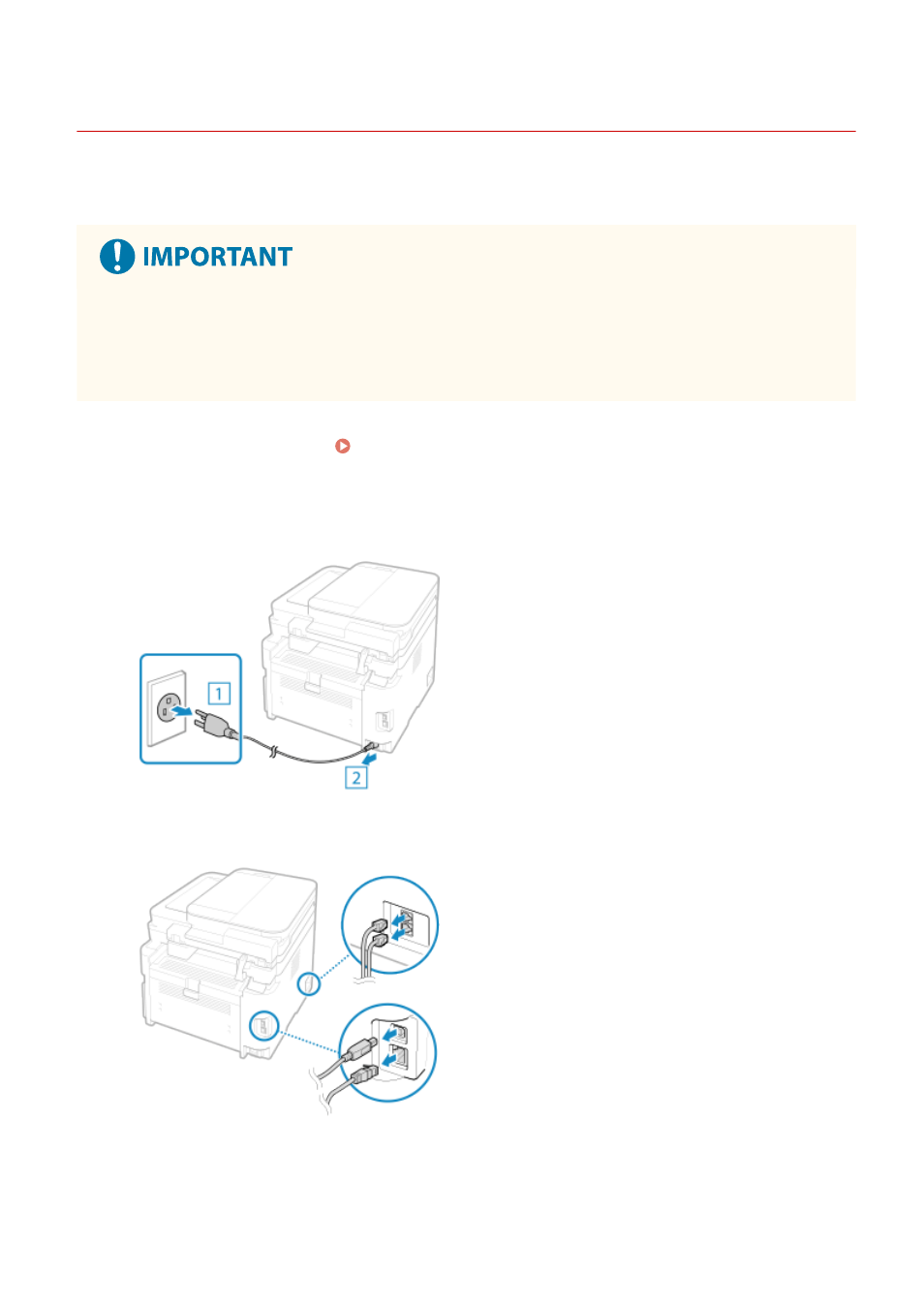
Unplug the power cord in the order shown.
3
Unplug all cables and cords connected to the machine.
* The number of connected cables and cords varies depending on the usage environment.
4
When moving the machine a long distance, remove the toner cartridge and the drum
cartridge to prevent spilling of toner.
Maintenance
544