Canon imageCLASS MF264dw II Multifunction Monochrome Laser Printer User Manual
Page 182
Registering Groups to the Address Book (Control Panel)
8W0J-03C
You can register a group of multiple destinations to the Address Book using the control panel.
You can register only the same type of destinations for a group. You cannot register file save locations (shared folder)
to a group.
Required Preparations
●
Register the destinations to be added to a group to the Address Book of the machine. Registering
Destinations to the Address Book (Control Panel)(P. 171)
1
On the control panel, press [Addr. Book] in the [Home] screen. [Home]
Screen(P. 120)
2
Press [Regist Dest.].
➠
The [Register As] screen is displayed.
If the [Address Book PIN] screen is displayed, enter the PIN, and press [Apply].
3
Press [Coded Dial] or [One-Touch].
➠
[Destination Type] screen is displayed.
4
Press [Group].
➠
The [Group] screen is displayed.
5
Press [Name] and enter the name, and then press [Apply].
You can register a destination without entering its name, but by entering the name, you can search for it by
its initials when specifying the destination.
6
Press [Number of Destinations].
7
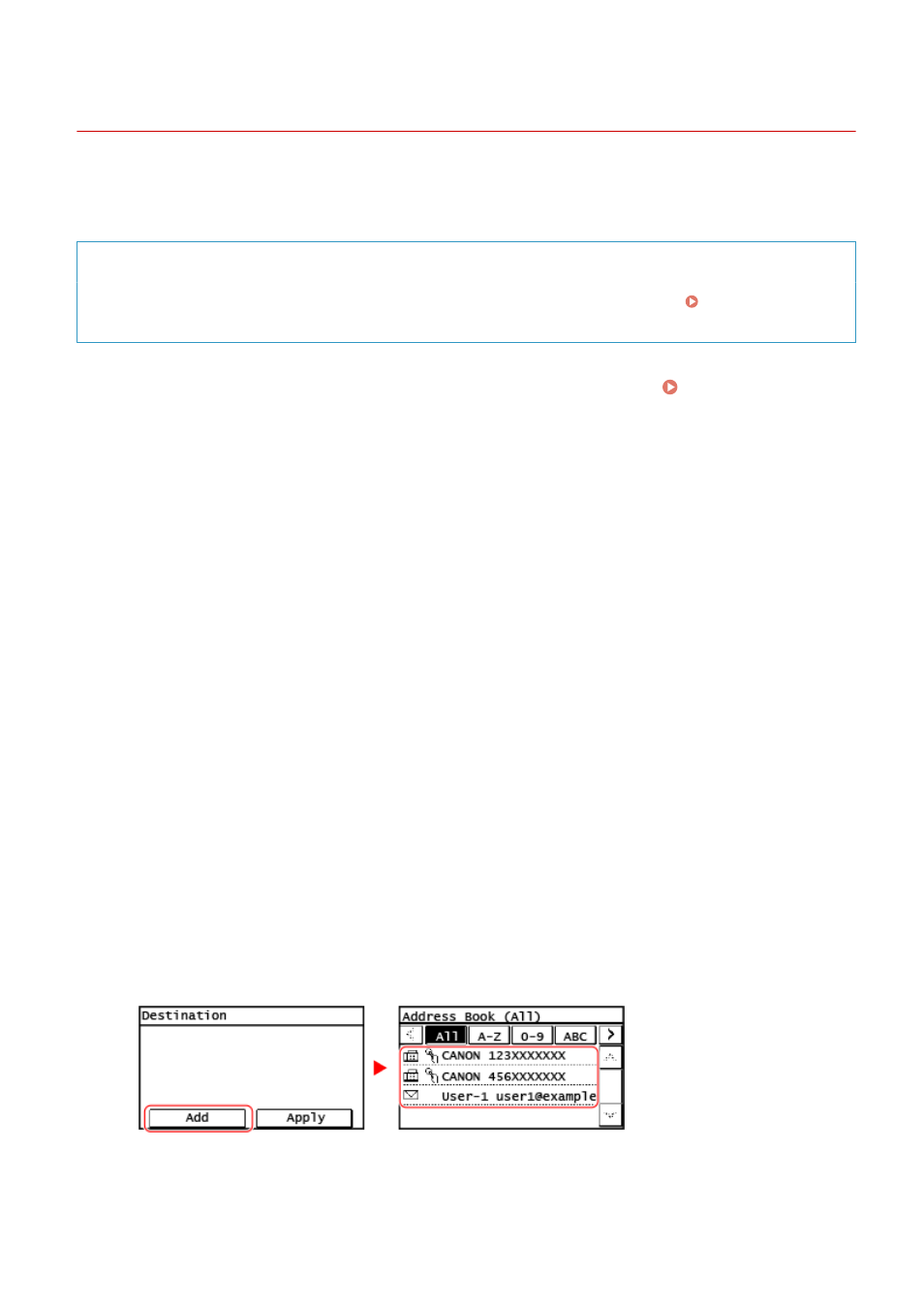
Press [Add] and select the address you want to add to the group.
●
Select the index at the top of the screen of the Address Book to filter and display the destinations.
●
Repeat this operation until you register every address you want to add to the group.
Basic Operations
173