Using the downloaded send function setting tool, Ool. using the downloaded send, Function setting tool(p. 238) – Canon imageCLASS MF264dw II Multifunction Monochrome Laser Printer User Manual
Page 247
Using the Downloaded Send Function Setting Tool
8W0J-050
You can use the downloaded Send Function Setting Tool to automatically search for and start the configuration of the
machine.
Required Preparations
●
Download the Send Function Setting Tool from the Canon website for your country/region.
https://global.canon/en/support/
●
Double-click the downloaded file to extract the data.
1
In the extracted Send Function Setting Tool folder, open [SendSetting] [english],
and double-click [SendSetting.exe].
➠
A description of the Send Function Setting Tool is displayed.
2
Click [Next].
If a dialog box to cancel the Windows firewall appears, click [Yes].
3
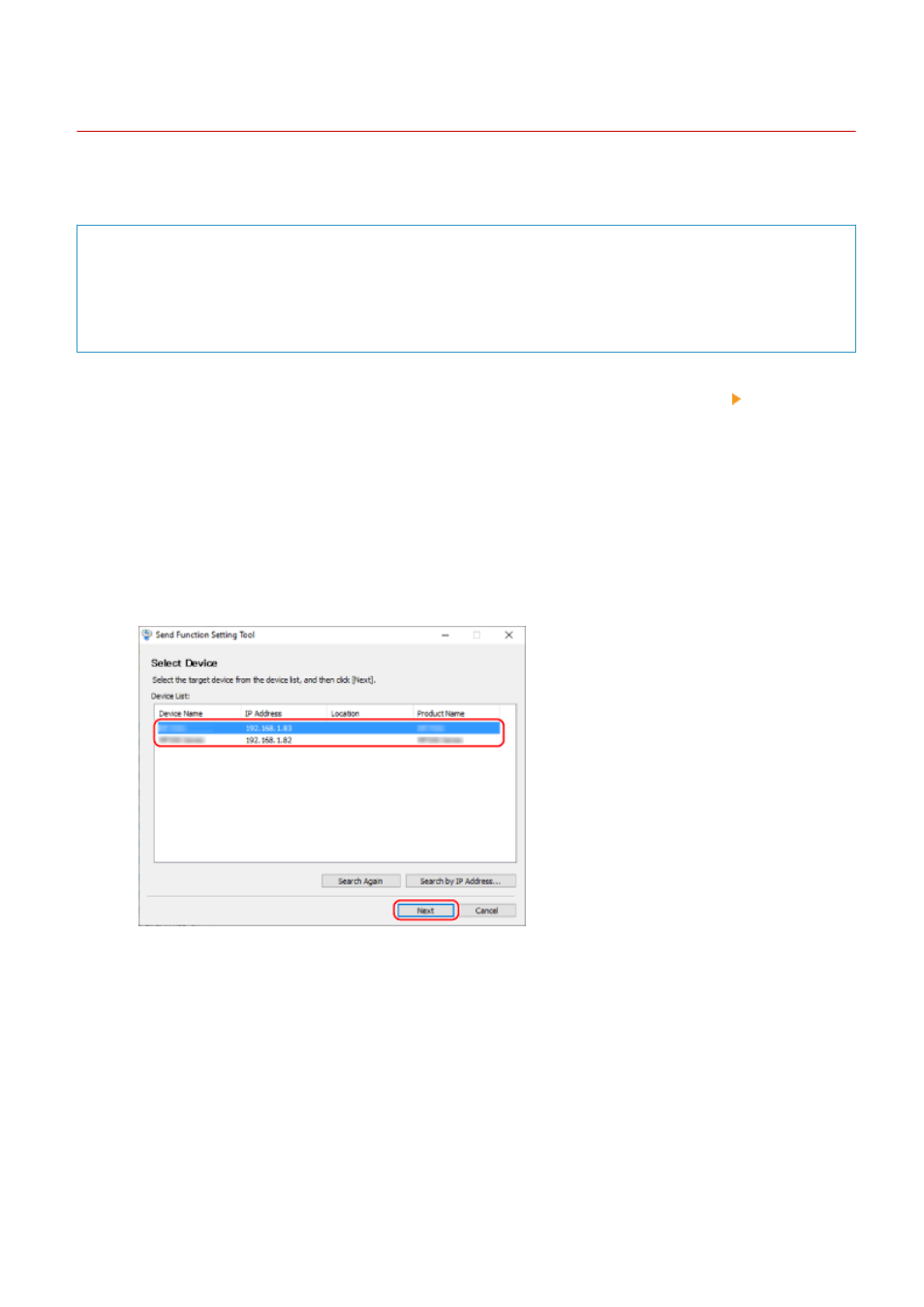
From [Device List], select the machine, and click [Next].
If the machine is not displayed in [Device List], click [Search Again]. If the machine is still not displayed, click
[Search by IP Address], enter the IP address of the machine, and then click [OK].
4
Click [OK].
➠
The [Start Settings] screen of the Send Function Setting Tool is displayed.
Scanning
238