Configuring uam 1 as an access device, Configuring access users – H3C Technologies H3C Intelligent Management Center User Manual
Page 102
84
Configuring UAM 1 as an access device
During authentication, UAM 2 only receives RADIUS packets sent from UAM 1 and verifies the username
and password forwarded from UAM 1.
When you configure UAM 1 as an access device, follow these guidelines:
•
The shared key and authentication/accounting port specified in the RADIUS scheme must be
consistent with those configured for the access device on UAM 1.
•
Select LAN access as the service type.
•
Select HP (Comware) or H3C (General) as the access device type.
•
Configure the gateway IP address of UAM 2 as the IP address of the access device.
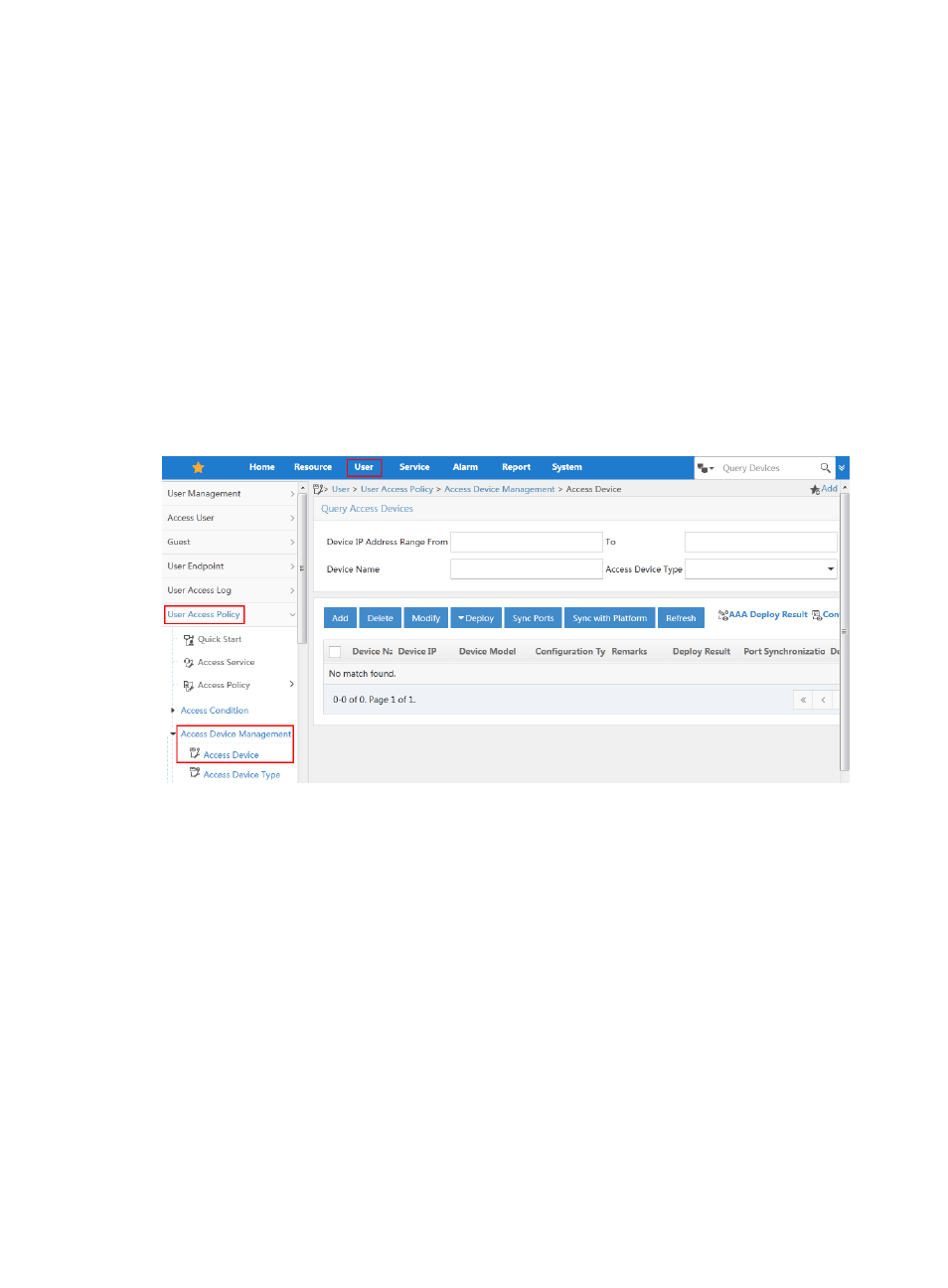
To enter the access device configuration page, click the User tab and select User Access Policy > Access
Device Management > Access Device from the navigation tree, as shown in
.
For information about configuring access devices, see "
Figure 83 Entering the access device configuration page
Configuring access users
To enter the access user configuration page, click the User tab and select Access User > All Access Users
from the navigation tree, as shown in
.
For more configuration information, see "