For pal video, Helpful shooting features, Using the dual axis electronic level – Canon PowerShot G7 X Mark II User Manual
Page 51
51
Other Shooting Modes
P Mode
Tv, Av, M, and C Mode
Playback Mode
Wi-Fi Functions
Setting Menu
Accessories
Appendix
Before Use
Index
Basic Guide
Advanced Guide
Camera Basics
Auto Mode /
Hybrid Auto Mode
Helpful Shooting Features
Using the Dual Axis Electronic Level
Still Images
Movies
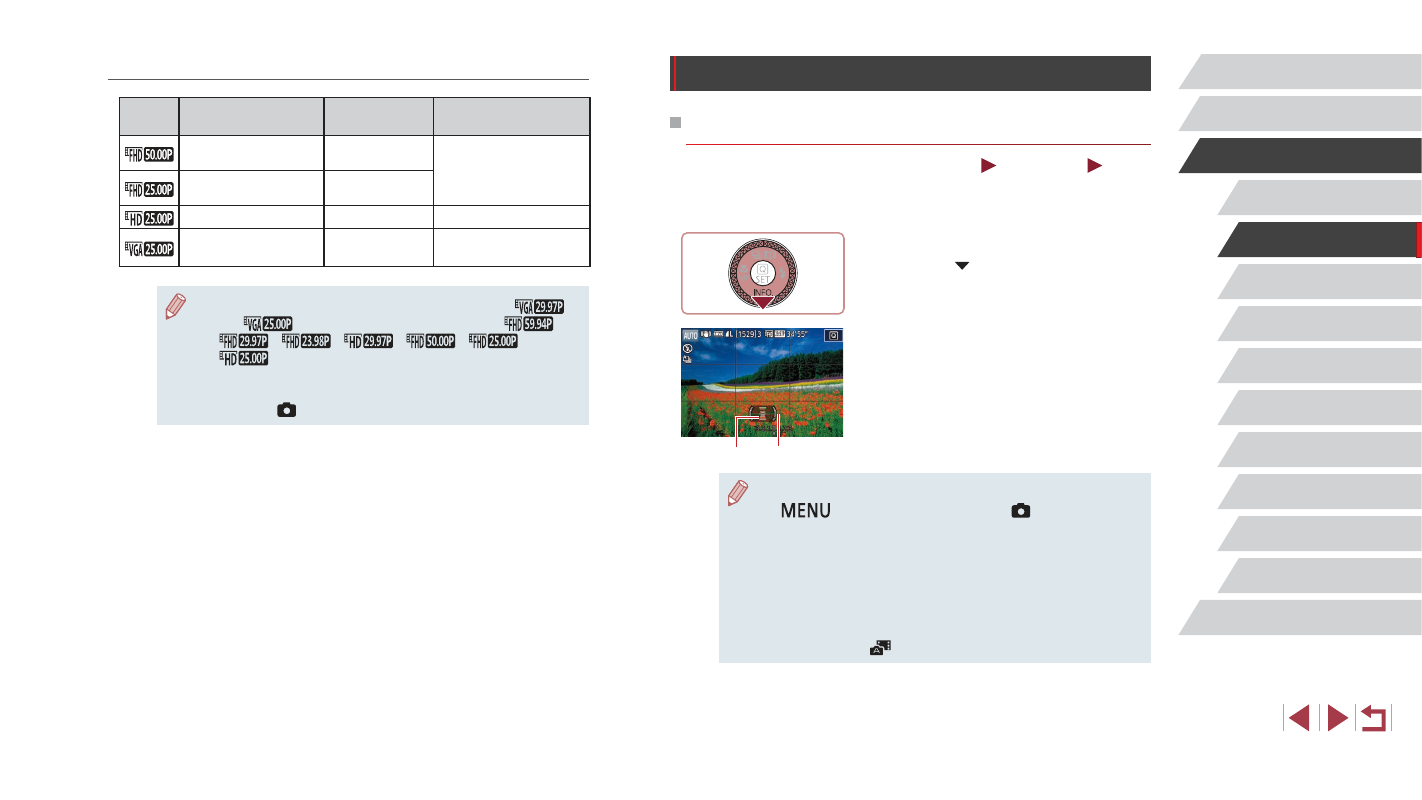
An electronic level can be displayed as a guideline to ensure the camera
is level from front to back and left to right.
1
Display the electronic level.
z
Press the [ ] button several times to
display the electronic level.
2
Straighten the camera.
z
(1) indicates the front-back orientation
and (2) the left-right orientation.
z
If the camera is tilted, move it so that the
red line changes to green.
●
If the electronic level is not displayed in step 1, press the
[
] button and check the setting in [
1] tab ► [Shooting
information display].
●
The electronic level is not displayed during movie recording.
●
If you hold the camera vertically, the orientation of the electronic
level will be updated automatically to match the camera
orientation.
●
Calibrate the electronic level if it seems ineffective in helping you
level the camera (= 170).
●
Not available in [
] mode.
(1)
(2)
For PAL Video
Image
Quality
Number of
Recording Pixels
Frame Rate
Details
1920 x 1080
50.00 fps
For shooting in
Full HD.
1920 x 1080
25.00 fps
1280 x 720
25.00 fps
For shooting in HD.
640 x 480
25.00 fps
For shooting in
standard definition.
●
There are black bars displayed on the left and right in [
]
and [
] modes and on the top and bottom in [
],
[
], [
], [
], [
], [
], and
[
] modes. They indicate that this image area cannot be
recorded.
●
You can also configure this setting by choosing MENU
(= 30) ► [
7] tab ► [Movie rec. size].