Changing the iso speed, Adjusting iso auto settings, 80) is increased to suit the shooting conditions – Canon PowerShot G7 X Mark II User Manual
Page 80: 80) or activating the flash (if subjects are dark
80
Tv, Av, M, and C Mode
Playback Mode
Wi-Fi Functions
Setting Menu
Accessories
Appendix
Before Use
Index
Basic Guide
Advanced Guide
Camera Basics
Auto Mode /
Hybrid Auto Mode
Other Shooting Modes
P Mode
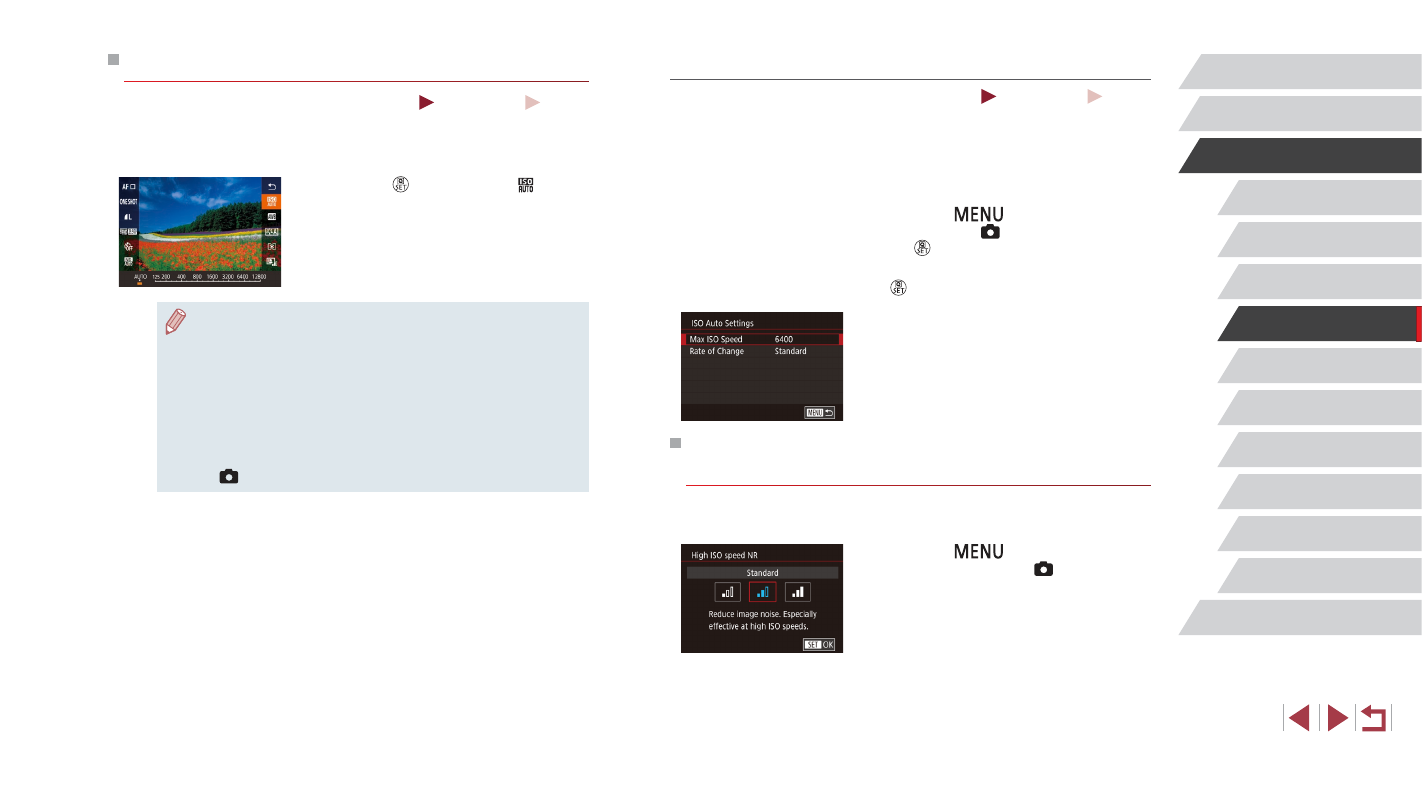
Adjusting ISO Auto Settings
Still Images
Movies
When the camera is set to [AUTO], maximum ISO speed can be specified
in a range of [400] – [12800], and sensitivity can be specified in a range of
three levels.
1
Access the setting screen.
z
Press the [
] button, choose [ISO
speed] on the [ 5] tab, and then press
the [ ] button (= 30).
z
Choose [ISO Auto Settings] and press the
[ ] button.
2
Configure the setting.
z
Choose a menu item to configure, and
then choose the desired option (= 30).
Changing the Noise Reduction Level (High ISO
Speed NR)
You can choose from 3 levels of noise reduction: [Low], [Standard], [High].
This function is especially effective when shooting at high ISO speeds.
z
Press the [
] button, choose [High
ISO speed NR] on the [ 6] tab, and
then choose the desired option (= 30).
Changing the ISO Speed
Still Images
Movies
Set the ISO speed to [AUTO] for automatic adjustment to suit the shooting
mode and conditions. Otherwise, set a higher ISO speed for higher
sensitivity, or a lower value for lower sensitivity.
z
Press the [ ] button, choose [ ] in the
menu, and choose the desired option
z
The option you configured is now
displayed.
●
To view the automatically determined ISO speed when you have
set the ISO speed to [AUTO], press the shutter button halfway.
●
Although choosing a lower ISO speed may reduce image
graininess, there may be a greater risk of subject and camera
shake in some shooting conditions.
●
The faster shutter speed used at higher ISO speeds reduces
subject and camera shake and increases the flash range.
However, shots may look grainy.
●
You can also set the ISO speed by accessing MENU (= 30) ►
[
5] tab ► [ISO speed] ► [ISO Speed].