parameter reset, 19 pa, Rameter reset – CIRCUTOR CVM-B Series User Manual
Page 172
If no key is pressed for 5 minutes, the display screen changes automatically to the default
screen, which displays the voltage measurement of 4 parameters.
5�6�19�-
Parameter reset�
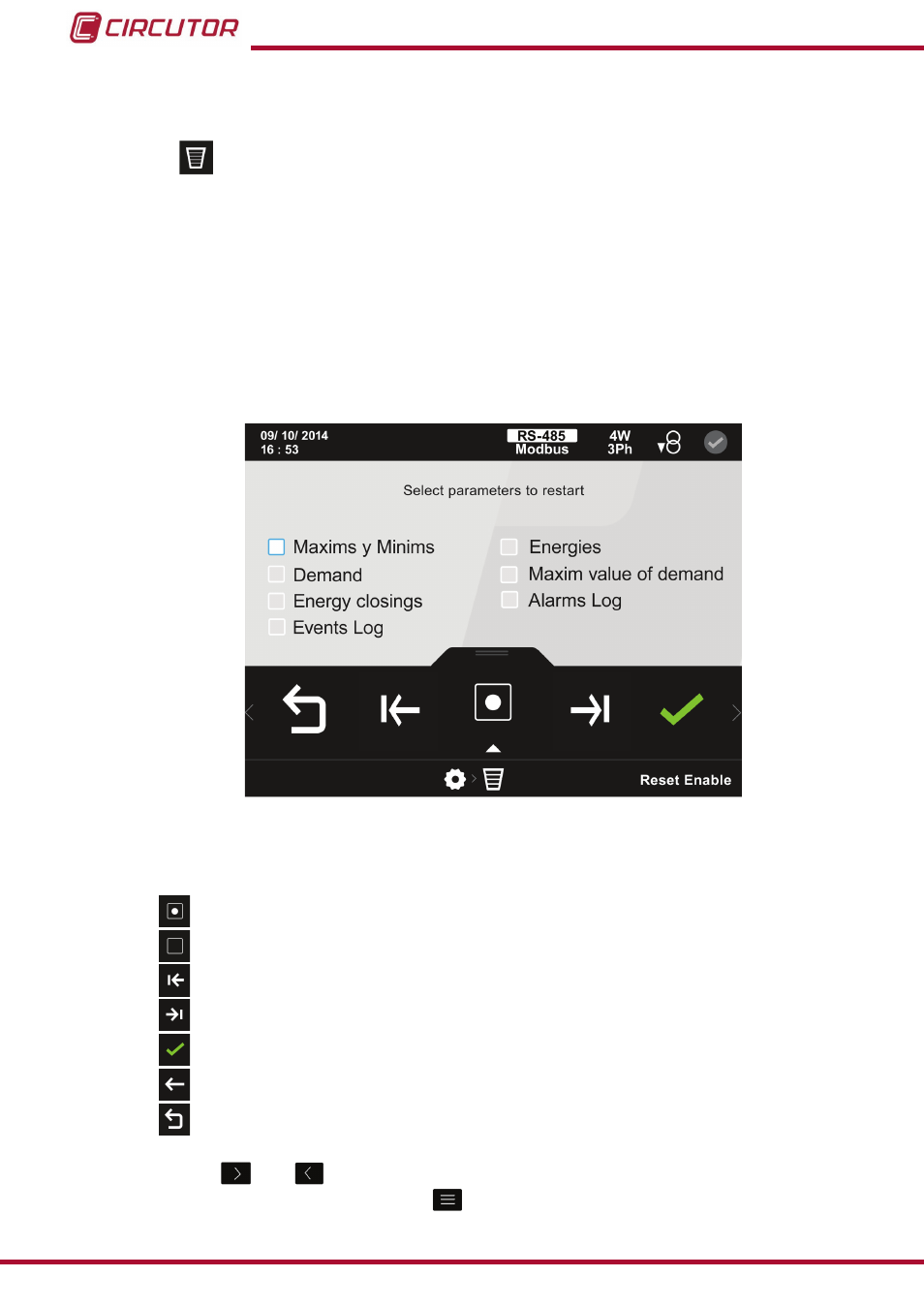
The parameters to be reset are selected on the parameter reset screen,
In the
CVM-B you can reset:
The maximum and minimum values.
The energies.
The demand values.
The maximum demand maximum values.
The energy closes.
The event and energy logs.
figure 139: Parameter reset screen�
The following options appear in the lower area:
Enable reset, enable reset of selected parameter.
Disable reset, disable reset of selected parameter.
Previous, selects the previous parameter
�
Next, selects the next parameter
�
Confirm, confirms and saves in the memory the values programmed on the screen
�
Back, returns to the home screen of the setup menu
.
Main Menu, back to the main menu,
figure 25
.
Use the keys
and
to select the different options.
To confirm the selection, press the key
.
172
CVM-B100 - CVM-B150
Instruction Manual