Parameter selection – CIRCUTOR CVM-B Series User Manual
Page 57
5�1�1�2�1�1�-
Parameter selection
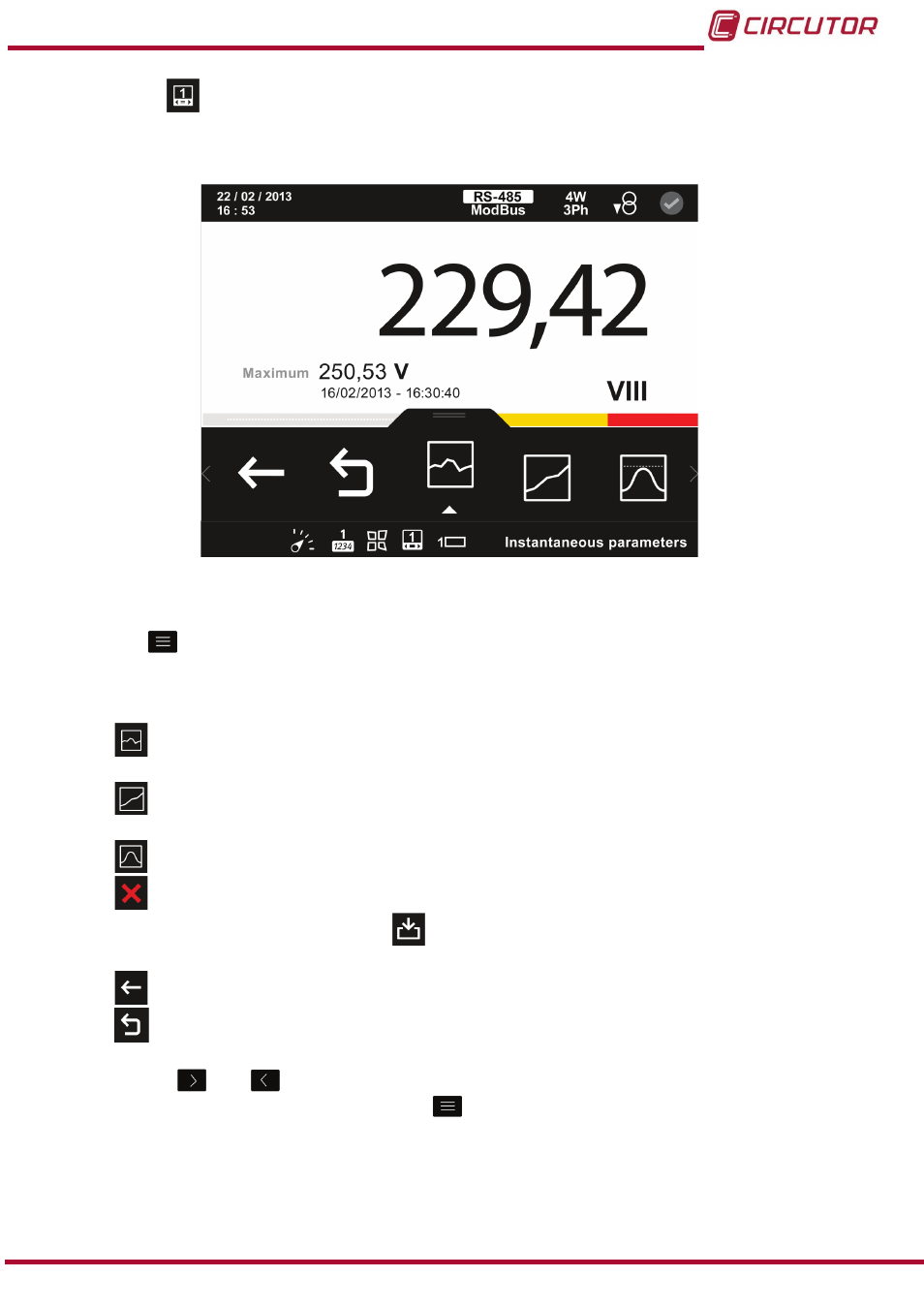
figure 46
shows the screen for selecting the parameter for display.
figure 46: Custom parameters screen, parameter selection (displays 1 parameter)�
The menu in the lower area disappears after 3 seconds.
Press the
key to display the lower area again.
The lower area menu options are:
Selects an instantaneous parameter (
“5.1.1.2.1.1.1. Selecting an instantaneous
Selecting an incremental parameter. (
“5.1.1.2.1.1.2. Selecting an incremental
)
Selecting a demand parameter.(
“5.1.1.2.1.1.3. Selecting a demand parameter.”
Delete parameter, deletes the parameter displayed on the screen
�
When this option is selected
the
icon appears with the option to save the deleted
parameter.
Back, returns to the customisation screen,
figure 45�
Main Menu, back to the main menu,
Use the keys
and
to browse the different options.
To access the option selected press the key
.
57
Instruction Manual
CVM-B100 - CVM-B150