2 port rate setting – PLANET WGSW-28040P User Manual
Page 82
User’s Manual of WGSW-28040 / 28040P / 28040P4
82
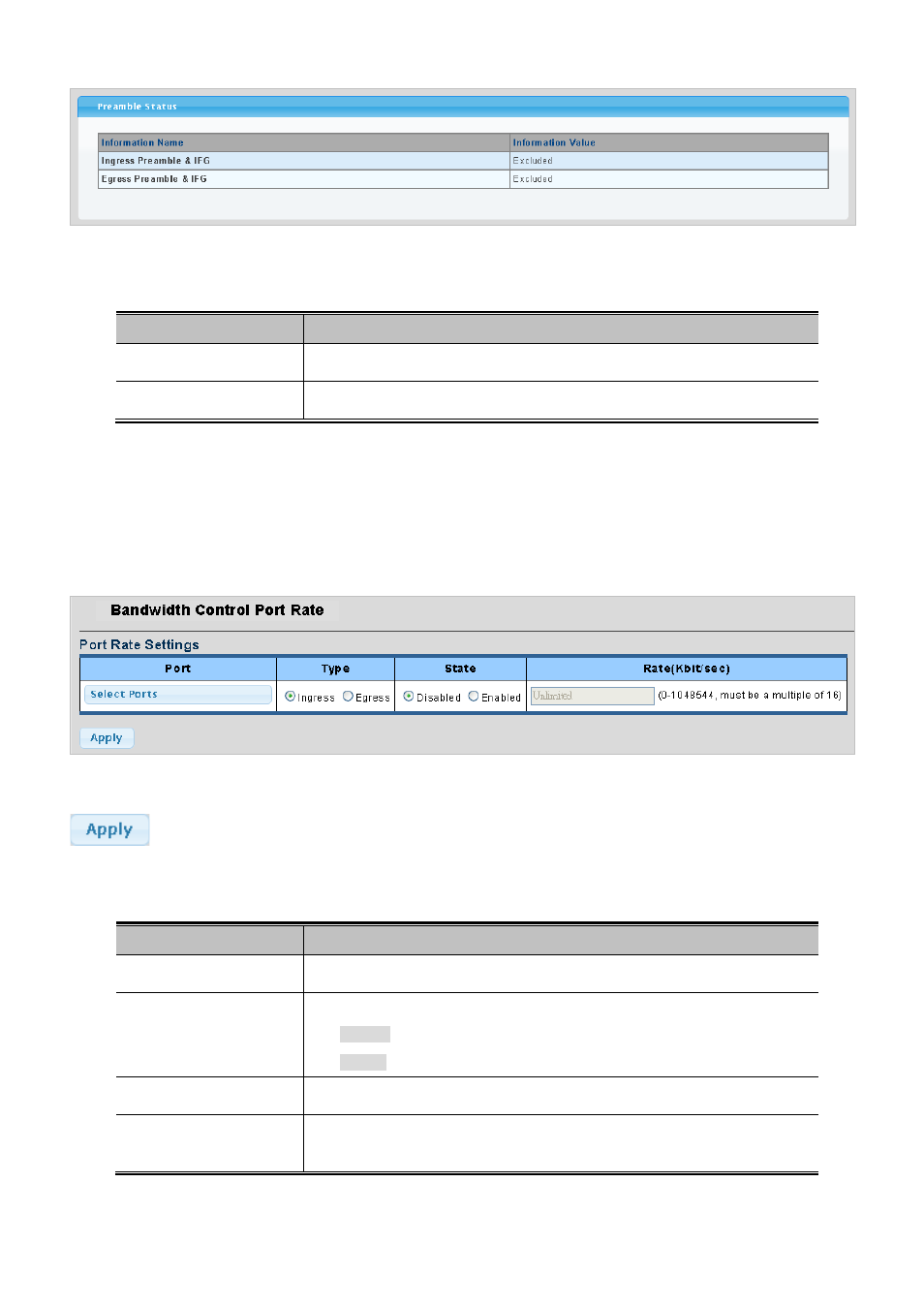
Figure 4-3-16 Preamble Status page screenshot
The page includes the following fields:
Object
Description
• Information Name
Display the current information name.
•
Information Value
Display the current information value.
4.3.8.2 Port Rate Setting
This page provides to configuration port rate parameter. The Bandwidth Control Port Rate screen in
Figure 4-3-17 & Figure
4-3-18
appears.
Figure 4-3-17 Port Rate Settings page screenshot
Buttons
: Click to apply changes.
The page includes the following fields:
Object
Description
• Port
Select port number for this drop down list.
• Type
Allow ingress or egress type for port rate.
Ingress: traffic control for incoming.
Egress: traffic control for outgoing.
• State
Enable or disable the port rate policer. The default value is "Disabled".
•
Rate (Kbit/sec)
Configure the rate for the port policer. The default value is "unlimited". Valid
values are in the range 0 to 1048544.