Maintenance – Beisler 1282-4 User Manual
Page 46
- 17 -
Closing Seam Machine 1282-4 Working Instructions
Beisler Automated Sewing Equipment
C.5
Maintenance
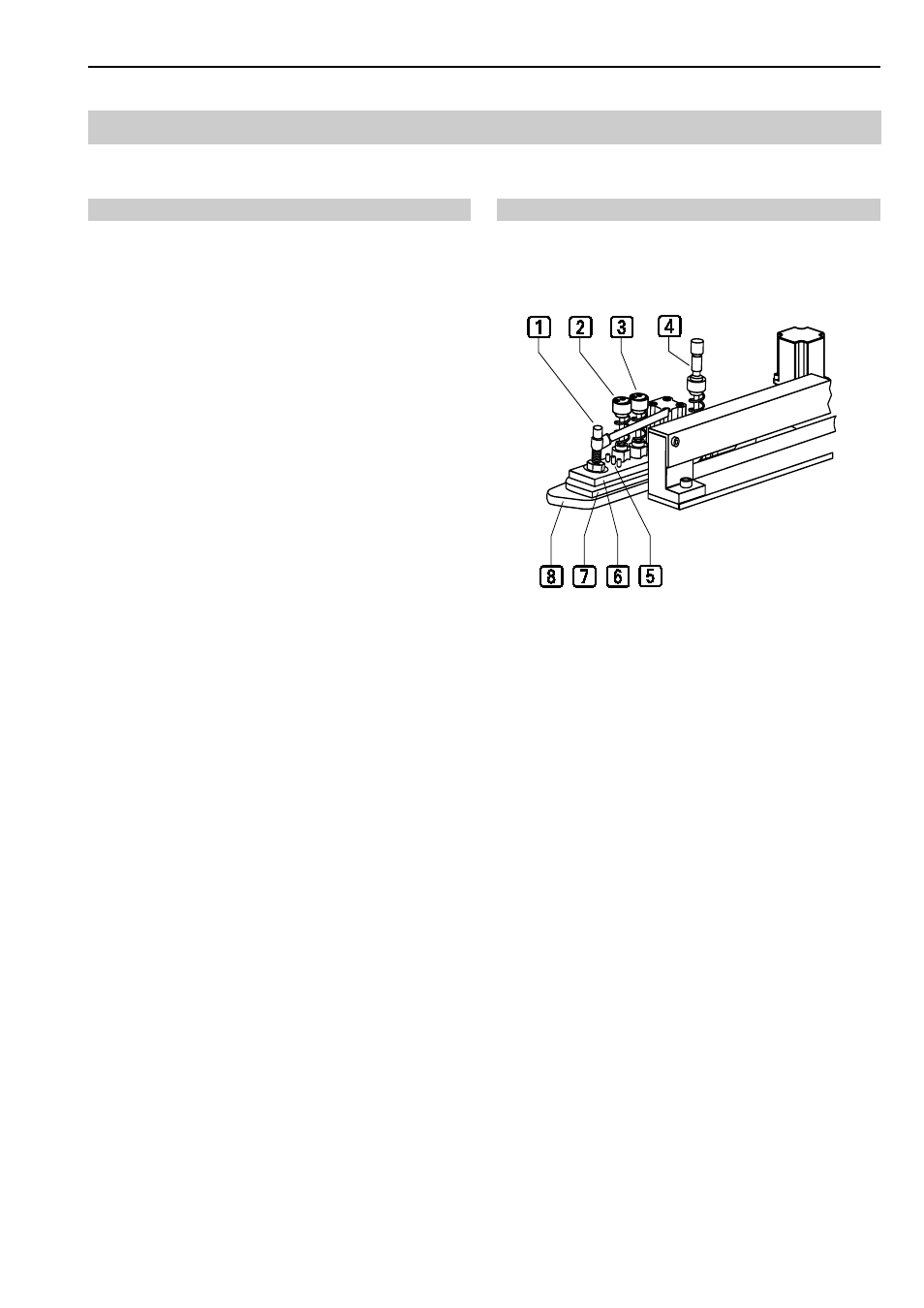
Setting the contour guide:
The following can be set at the contour guide:
•
material thickness of the cloths,
•
the pressure of the compressed air used to blow the
trousers components to the contour guide stop,
•
lowering position and pressure to be exerted onto the
upper trousers component,
The setting is to ensure that:
•
the sewing pieces can be blown easily to the contour
guide,
•
the trousers components glide easily on the worktable
and maintain their position to each other during trans-
port.
Setting material thickness for sewing pieces:
The setting for the material thickness is determined in a
test by presetting the corresponding knurled screw and
by a visual check at the contour guide stop.
Fig. 13: The material thickness is set correctly if:
•
a single layer of the cloth can be blown easily to the
contour guide stop
4
,
•
a double layer of the cloth does not fit in the space
between the baseplate
8
and the center tab
7
or between center tab and cover plate
8
.
1. Set presetting for the lower cloth layer at knurled
screw
2
.
2. Set presetting for the upper cloth layer at knurled
screw
3
.
3. Avtivate blowing system using Input/Output function
(see Section D, Programming Instructions). OUT 18:
Activate blowing system, OUT 3: Close contour guide.
4. Check to see how the cloth glides to the stop
4
and
readjust the knurled screws
2
and
3
repeatedly,
as required.
5. Adjust the pressure of the blowing system. Rotate the
throttles of valves
1
and
4
using a
screwdriver.
• front throttle
1
for upper cloth layer,
• rear throttle
4
for lower cloth layer.
To increase the blowing pressure, rotate the throttle
clockwise; to reduce the pressure, rotate the throttle
counterclockwise.
Fig. 13
Fig. 13