X-y view – Grass Valley NV9000-SE v.5.0 User Manual
Page 374
356
Control Panels
EC9700
These icons appear when and where they can be used and disappear when there is no opportu-
nity to use them. For instance, if you are viewing the entries at the very top of a list, the top-of-
page, scroll up, and page up buttons will be hidden.
X-Y View
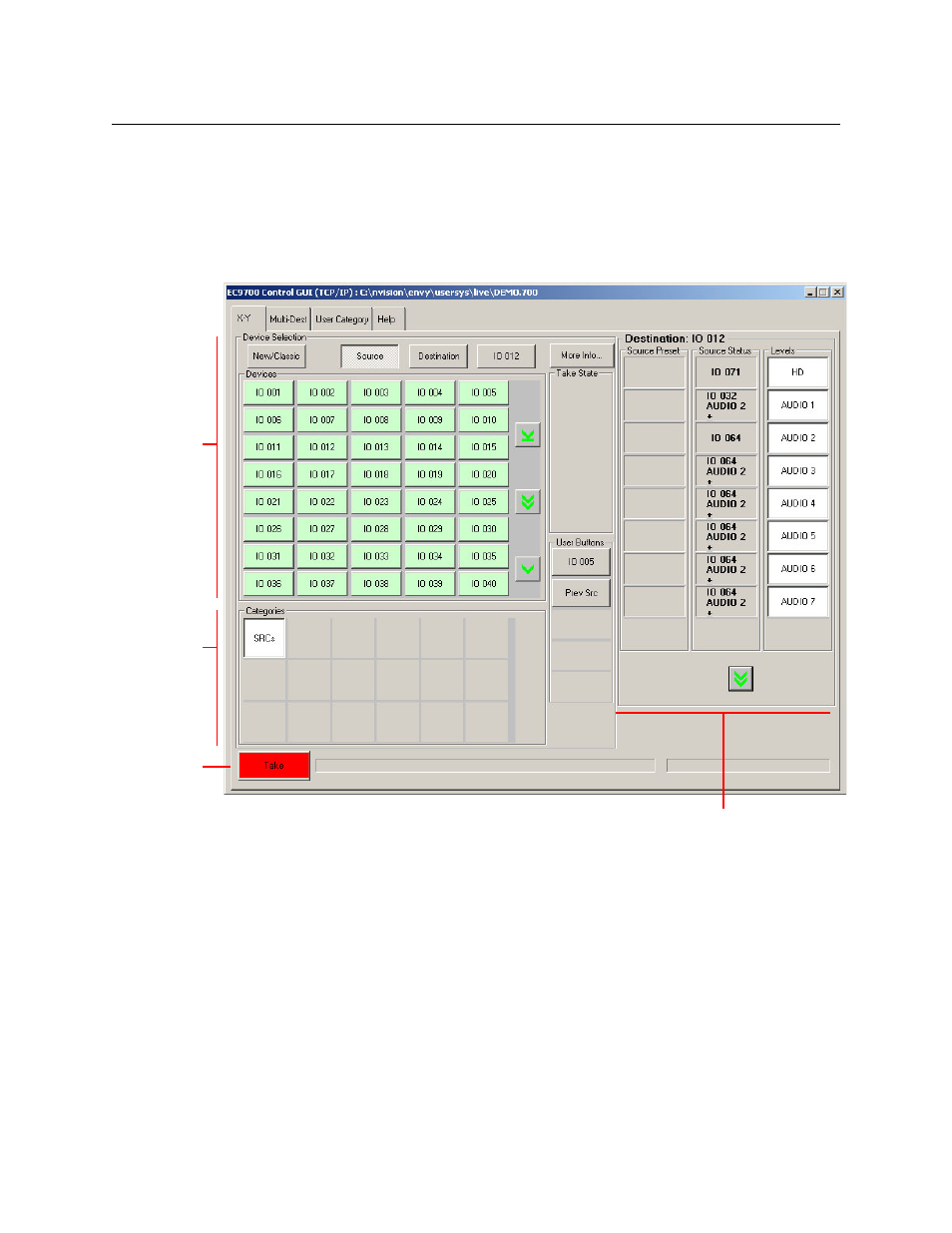
This is a typical X-Y view. This view is showing sources:
At the right side of the page is the tally area: 3 columns that give the status of the current route
and any pending route.
The columns are called:
•
Level
This column identifies the levels of the currently selected destination.
•
Source Status
The status column indicates what source was routed to the destination.
The status column represents either the levels of a source or the levels of multiple sources
under breakway.
•
Source Preset
‘Take’
button
Category
List
Device List
(Sources or
Destinations)
Tally Area: Status of Last
Route and Pending Route