Sysparams’ table, Filter – Grass Valley NV9000-SE v.5.0 User Manual
Page 514
496
Misc. Configuration Pages
‘SysParams’ Table
•
Revert to Saved
Click ‘Revert to Saved’ to restore the saved version of the pathname table, discarding any
changes you have made (since the last save).
•
‘Save & Close’
Click ‘Save & Close’ to commit the changes you have made in the page and then close the
page.
‘SysParams’ Table
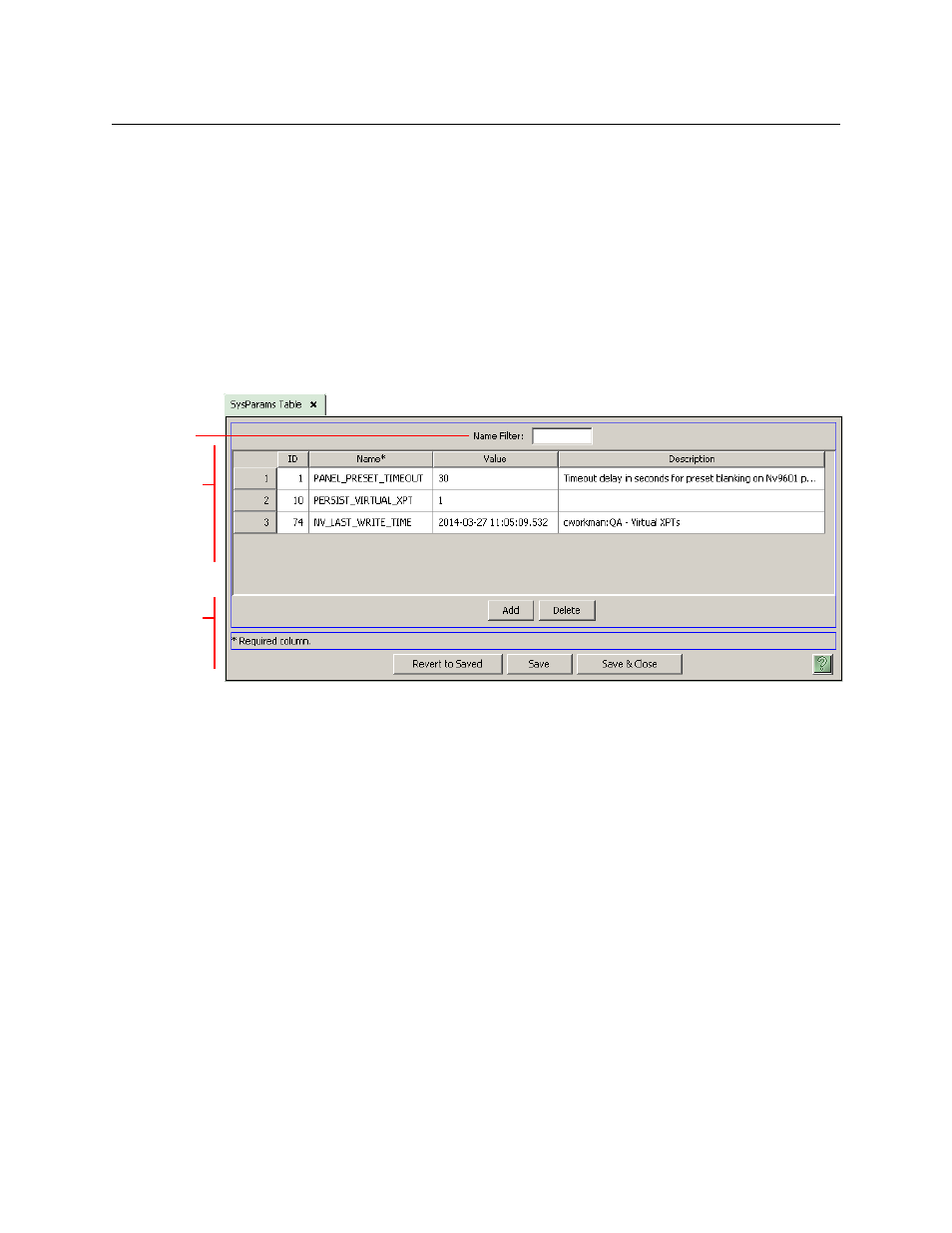
The ‘SysParams’ table (under the ‘Views’ pane) lists “system parameters.” This is a typical
‘SysParams’ table:
Fig. 18-1: ‘SysParams’ Table (Sample)
The “system parameters” are miscellaneous special-purpose data. Not every configuration will
use every system parameter. Some configurations will use none.
Although you can add parameters of arbitrary names to this list, NV9000-SE Utilities can
process only the parameters whose names it recognizes.
The use of a particular parameter is specific to the parameter and its value might depend on
specific characteristics at an installation.
There are 3 sections in the page:
•
Filter
•
Parameter List
•
Buttons
Filter
At the top of the page is a ‘Name’ filter. If you enter text in this field, the list of parameters is
restricted to those parameters whose names contain the text you entered.
Filter
Parameter
List
Buttons