4 port mirroring – PLANET WGSW-48000 User Manual
Page 138
User’s Manual of WGSW-48000
138
• Static MAC Address
Specifies the MAC address to add.
• Port
Specifies the port number.
• VLAN ID
Specifies the VLAN ID of the MAC address.
• Delete
Removes the specified MAC address.
4.11.4 Port Mirroring
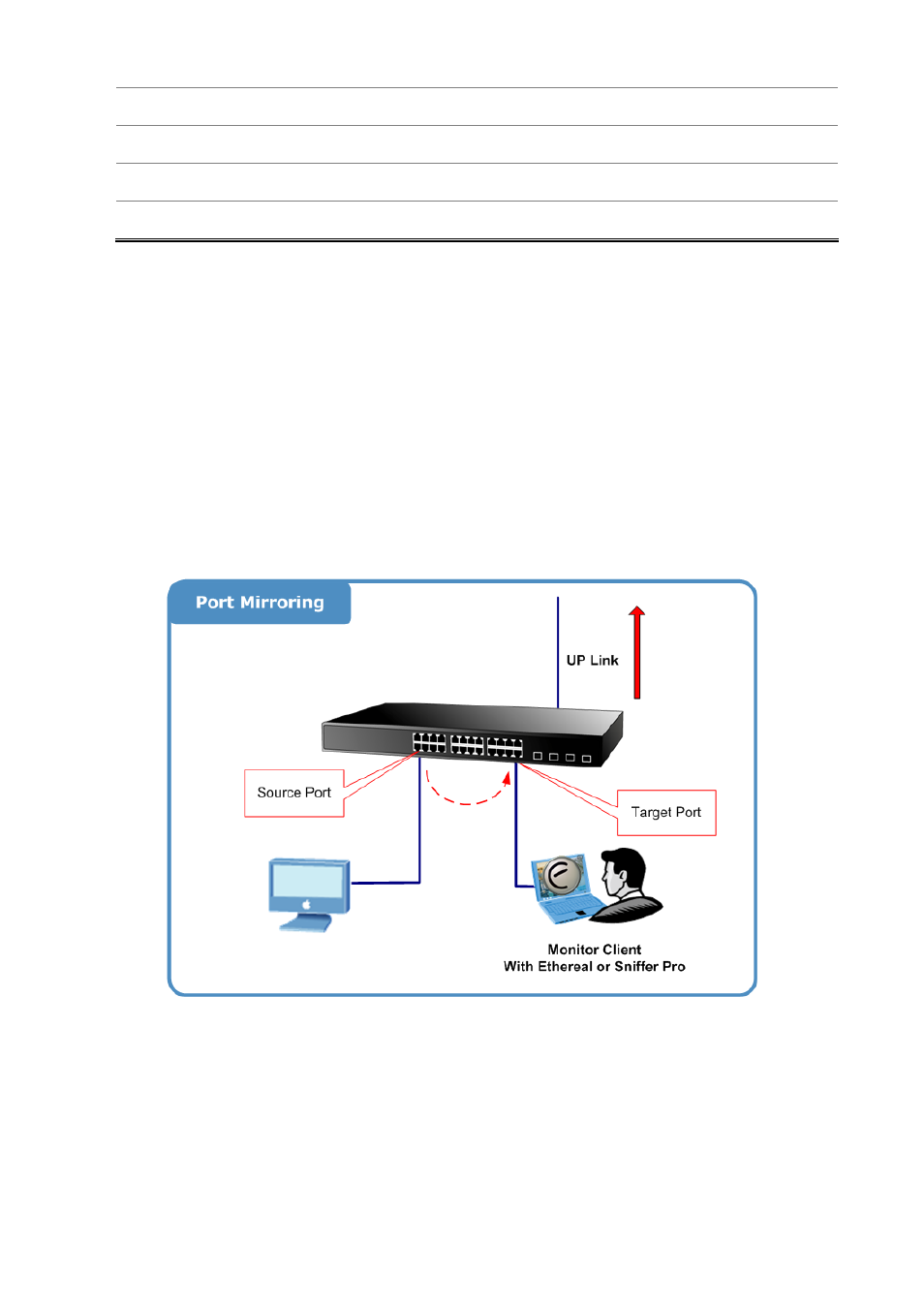
Configure port Mirroring on this page. This function provide to monitoring network traffic that forwards a copy of each incoming
or outgoing packet from one port of a network switch to another port where the packet can be studied. It enables the manager to
keep close track of switch performance and alter it if necessary.
• To debug network problems, selected traffic can be copied, or mirrored, to a mirror port where a frame analyzer can be
attached to analyze the frame flow.
• The Managed Switch can unobtrusively mirror traffic from any port to a monitor port. You can then attach a protocol
analyzer or RMON probe to this port to perform traffic analysis and verify connection integrity.
The traffic to be copied to the mirror port is selected as follows:
•
All frames received on a given port (also known as ingress or source mirroring).
•
All frames transmitted on a given port (also known as egress or destination mirroring).
Mirror Port Configuration
Port mirroring monitors ingress and/or egress traffic from specific ports to a single monitor-to port. The Port Mirror Configuration
screen in
Figure 4-11-4
appears.