PLANET WGSW-48000 User Manual
Page 54
User’s Manual of WGSW-48000
54
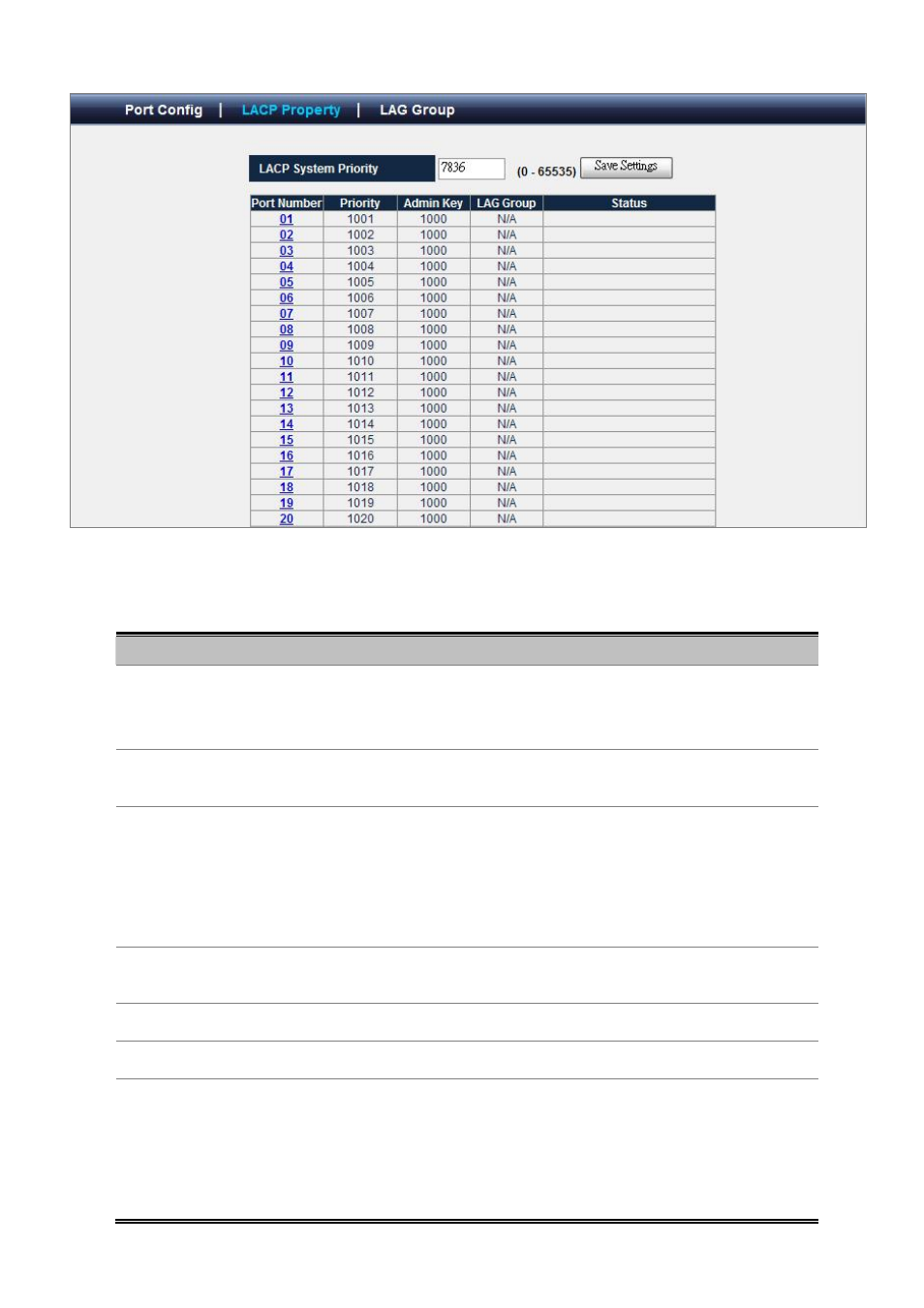
Figure 4-3-4 LACP Property
The page includes the following fields:
Object
Description
• LACP System Priority
Specifies the actor device's link aggregation priority relative to the devices at the
other ends of the links on which link aggregation is enabled. A higher value
indicates a lower priority.
• Port Number
Display the port number. Click on the index number will enter port LACP
properties configuration screen.
• Priority
Indicates actor port priority. The port priority determines the active and standby
links. When a group of ports is negotiating with a group of ports on another
device to establish a trunk group, the port with the highest priority becomes the
default active port. The other ports (with lower priorities) become standby ports in
the trunk group.
• Admin Key
Indicates actor administration key for the port. The LACP administration key must
be set to the same value for ports that belong to the same LAG.
• LAG Group
Indicates the LAG group ID if the port is the member of this LAG group.
•
Status
Summarizes the current LACP status for this port.
•
LACP Port Priority
Specifies actor port priority. The port priority determines the active and standby
links. When a group of ports is negotiating with a group of ports on another
device to establish a LAG group, the port with the highest priority becomes the
default active port. The other ports (with lower priorities) become standby ports in
the LAG group. You can specify a priority from 0 to 65535.