Adjusting image brightness (exposure compensation), B) exposure compensation, Image brightness (exposure) – Canon EOS M10 User Manual
Page 63: Setting up shooting from a single screen
63
Before Use
Basic Guide
Advanced Guide
Camera Basics
Auto Mode /
Hybrid Auto Mode
Other Shooting Modes
Tv, Av, and M Mode
Playback Mode
Wi-Fi Functions
Setting Menu
Accessories
Appendix
Index
P Mode
Image Brightness (Exposure)
Adjusting Image Brightness (Exposure
Compensation)
Still Images
Movies
The standard exposure set by the camera can be adjusted in 1/3-stop
increments, in a range of -3 to +3.
●
Press the [ ] button. As you watch the
screen, turn the [
] dial to adjust
brightness.
●
You can also configure this setting by choosing MENU (= 32)
> [
3] tab > [Exposure comp.].
●
You can also configure this setting by touching the exposure
compensation icon on the bottom of the shooting screen and then
touching or dragging the bar displayed, or by touching [–][+].
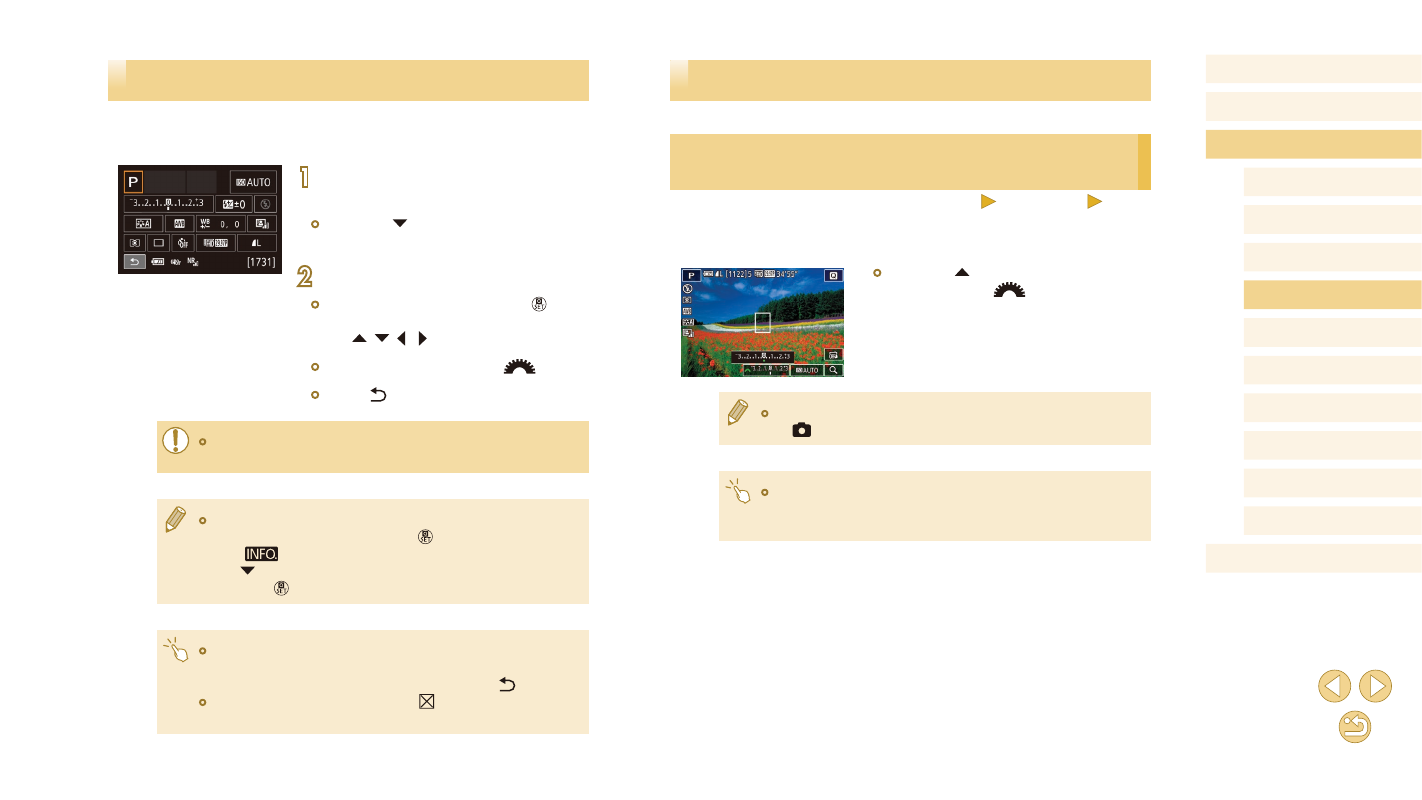
Setting Up Shooting from a Single Screen
The INFO. Quick Control screen provides convenient, single-screen
access to a variety of shooting settings.
1
Access the INFO. Quick Control
screen.
●
Press the [ ] button a few times to
display the INFO. Quick Control screen.
2
Choose a setting to configure.
●
To view a description, press the [ ]
button and choose an item by pressing
the [ ][ ][ ][ ] buttons.
●
To adjust a setting, turn the [
] dial.
●
Touch [ ] to complete the setting.
●
The items that are displayed and configurable vary by shooting
mode.
●
Some settings are configured on another screen that opens when
you select the setting and press the [ ] button. Items labeled
with [
] on the second screen can be configured by pressing
the [ ] button. To return to the INFO. Quick Control screen,
press the [ ] button.
●
You can also access setting screens by touching a setting on the
INFO. Quick Control screen and then touching the setting again.
To return to the INFO. Quick Control screen, touch [ ].
●
To close a setting description, touch [ ] in the upper right of the
description.