Sample program, To record the sample program – HEIDENHAIN IK 5293 User Manual
Page 313
Quadra-Chek
®
5000
299
Sample Program
The following demonstration shows the entire programming process from
start to finish. Use the QC5000 demonstration part to avoid confusion, but
a program for any multi-feature part can be made with this method. This
program will prompt the user to:
•
Construct a circle
•
Construct a pierce point
•
Measure three dimensional features (cylinder and cone)
•
Measure two dimensional features (circles and planes)
•
Perform a True Position on a circle
•
Perform a perpendicularity tolerance
•
Perform a width tolerance
•
Enter a conditional statement
•
Enter a label
Follow the steps straight through to avoid confusion. Each procedure in the
program is described in detail elsewhere in this manual. For more informa-
tion on a particular step consult the index.
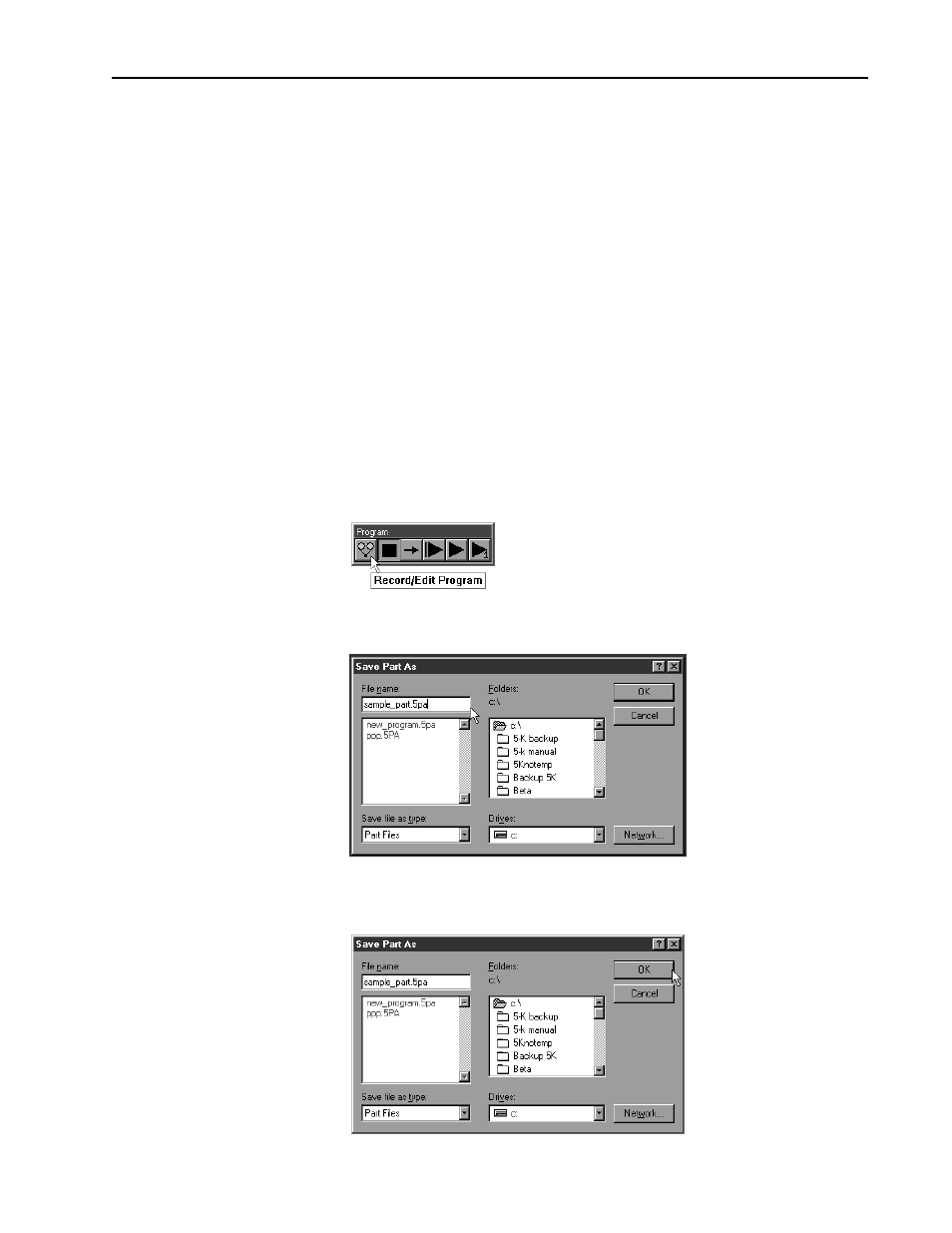
To record the sample program
Step 1
Click the record/edit button on the program toolbar.
Step 2
Type a name for the program as shown.
Step 3
Click OK in the dialog box.