HEIDENHAIN IK 5293 User Manual
Page 318
Advertising
Chapter 7
Programming
304
•
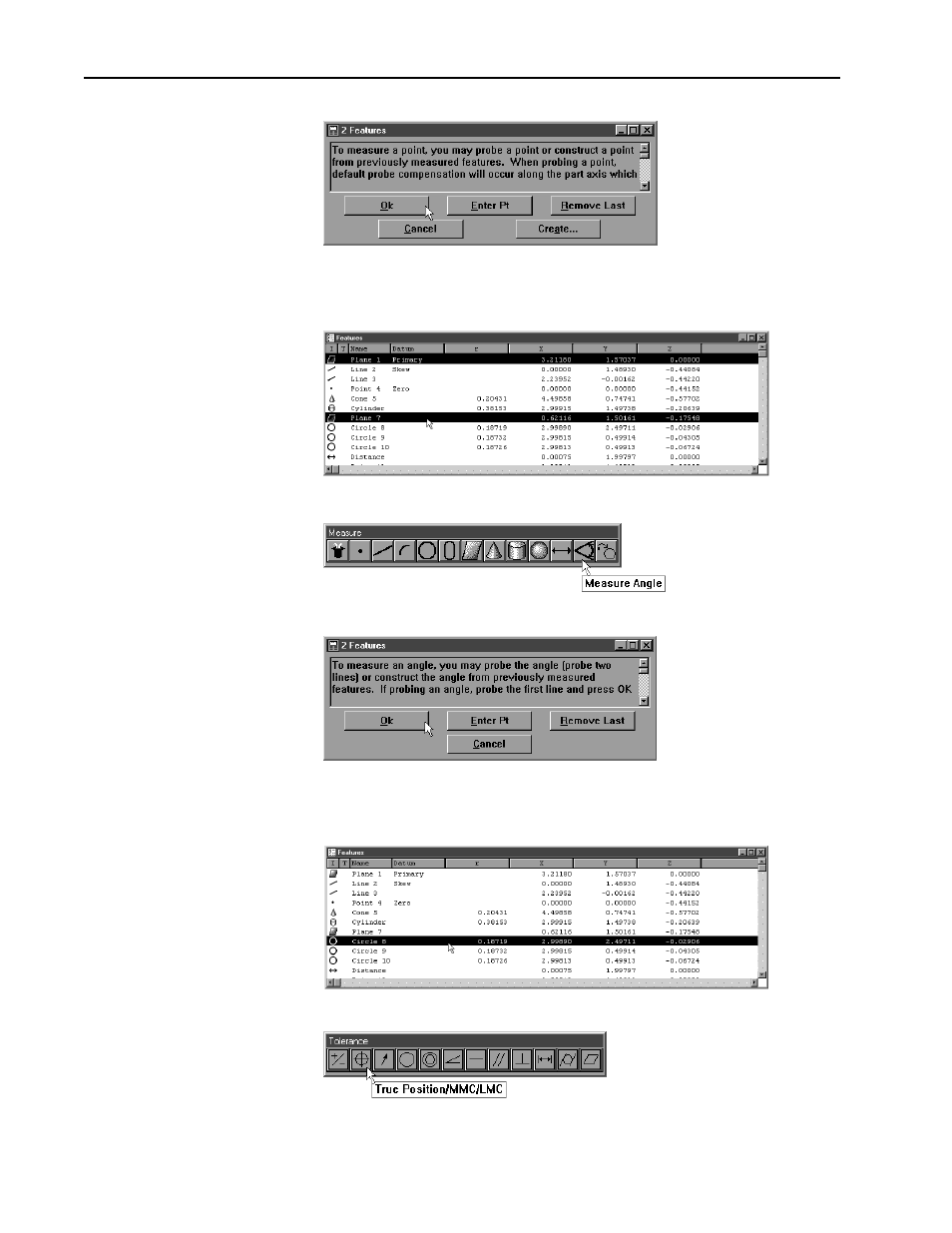
Click OK in the dialog box
Step 13
Construct an angle between the primary plane and plane 7.
•
Highlight the primary plane and plane 7in the features list
•
Click the angle button on the measure toolbar
•
Click OK in the dialog box
Step 14
Enter a true position tolerance for circle 8.
•
highlight circle 8 in the features list
•
click the true position/MMC/LMC button on the tolerance toolbar
Advertising