Creating a custom paper format, Creating a custom paper format -6 – TA Triumph-Adler LP 210 User Manual
Page 46
4
Working with the Windows printer drivers
4-6
Laser Printer 200 Series
Creating a custom paper format
You can create your own personally designed paper size.
1
Click on [EDIT CUSTOM...]
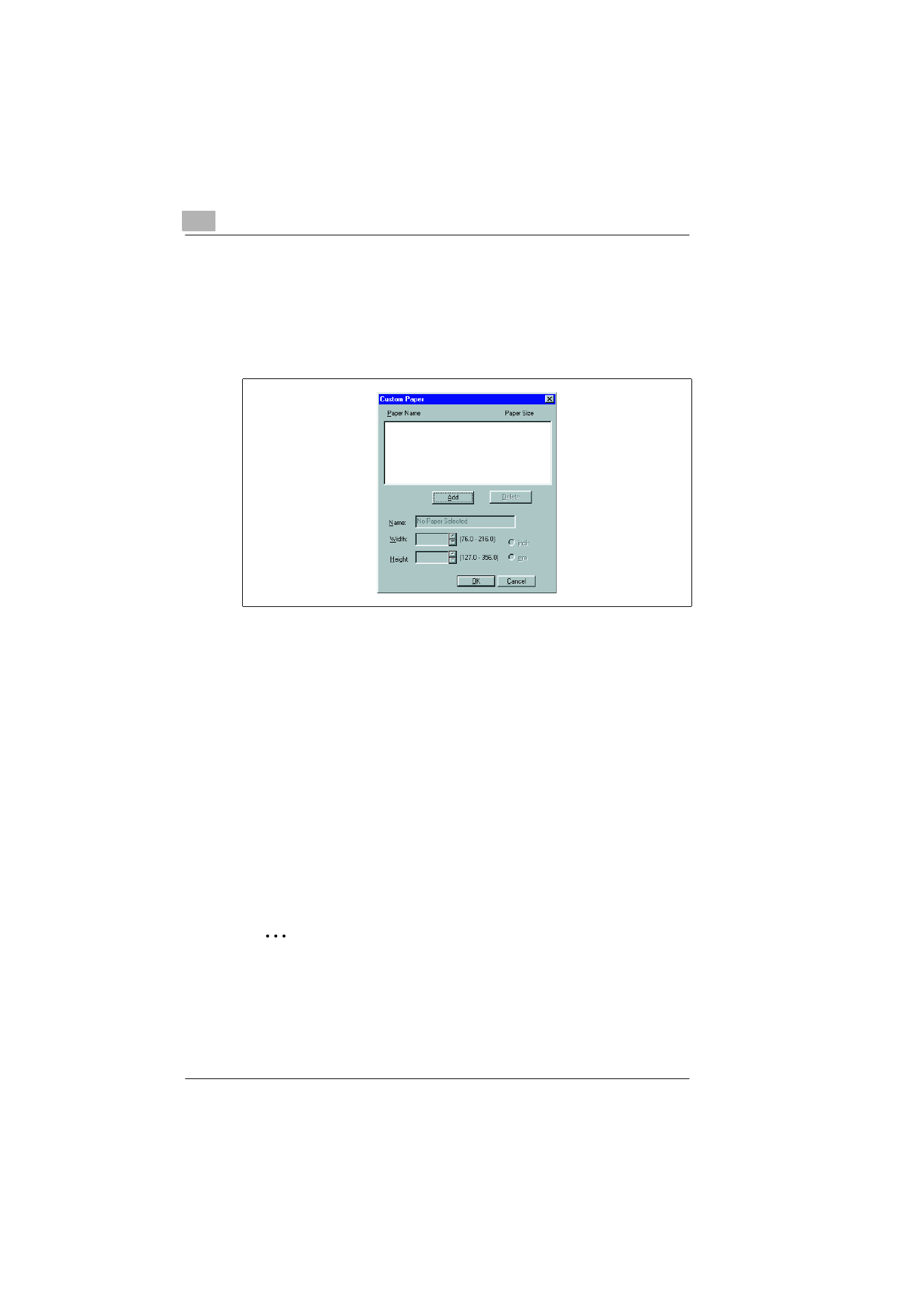
The “Custom paper“ dialogue box appears.
2
To create a new paper size, click on [ADD].
The boxes underneath are then activated.
3
Enter a name for the new paper format.
4
Specify the unit of measure (inches, mm).
5
Specify the dimensions (width x height).
❍
min. size:
76 ×127 mm
(3 × 5 in.)
❍
max. size:
216 ×356 mm
(8.5 ×14 in.)
6
Confirm your entries with [OK].
The dialogue box disappears. The newly created format is now
displayed at the end of the “Paper size“ dropdown list and can be
selected when required.
✎
Would you like to delete a custom format?
In the “Custom paper“ dialogue box, mark the paper size you would
like to delete. Then click on “Delete“. Confirm with [OK].