Renaming folders, Select folder by number – Nikon Zfc Mirrorless Camera with 28mm Lens User Manual
Page 239
C
The photo shooting menu: Shooting options
239
Renaming folders
The default folder name, which appears after the folder number, is
“NZ_FC”. To change the name assigned to new folders, select [Rename].
・
Existing folders cannot be renamed.
・
If desired, the default name can be restored for subsequent folders by
pressing and holding the
O
button while the keyboard is displayed.
D
Text entry
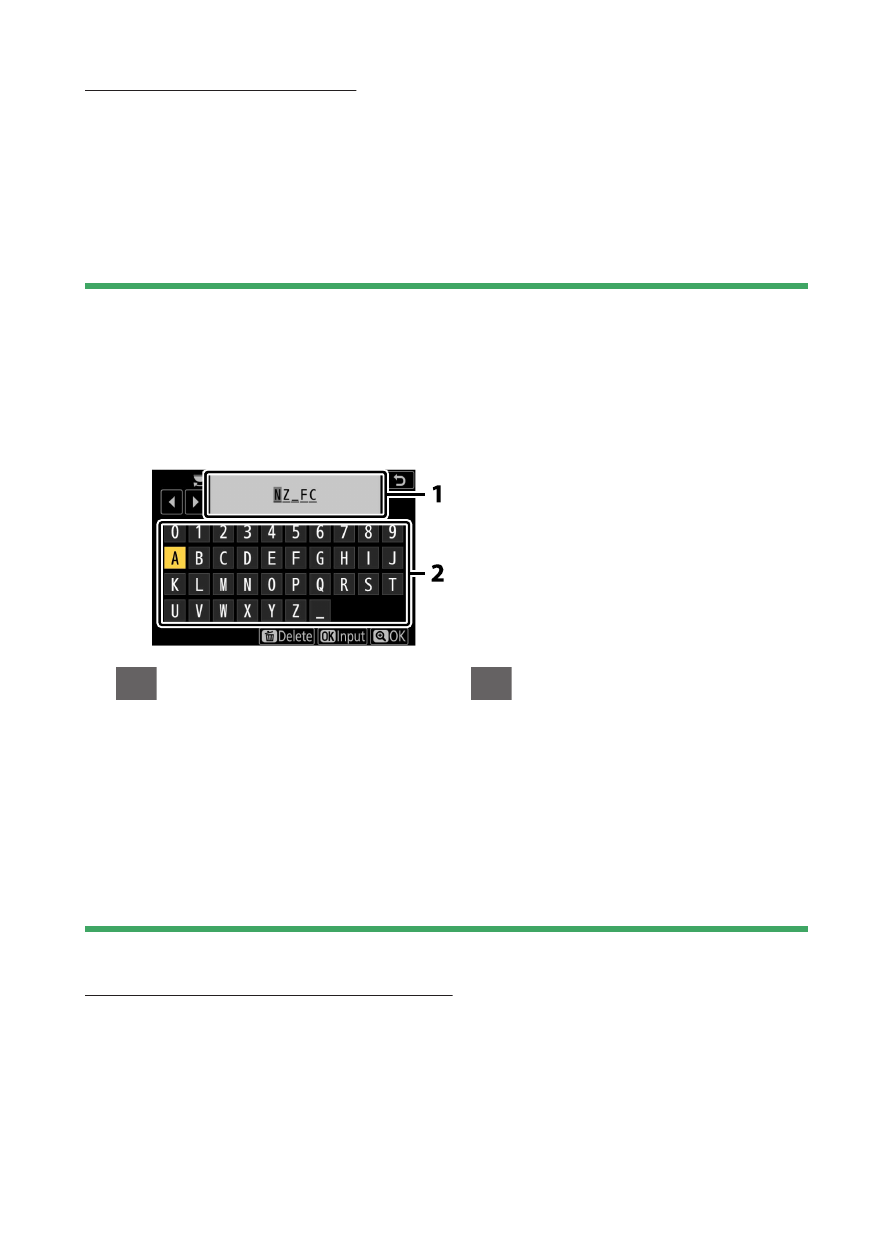
A keyboard is displayed when text entry is required.
・
Tap letters on the screen to insert them at the current cursor position. You
can also enter characters by highlighting them with the multi selector and
pressing
J
.
1
Text display area
2
Keyboard area
・
To move the cursor to a new position, tap the display or rotate the main
command dial.
・
If a character is entered when the text display area is full, the rightmost
character will be deleted.
・
To delete the character under the cursor, press the
O
button.
・
To complete entry, press
X
.
・
To exit without completing text entry, press
G
.
Select folder by number
The folder in which subsequent pictures will be stored can be selected
by number. If a folder with the specified number does not already exist,
a new folder will be created.