Flash control, Flash control mode – Nikon Zfc Mirrorless Camera with 28mm Lens User Manual
Page 267
C
The photo shooting menu: Shooting options
267
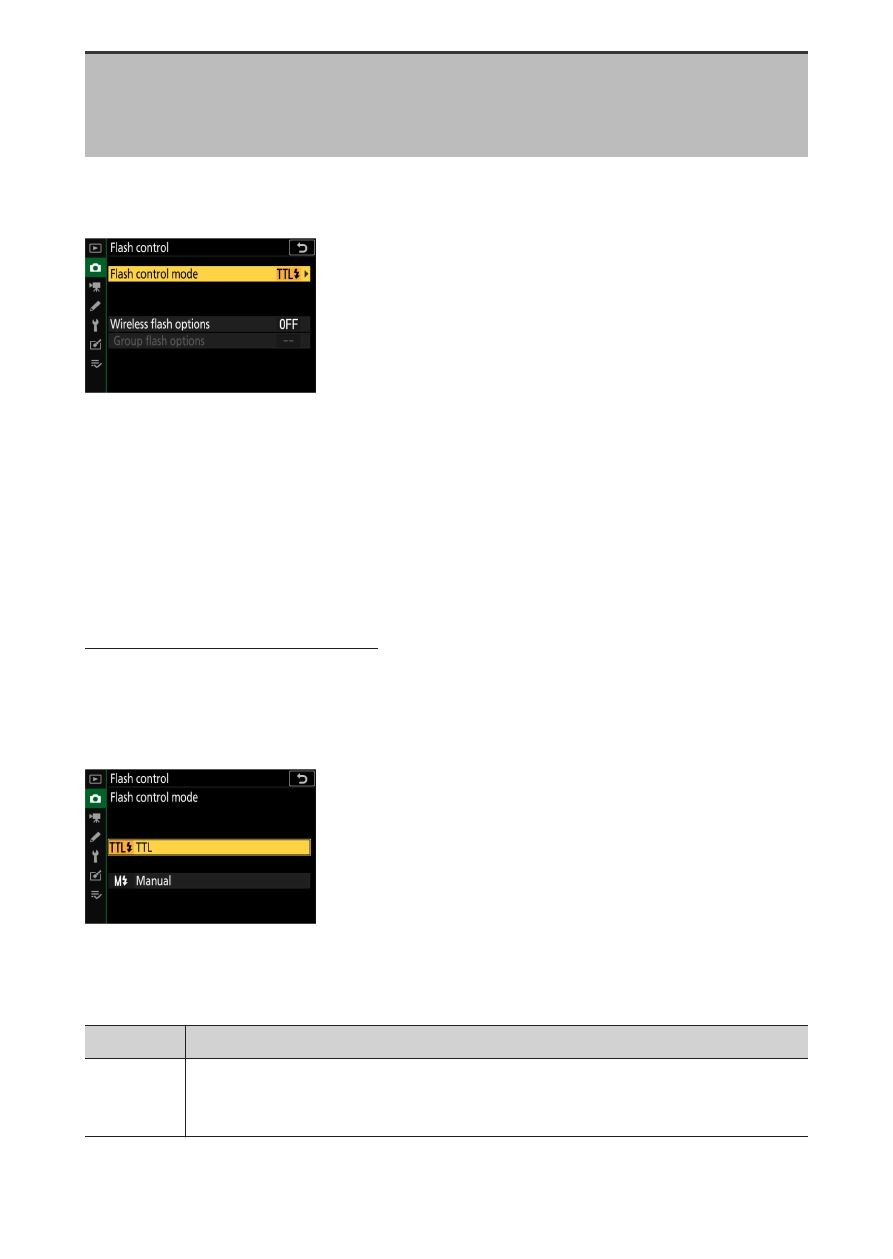
Flash control
G
button
U
C
photo shooting menu
Adjust settings for wireless remote flash units or optional flash units
mounted on the camera accessory shoe.
・
For information on adjusting settings for optional flash units
mounted on the camera accessory shoe, see “On-Camera flash
photography” (
・
For information on adjusting settings for wireless remote flash units,
see “Remote flash photography” (
Flash control mode
Choose a flash control mode and flash level and adjust other settings for
SB-500, SB-400, or SB-300 flash units mounted on the camera accessory
shoe.
・
Settings for flash units other than the SB-500, SB-400, and SB-300 can
only be adjusted using flash unit controls.
Option
Description
[T
TL]
Flash output is adjusted automatically in response to shooting
conditions.