Nikon Zfc Mirrorless Camera with 28mm Lens User Manual
Page 443
Advertising
N
The retouch menu: Creating retouched copies
443
4
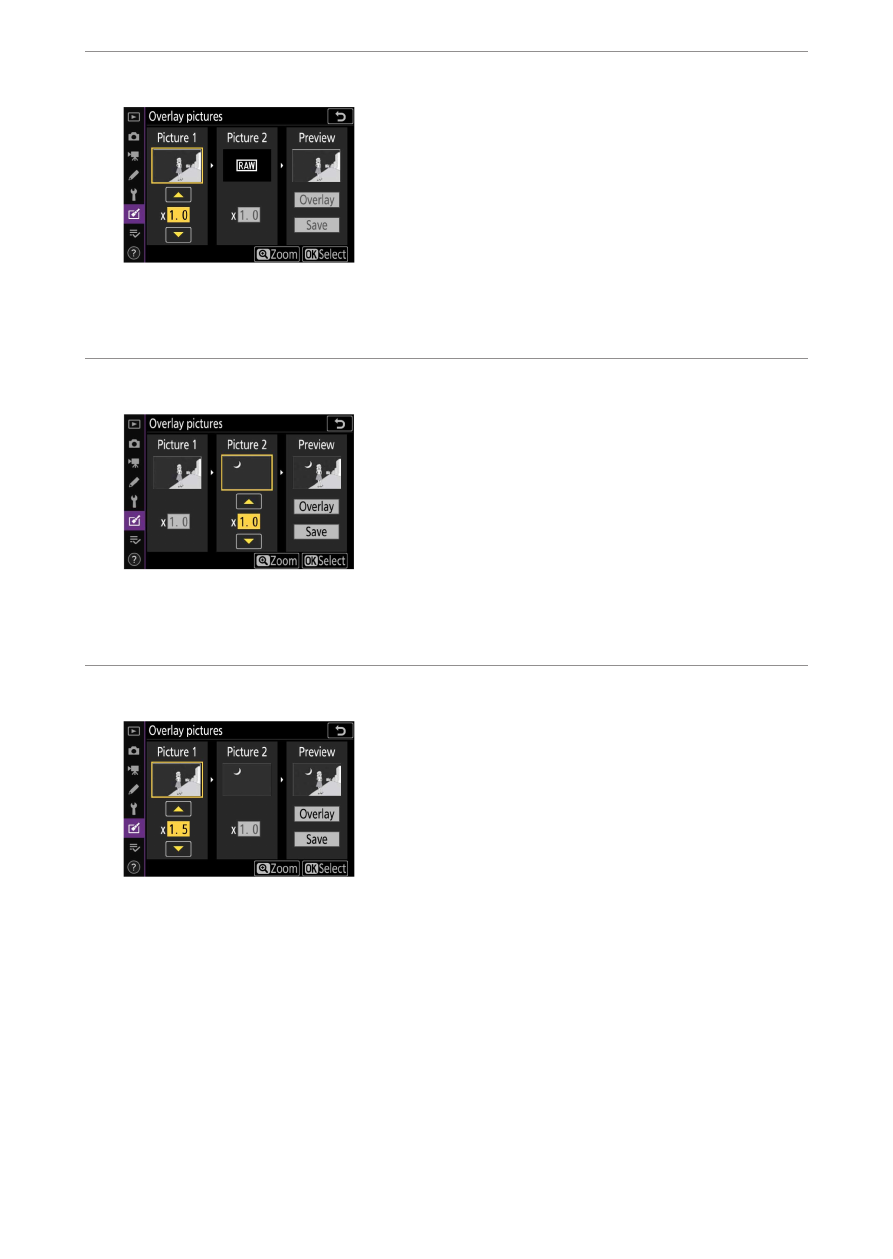
Select the first image.
Press
J
to select the highlighted photograph and return to the
preview display; the selected image will appear as [Picture 1].
5
Select the second image.
Press
2
and select [Picture 2], then select the second photo as
described in Steps 3 and 4.
6
Adjust gain.
・
The overlay of [Picture 1] and [Picture 2] can be previewed in the
“Preview” column. Highlight [Picture 1] or [Picture 2] and
optimize exposure for the overlay by pressing
1
or
3
to adjust
gain.
・
Choose from values between 0.1 and 2.0 in increments of 0.1.
・
The effects are relative to the default value of 1.0 (no gain). For
example, selecting 0.5 halves gain.
Advertising