Video file type, Iso sensitivity settings, 331) is enabled – Nikon Zfc Mirrorless Camera with 28mm Lens User Manual
Page 331: 331) is in
1
The video recording menu: Video recording options
331
Video file type
G
button
U
1
video recording menu
Record videos in MOV or MP4 format.
・
The audio recording format varies with video file format. Linear PCM
is used for MOV files and AAC for MP4 files.
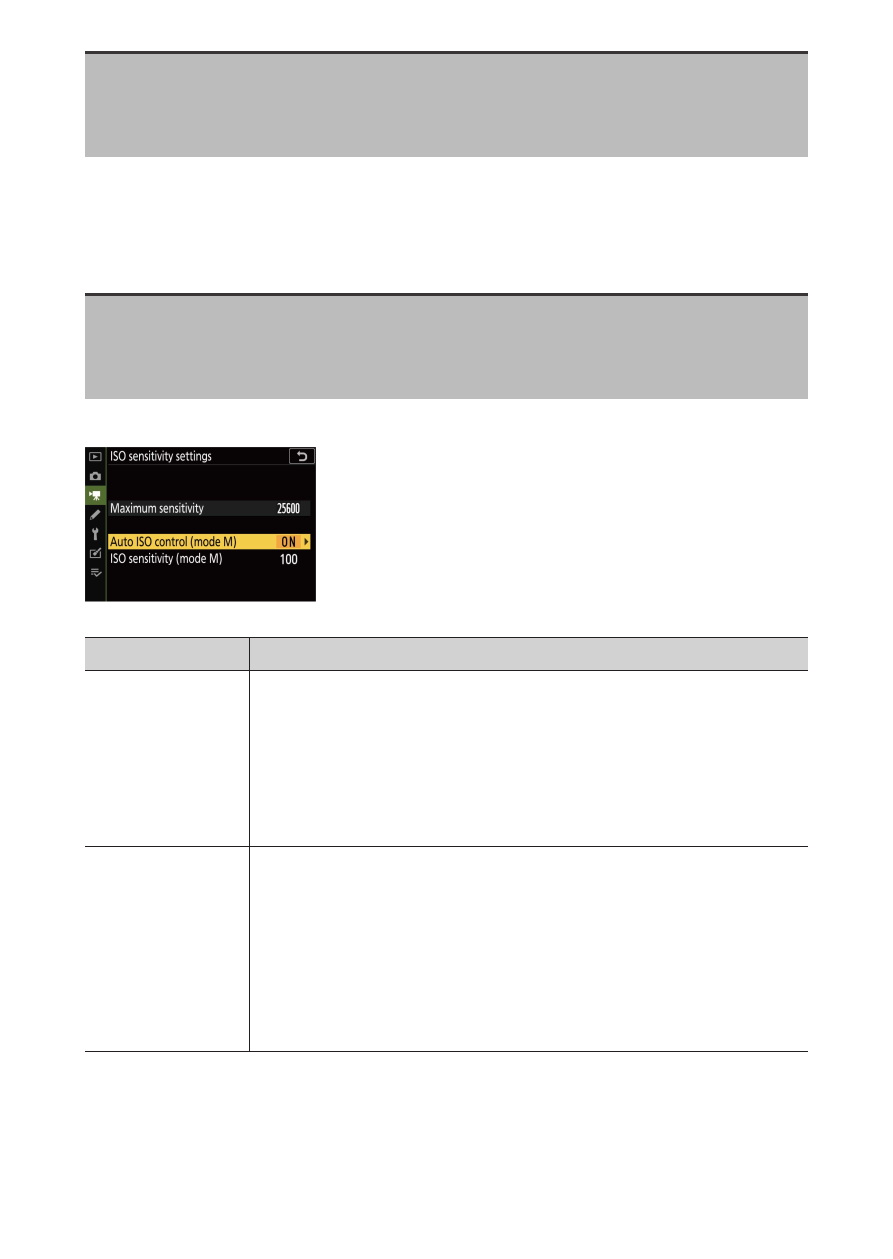
ISO sensitivity settings
G
button
U
1
video recording menu
Adjust the ISO sensitivity settings for video mode.
Option
Description
[M
aximum
sensitivity]
Choose the upper limit for auto ISO sensitivity control
to prevent it being raised too high.
・
The selected value serves as the upper limit for ISO
sensitivity in modes P, S, and A and when [On] is
selected for [Auto ISO control (mode M)] in mode M.
[Auto ISO
control (mode
M)]
If you select [On] and press the
J
button, the camera will
automatically adjust the ISO sensitivity for video mode in
mode M. If [Off] is selected, the ISO sensitivity will remain
fixed at the value selected with the ISO sensitivity dial.
・
Regardless of the option selected, auto ISO sensitivity
control is used in modes other than M.