Monitor display during video playback, Video playback operations – Nikon Zfc Mirrorless Camera with 28mm Lens User Manual
Page 97
Viewing photos
97
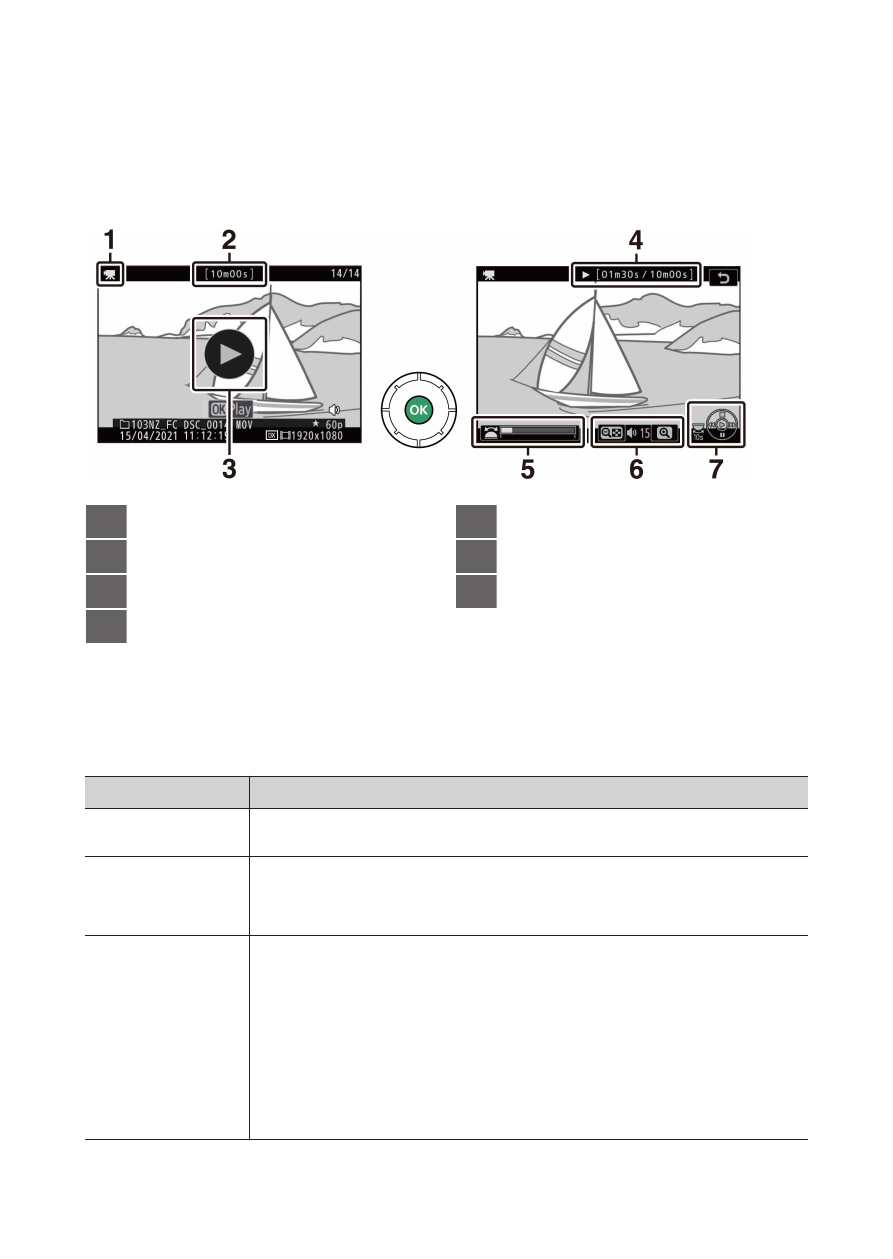
Monitor display during video playback
❚
❚
The following information is displayed during video playback, allowing
you to confirm the video length and playback time. Your approximate
position in the video can also be confirmed from the video progress bar.
1
1
icon
2
Length
3
a
icon
4
Current position/total length
5
Progress bar
6
Volume
7
Guide
Video playback operations
❚
❚
You can perform the following during video playback.
To
Description
Pause
Press
3
to pause playback.
Resume
Press the
J
button to resume playback when playback is
paused or during rewind/advance.
Rewind/
advance
・
Press
4
to rewind,
2
to advance. Speed increases with
each press, from 2× to 4× to 8× to 16×.
・
Keep
4
or
2
pressed to skip respectively to the first
frame or last frame.
・
The first frame is indicated by a
h
in the top right
corner of the display, the last frame by a
i
.