Nikon Zfc Mirrorless Camera with 28mm Lens User Manual
Page 492
Connecting to computers via USB
492
D
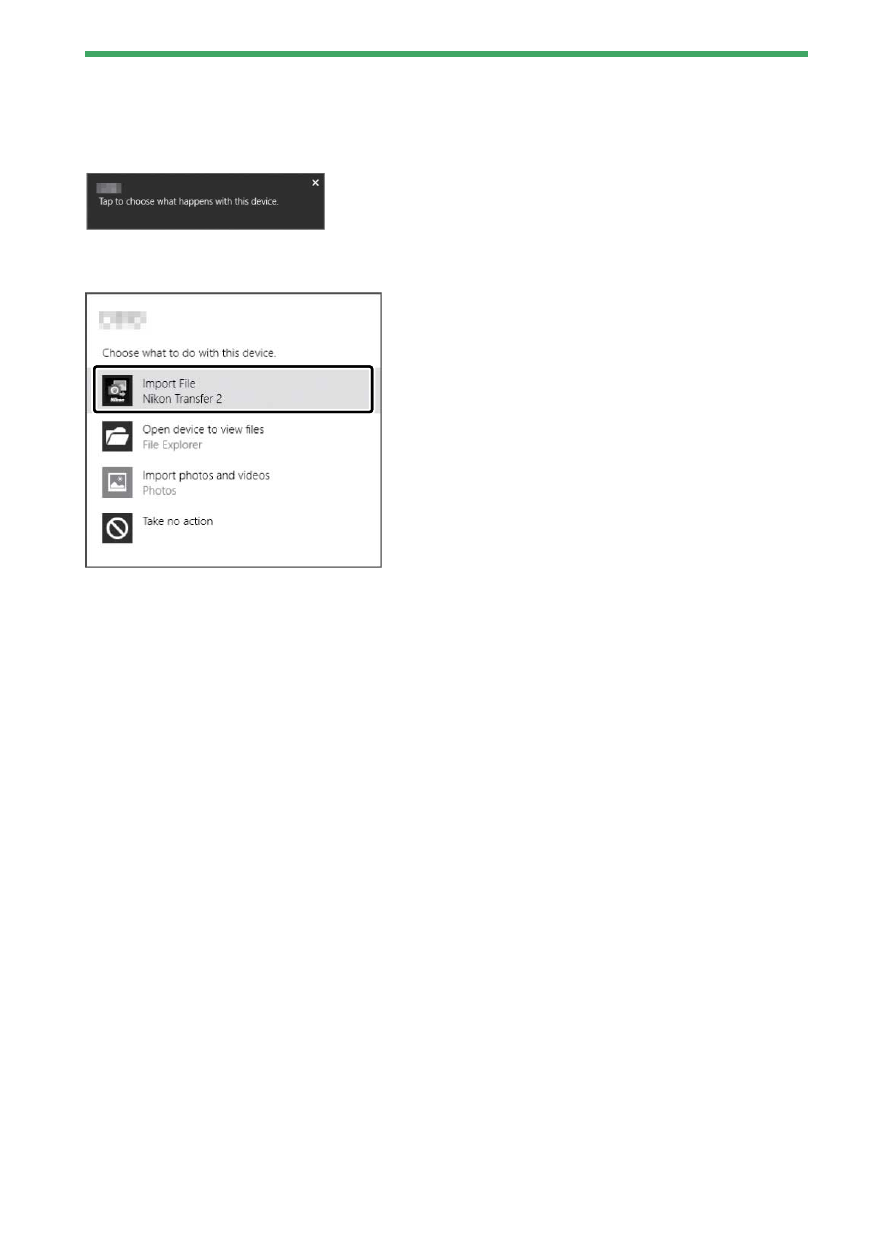
Windows 10 and Windows 8.1
Windows 10 and Windows 8.1 may display an AutoPlay prompt when the
camera is connected.
Click the dialog and then click [Nikon Transfer 2] to select Nikon Transfer 2.
D
macOS
If Nikon Transfer 2 does not start automatically, confirm that the camera is
connected and then launch Image Capture (an application that comes with
macOS) and select Nikon Transfer 2 as the application that opens when the
camera is detected.
D
Transferring videos
Do not attempt to transfer videos from the memory card while it is inserted
in a camera of a different make or model. Doing so could result in the videos
being deleted without being transferred.
D
Connecting to computers
・
Do not turn the camera off or disconnect the USB cable while transfer is in
progress.
・
Do not use force or attempt to insert the connectors at an angle. Be sure
also to keep the connectors straight when disconnecting the cable.
・
Always turn the camera off before connecting or disconnecting a cable.