Parts and their functions – Panasonic AW-RP60 Remote Camera Controller User Manual
Page 11
11
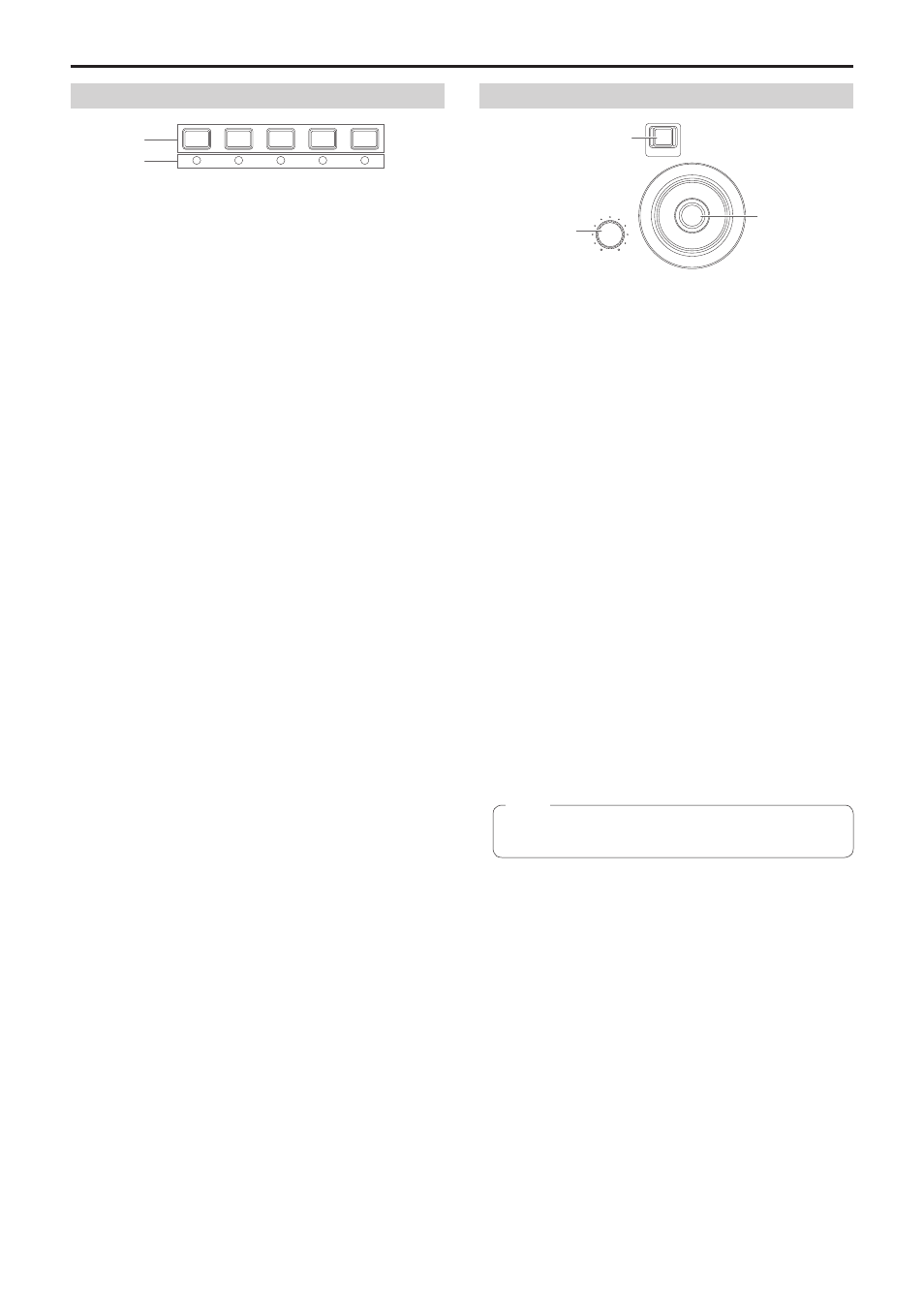
Camera selection section
CAMERA SELECTION
1
2
3
4
5
Camera selection buttons
[CAMERA SELECTION 1 to 5]
Use these to select the camera number belonging to the camera
group that was set on the status screen.
Off
:
The camera is not being selected
On (green)
:
G_TALLY is ON and the camera is not being
selected
On (red)
:
R_TALLY is ON and the camera is not being
selected
On (amber)
:
The camera is being selected (The TALLY of the
selected camera is displayed on the LCD panel.)
Camera status LED
These indicate the statuses of the remote cameras assigned to
camera selection buttons [1] to [5].
For details, refer to “Selecting a remote camera” (page 22).
Off
:
Not connected
On (amber)
:
Camera standby
On (green)
:
Connected
Pan and tilt section
PTZ SPEED
LOW
HI
ENABLE
PAN
TILT
PAN/TILT / IRIS / ZOOM / FOCUS ENABLE button
[ENABLE]
Use this to enable or disable operation of the PAN/TILT lever (
),
IRIS dial (
),
ZOOM button (
)
and FOCUS dial (
).
On (amber)
:
Operation of the PAN/TILT lever, IRIS dial, ZOOM
button and FOCUS dial is enabled.
Off
:
The operation is disabled.
On (blue)
:
Only operation of the IRIS dial is disabled
(Operation of the PAN/TILT lever, ZOOM button
and FOCUS dial is enabled.)
PTZ SPEED dial [PTZ SPEED]
Use this to adjust the operation speed variation amount for PAN/TILT
lever (
) and ZOOM button (
) operation.
Turned clockwise
:
Operation is at a higher speed (HI)
Turned counterclockwise :
Operation is at a lower speed (LOW)
PAN/TILT lever
Use this to control the direction in which the currently selected remote
camera points.
The movement speed differs depending on the angle to which the
PAN/TILT lever is moved.
Moved left or right :
The camera points to the left or right.
Moved toward you or away from you:
The camera points up or down.
z
z
When the [PAN DIR] menu or the [TILT DIR] menu is set to
[REVERSE], it is possible to change the relationship between the
direction of lever tilt and the direction the camera moves.
z
z
When turning on the power, do not touch until the status screen
is displayed on the LCD panel.
Note
Parts and their functions
(continued)