Status screen, Displaying and operating the status screen, I . s . nd1 nd2 nd3 – Panasonic AW-RP60 Remote Camera Controller User Manual
Page 23: 5 scene1
23
Status screen
Displaying and operating the status screen
The status screen is displayed as the initial display when the power of the unit is turned on to start it up.
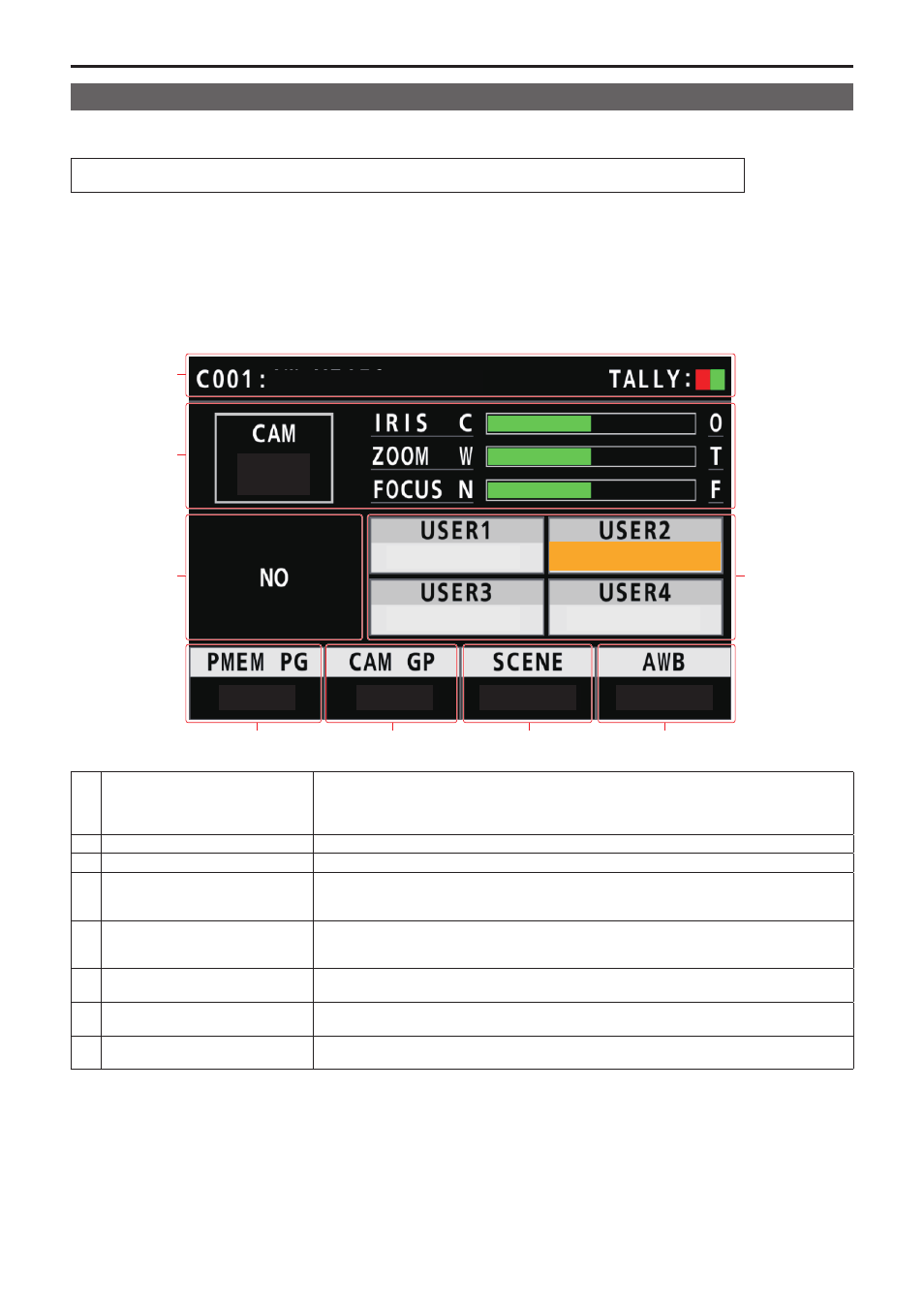
The status screen displays the following information.
z
z
Camera number
z
z
IRIS, ZOOM, and FOCUS position
z
z
Information about allocations to USER buttons
1.
Display
The status screen is displayed as the initial display when the power of the unit is turned on to start it up.
During operation, the status screen is displayed when all of the menu buttons in the menu operation section are off.
2.
Select the remote camera to be controlled with the camera selection buttons [CAMERA SELECTION].
The selected camera button lights.
When the camera selection button lights, you can control the remote camera from the unit.
AW-UE70
1
-
5
SCENE1
1 - 10
SCENE1
1 - 5
AWB A
1
I . S .
ND1
ND2
ND3
1
2
3
8
5
6
6
4
5
6
7
1
Camera name, TALLY information
Displays the currently selected camera name, and the status of TALLY (R_TALLY or G_TALLY).
When the connection with the camera is via LAN, up to 10 characters of the name set on the camera
can be displayed.
Refer to the operating instructions for the camera for camera name settings.
2
Camera number, lens position
Displays the currently selected camera number, and the status of IRIS, ZOOM, and FOCUS.
3
ALARM
Displays alarm information notified from the currently selected camera.
4
Preset memory group
Displays the preset memory group number.
The settings of the preset memory group you have selected can be assigned to the [PRESET
MEMORY SELECTION] buttons.
5
Camera group
The camera group number is displayed.
The settings of the preset memory group you have selected can be assigned to the [CAMERA
SELECTION] buttons.
6
SCENE
Displays the SCENE number.
You can switch the SCENE.
7
AWB mode
Displays the AWB mode.
Use this to select the AWB mode.
8
Information about function
assignations
The information about functions assigned and status to USER1 to USER4 is displayed. When the
[SHIFT] button is lit, this indicates the assignment information and status of USER5 through USER8.