Save preset within current bank (as new) – Teac GigaPulse User Manual
Page 47
Advertising
47
GigaPulse
™
User Guide
Gig
aP
uls
e F
ile
M
en
u
GigaPulse File Menu
47
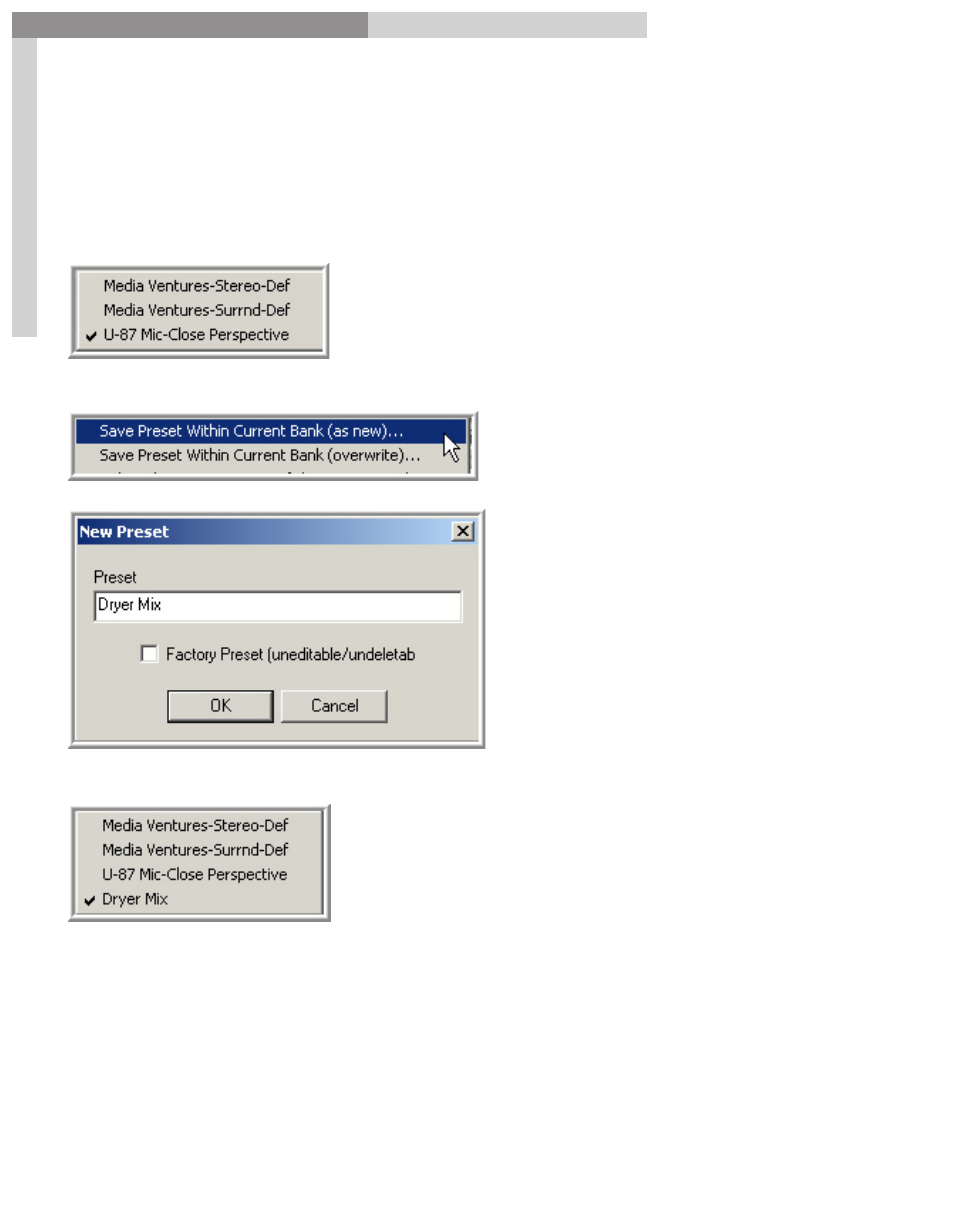
Save Preset Within Current Bank (as new)
With this command, we can make some tweaks to the GigaPulse settings and then
save those as a preset within the current loaded bank. Doing so saves the extra step of
having to save the preset to the hard drive and then import it into the bank.
Here we have three sets of Presets in the Preset
Menu. At this point we can make some tweaks to
the GigaPulse settings.
Then select the command from the File Menu:
his will bring up the
New Preset
window. Again, we can enter a
new name for this preset.
Now we have the new Preset in the list.
Advertising