Save preset (.fxp) – Teac GigaPulse User Manual
Page 50
Advertising
50
GigaPulse
™
User Guide
Gig
aP
uls
e F
ile
M
en
u
GigaPulse File Menu
50
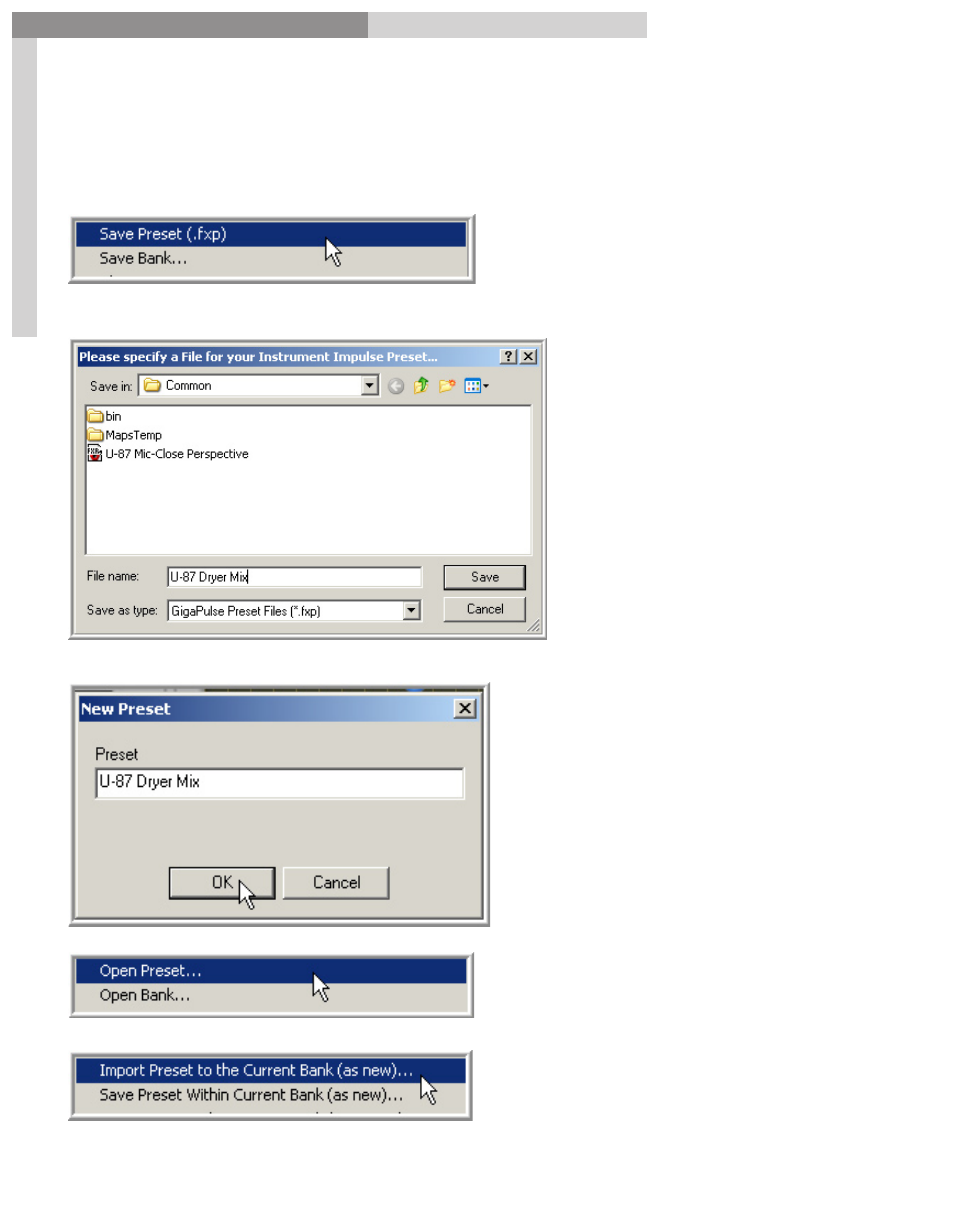
Save Preset (.fxp)
The
Save Preset
command saves the currently selected Preset to a specified location on
the hard drive. This will create an .fxp file. (Preset file)
Then browse to a location to put the Preset.
This brings up the
New Preset
window. Here you we enter the
menu name.
Anytime we load this Preset into
any Bank, this is the name that
will show up in the Preset Menu
& Window.
Now we can load this Preset as the
Default
preset by selecting
Open
Preset…
from the File Menu
Or we can select Import the
Preset
to the Current Bank
(as new)… to
add it to the current Preset list.
Advertising