Yaskawa VS-616G5 Series Revision F Programming Manual User Manual
Page 77
VS-616G5 Programming Manual
77
V/f
V/f w/PG Open Loop
Vector
Flux
Vector
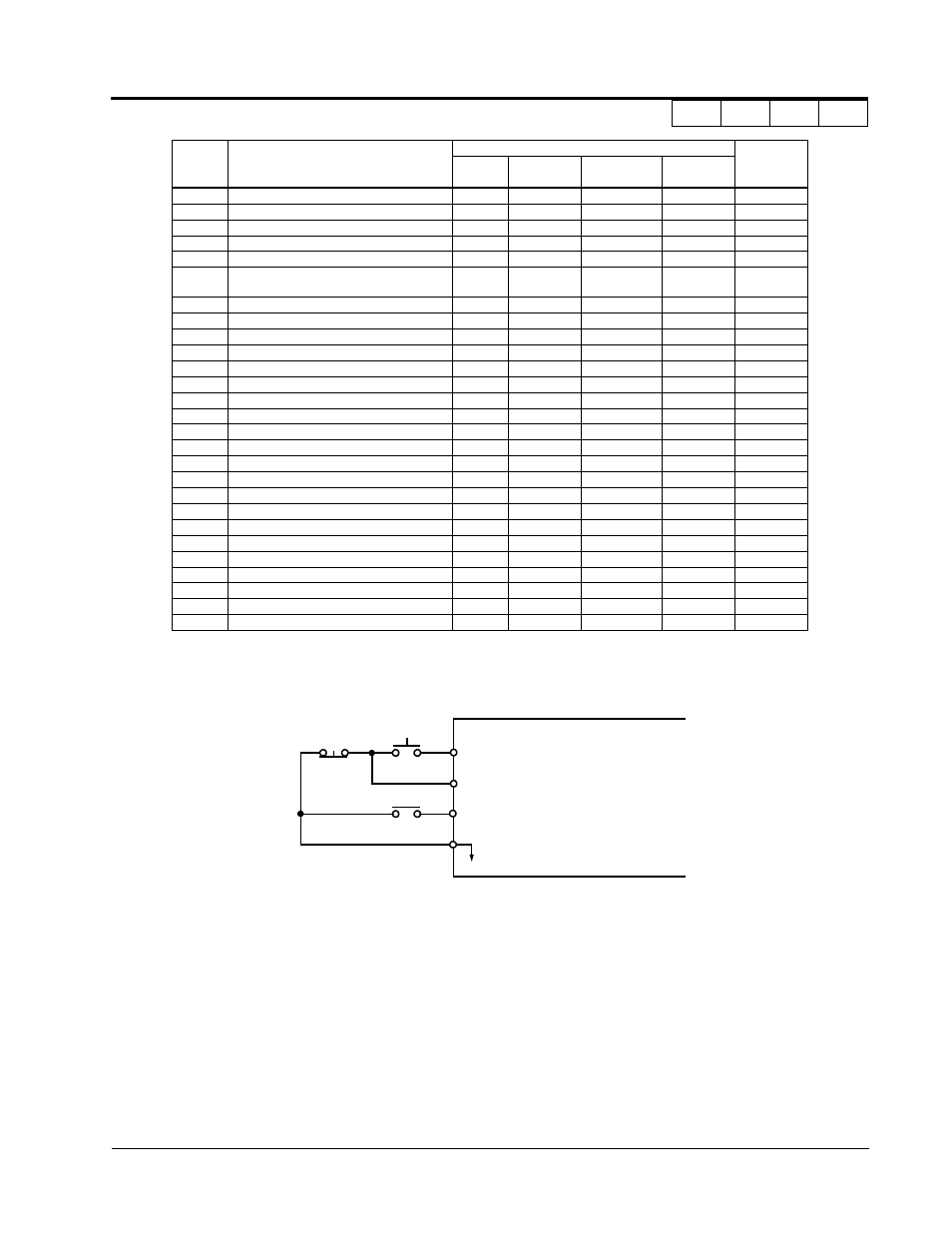
· 3-Wire Control (setting: “0”)
When H1-__ is set to “0”, 3-wire control is enabled. The terminal set to “0” becomes the FWD/REV
run command.
12
Forward Jog
√
√
√
√
13
Reverse Jog
√
√
√
√
14
Fault Reset (factory default, H1-02)
√
√
√
√
15
Fast-Stop
√
√
√
√
16
Motor 2 Select
√
√
√
√
17
Fast-Stop (Closed, motor decels by C1-09)
<1110>
√
√
√
√
18
Timer Function
√
√
√
√
19
PID Disable
√
√
√
√
1A
Multi-Accel/Decel 2
√
√
√
√
1B
Program Lockout
√
√
√
√
1C
Trim Control Increase
√
√
√
√
1D
Trim Control Decrease
√
√
√
√
1E
Reference Sample Hold
√
√
√
√
1F
Terminal 13/14 Switch
√
√
√
√
20-2F
External Fault (factory default, H1-01)
√
√
√
√
30
Closed: PID Integral is Reset
√
√
√
√
31
Closed: PID Integral Value is Held
<1110>
√
√
√
√
60
DC Injection Activate
√
√
√
√
61
Speed Search 1
√
−
√
−
62
Speed Search 2
√
−
√
−
63
Energy Saving Command
√
√
−
−
64
Speed Search 3
√
√
√
√
65
KEB Ridethrough N.C.
√
√
√
√
66
KEB Ridethrough N.O
√
√
√
√
71
Speed/Torque Control Change
−
−
−
√
72
Zero Servo Command
−
−
−
√
77
ASR Gain Switch
−
−
−
√
H1-01
to 6
Setting
Function
Control Method (A1-02)
Reference
Page
V/f
V/f w/ PG
Open Loop
Vector
Flux Vector
Figure 31 Terminal Function at 3-Wire Sequence Selection (H1-__ = “0”)
S1
S2
SC
Run Command
(Run when “Closed”)
Stop Command
(Stop when “Open”)
FWD/REV Run Selection
(FWD Run when “Open”
REV Run when “Closed”)
S3
Section H: Control Circuit Terminals
H1 Digital Inputs