3 œ fl fi – TA Triumph-Adler DC 2045 User Manual
Page 15
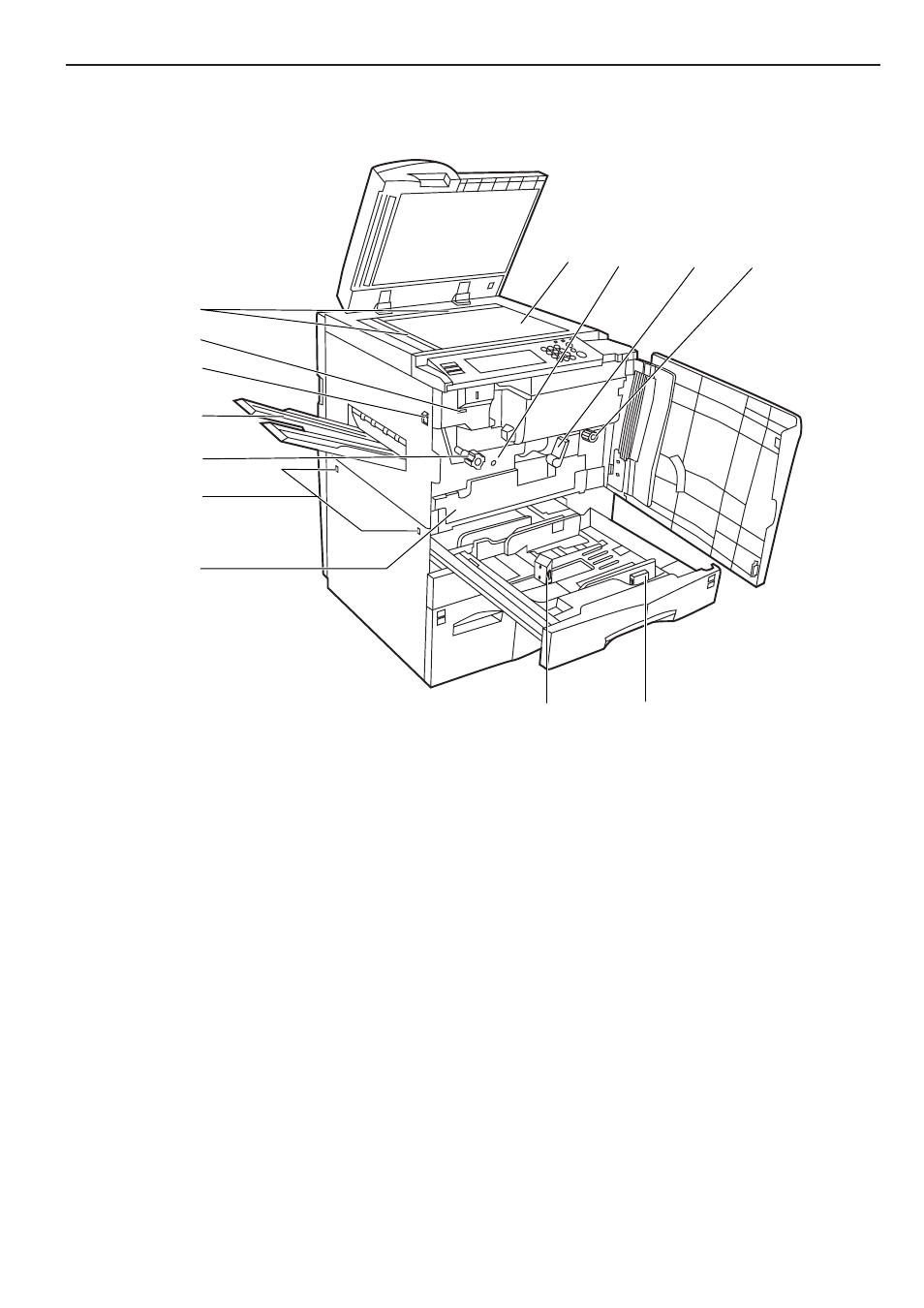
Section 2 NAMES OF PARTS
2-3
Œ
fl
fi
›
¤
⁄
‡
·
‚
‹
„
´
—
¤
Original size indicator lines
(Be sure to align the original with these lines whenever setting an
original on the platen.)
‹
Platen
(Set originals here for copying. Lay originals face-down and align
the edges with the size indicator lines located on the left and rear
sides of the platen.)
›
Total counter
(This counter displays the total number of copies made on the
copier up to this point.)
fi
Main switch
(Turn this switch ON ( | ) before copying.)
fl
Copy eject tray
(Finished copies are ejected and stored on this tray.)
‡
Fixing unit handle A
(Operate this handle out if a paper misfeed occurs inside the
copier.)
—
Transfer unit handle C
(Operate this handle out if a paper misfeed occurs inside the
copier.)
·
Transfer unit release lever B
(Operate this lever when you need to pull out the transfer unit.)
‚
Transfer unit
(Pull this unit out if a paper misfeed occurs inside the copier.)
Œ
Duplex Unit
(Pull this unit out if a paper misfeed occurs inside the copier.)
„
Paper length guide release levers
(Pinch these levers and adjust the guide plate to fit the length of
the paper that is to be loaded in that drawer[cassette].)
´
Paper width guide release levers
(Pinch these levers and adjust the guide plates to fit the width of
the paper that is to be loaded in that drawer[cassette].)