Pinching and spreading – LG G6 H872 User Manual
Page 39
Basic Functions
38
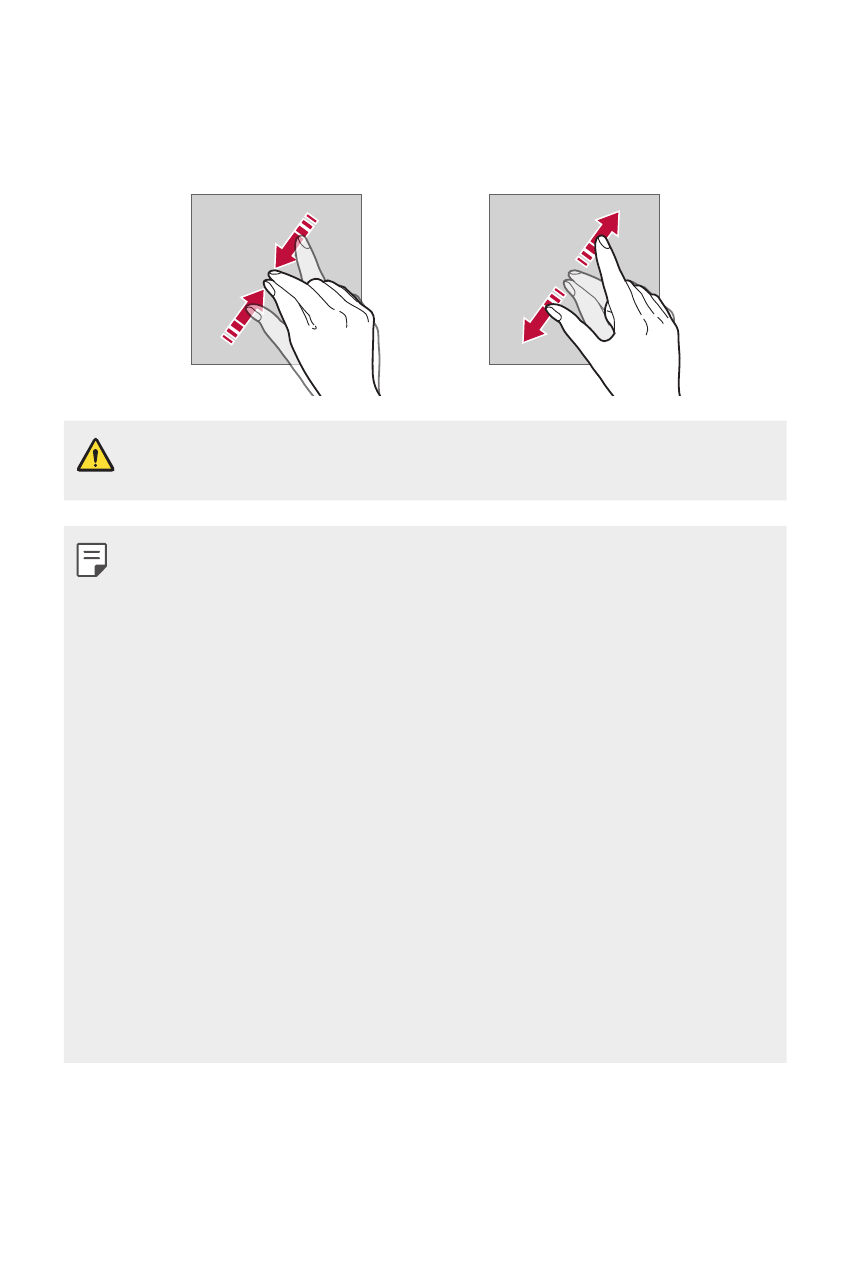
Pinching and spreading
Pinch two fingers to zoom out such as on a photo or map. To zoom in,
spread your fingers apart.
•
Do not expose the touch screen to excessive physical shock. You might
damage the touch sensor.
•
A touch screen failure may occur if you use the device near a magnetic,
metallic or conductive material.
•
If you use the device under bright lights, such as direct sunlight, the
screen may not be visible, depending on your position. Use the device
in a shady location or a location with an ambient light that is not too
bright and bright enough to read books.
•
Do not press the screen with excessive force.
•
Gently tap with your fingertip on the option you want.
•
The touch control may not work properly if you tap while wearing a
glove or by using the tip of your fingernail.
•
Touch control may not work properly if the screen is moist or wet.
•
The touch screen may not function properly if a screen-protective film
or accessory purchased from a third party store is attached to the
device.
•
Displaying a static image for extended periods of time may result in
afterimages or screen burn-in. Turn off the screen or avoid displaying
the same image for a long time when you do not use the device.