Printable area(p. 420), Paper type and paper source capacity, Paper type and setting for the machine – Canon i-SENSYS MF244dw User Manual
Page 426: Printable area
The default paper size of the machine is set to Letter. Change the paper size setting when using a
different size of paper.
Specifying Paper Size and Type(P. 53)
◼
Paper Type and Paper Source Capacity
Chlorine-free paper can be used with this machine.
Paper Type
Paper Capacity for Paper
Drawer
Paper Capacity for
Manual Feed Slot
Plain paper
*1
16 to 21 lb Bond (60 to 80 g/m²)
250 sheets
1 sheet
22 to 23 lb Bond (81 to 89 g/m²)
170 sheets
1 sheet
Heavy paper
*2
24 to 28 lb Bond (90 to 105 g/m²)
170 sheets
1 sheet
28 lb Bond to 60 lb Cover (106 to 163
g/m²)
100 sheets
1 sheet
Recycled paper
*1
16 to 21 lb Bond (60 to 80 g/m²)
250 sheets
1 sheet
22 to 23 lb Bond (81 to 89 g/m²)
170 sheets
1 sheet
Color paper
*1
16 to 21 lb Bond (60 to 80 g/m²)
250 sheets
1 sheet
22 to 23 lb Bond (81 to 89 g/m²)
170 sheets
1 sheet
Bond paper
*3
16 lb Bond to 60 lb Cover (60 to 163
g/m²)
100 sheets
1 sheet
Label
100 sheets
1 sheet
Envelope
20 sheets
1 sheet
*1
Only in MF244dw, automatic 2-sided printing is available without replacing paper.
*2
Only in MF244dw, automatic 2-sided printing is available for heavy paper 1 (24 to 32 lb Bond (90 to 120 g/m²)).
*3
Only in MF244dw, automatic 2-sided printing is available for bond paper 1 (16 to 24 lb Bond (60 to 90 g/m²)) and bond paper 2 (25 to
32 lb Bond (91 to 120 g/m²)).
◼
Paper Type and Setting for the Machine
◼
Printable Area
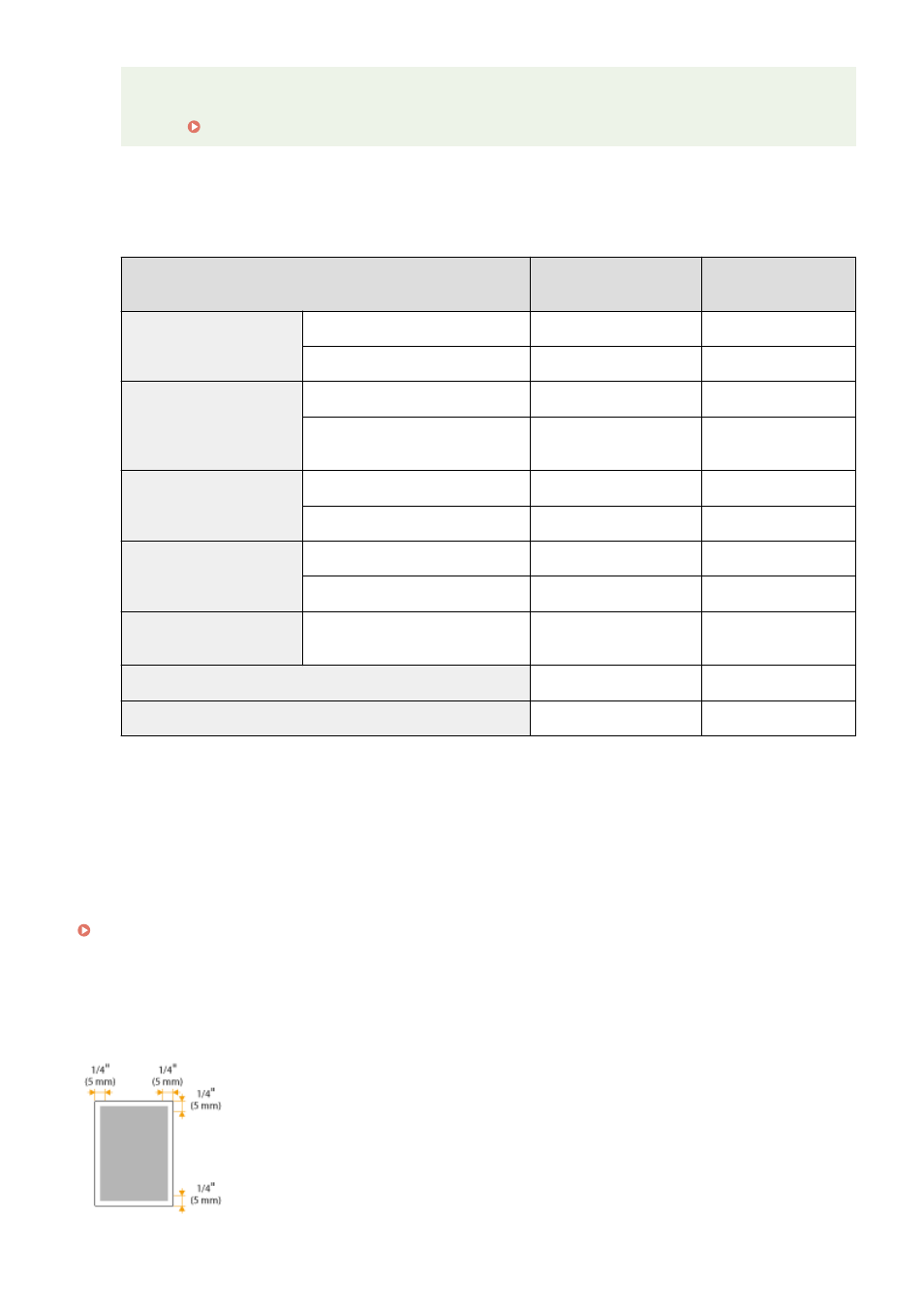
The shaded areas in the image below indicate the printable area of the document.
Appendix
420