Canon i-SENSYS MF244dw User Manual
Page 46
2
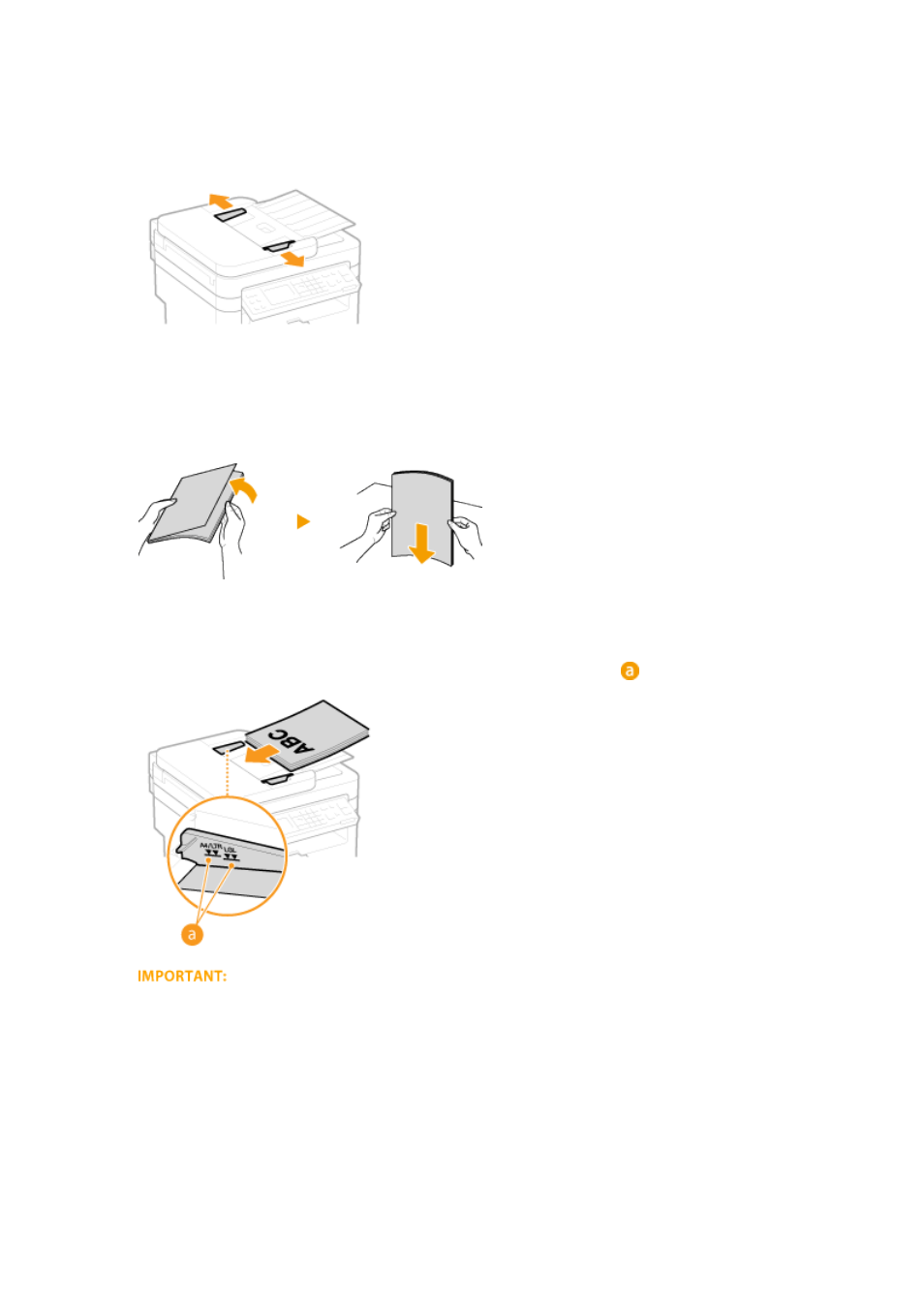
Spread the document guides apart.
●
Slide the document guides outward until they are slightly farther apart than the actual document width.
3
Fan the document stack and align the edges.
●
Fan the document stack in small batches, and align the edges by lightly tapping the stack on a flat surface a
few times.
4
Place the document(s) face up in the feeder.
●
Make sure that the document stack does not exceed the load limit guide (
).
●
Do not load documents of various sizes at the same time.
●
Up to 35 sheets can be loaded at a time. If 35 or more sheets are loaded, scanning may stop or a paper
jam may occur.
5
Align the document guides against the edges of the document.
●
Slide the document guides inward until they are aligned securely against the edges of the document.
Basic Operations
40