Checking the printing status – Canon i-SENSYS MF244dw User Manual
Page 99
Advertising
Checking the Printing Status
1525-084
You can check the current print statuses.
Useful in the Following Cases
●
When your documents are not printed for a long time, you may want to see the waiting list of the
documents waiting to be printed.
●
When you cannot find your printouts that you thought had been printed, you may want to see whether an
error has occurred.
1
Press
.
2
Use
/
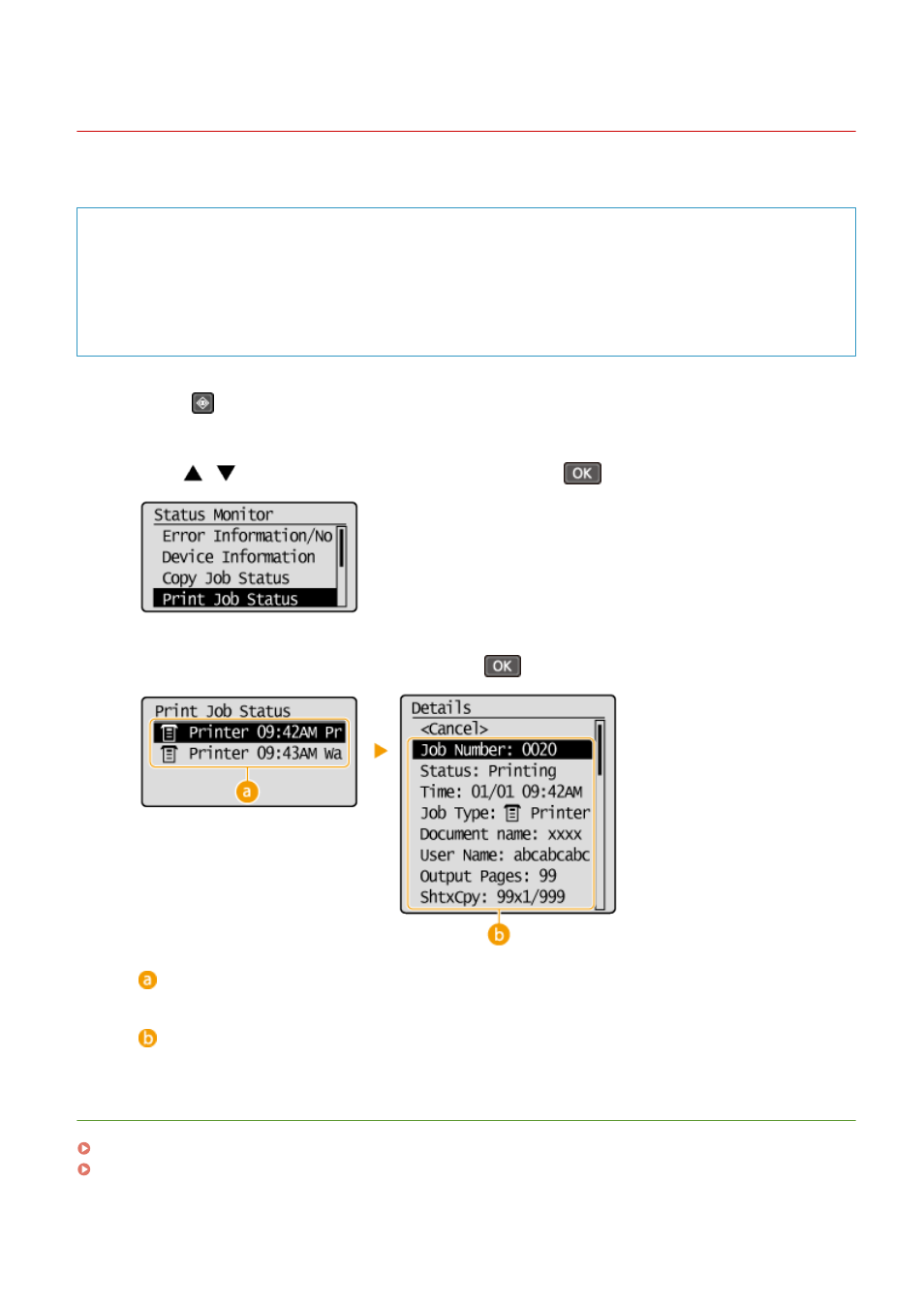
to select <Print Job Status>, and press
.
3
Select the document to check, and press
.
<Print Job Status>
Displays a list of the documents that are being processed or are waiting to be processed.
<Details>
Displays detailed information about the document selected from the list.
LINKS
Printing a Document(P. 86)
Canceling Prints(P. 90)
Using the Machine as a Printer
93
Advertising
This manual is related to the following products: