Zooming in (close-up playback), P.95, Changing the close-up position – OM SYSTEM Tough TG-7 Digital Camera (Red) User Manual
Page 95: 8g 8 g, Fghi
Advertising
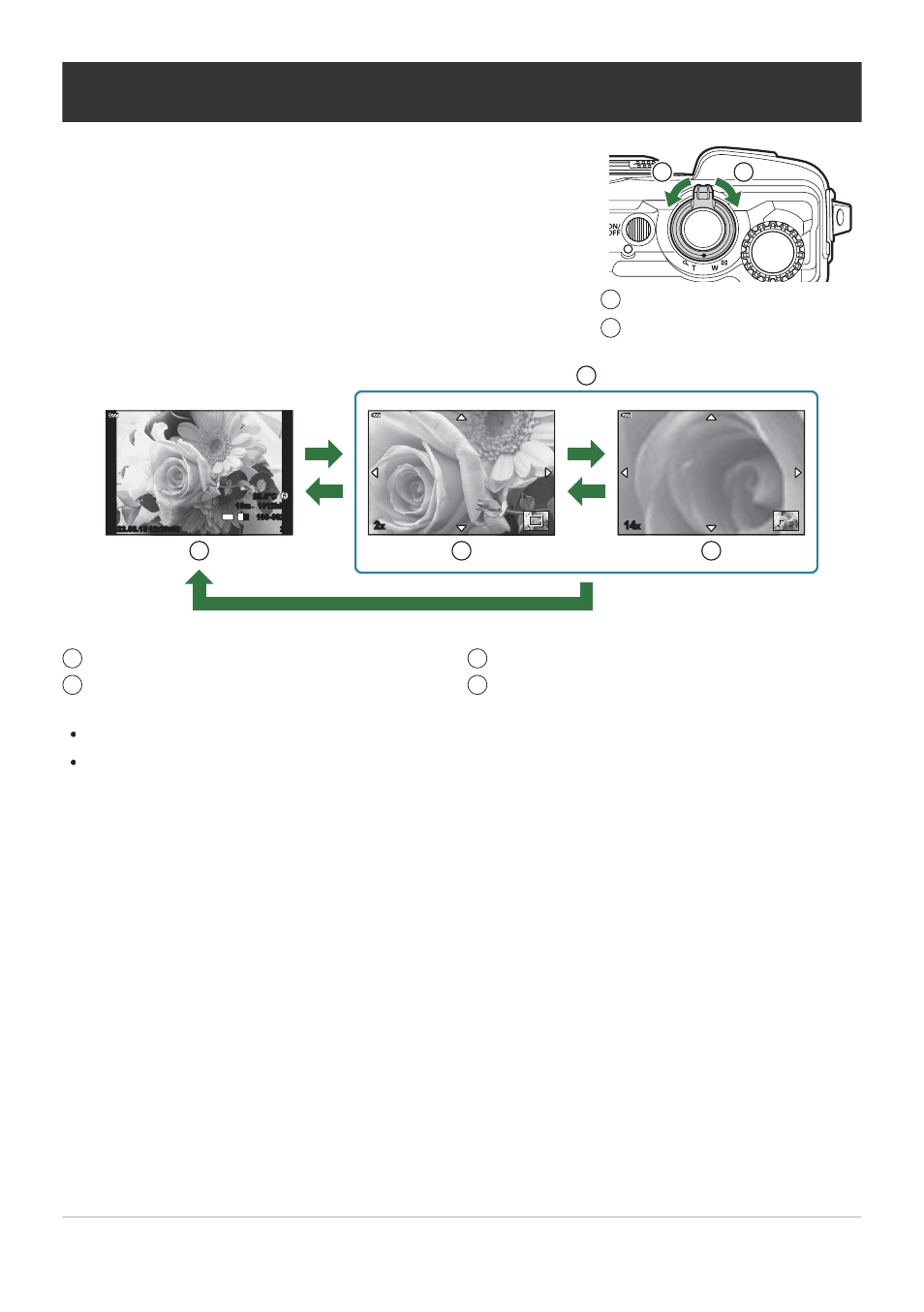
To use zoom on the current picture during single-frame playback,
rotate the zoom lever clockwise (toward
8
) to zoom in and
counterclockwise (toward
G
) to zoom out. Press the OK button
to return to single-frame playback.
2
1
Counterclockwise (
G
side)
Clockwise (
8
side)
1
2
Single-frame playback
Close-up playback
1
2
2× zoom
14× zoom
3
4
Zooming in (Close-up Playback)
2023.08.15 12:30:00
20
100-0020
1012hPa
10m
20.5°C
4:3
L
N
14
x
2
x
1
3
2
4
8
G
8
G
OK
Press
FGHI
to scroll through an image in the direction of the button you pressed.
To view other images while zoomed in, press the INFO button and then press
HI
. Press the INFO
button again to re-enable scrolling. You can also view other images using the control dial.
95
Zooming in (Close-up Playback)
Advertising