11 – internal settings – Teac HS-2000 User Manual
Page 119
TASCAM HS-2000
119
11 – Internal settings
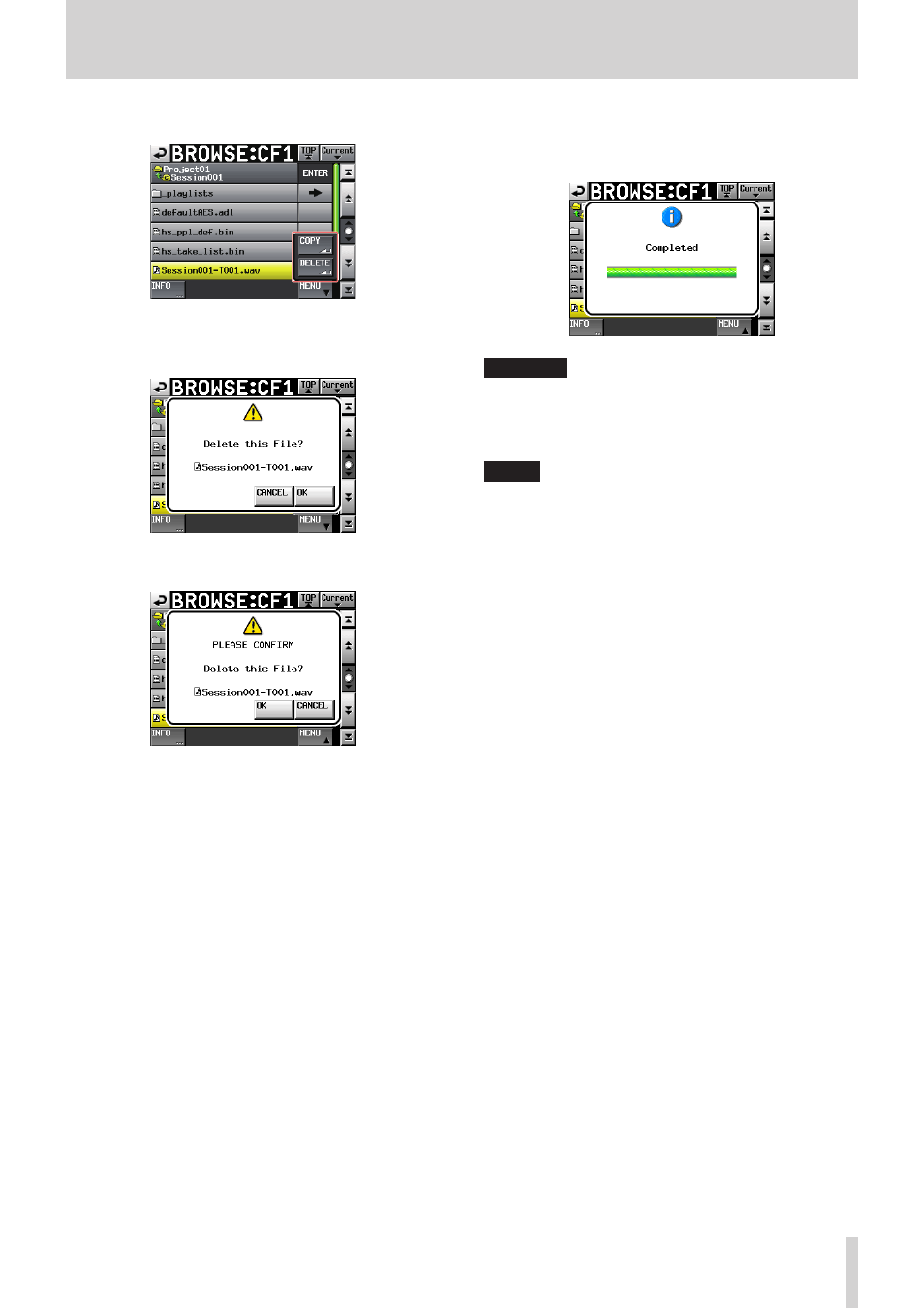
4. Touch the
MENU
button to open a pull-up menu.
5. Touch the
DELETE
button in the pull-up menu.
6. When a confirmation pop-up appears, touch the
OK
button or press the DATA dial.
7. Another confirmation pop-up will appear. Touc
h the
OK
button or press the DATA dial to delete the file.
To cancel deletion, touch the
CANCEL
button.
8. During deletion, a pop-up window appears.
When deletion completes, the pop-up window closes
a
nd the
BROWSE
screen reopens.
CAUTION
You can delete folders and files that are being used by
timeline and playlist modes. If you delete such a folder or
file, an error pop-up will appear if you attempt to play a
corresponding region or entry.
NOTE
If an audio file from the current session is deleted, a
rebuild confirmation pop-up appears. Execute the rebuild.
If you do not do this, the management file and audio files
will not match, and Play Error pop-up warnings might
appear.
If rebuilding is necessary, B marks appear on the
following buttons.
Touch the
REBUILD
button, which is found in several
menus, to rebuild the session.
File name display button on the Home Screen
•
MENU
•
button on the
PROJECT
screen
REBUILD
•
buttons in various menus