Panasonic Lumix DMC-G85M User Manual
Page 103
103
4. Focus, Brightness (Exposure) and Color tone Settings
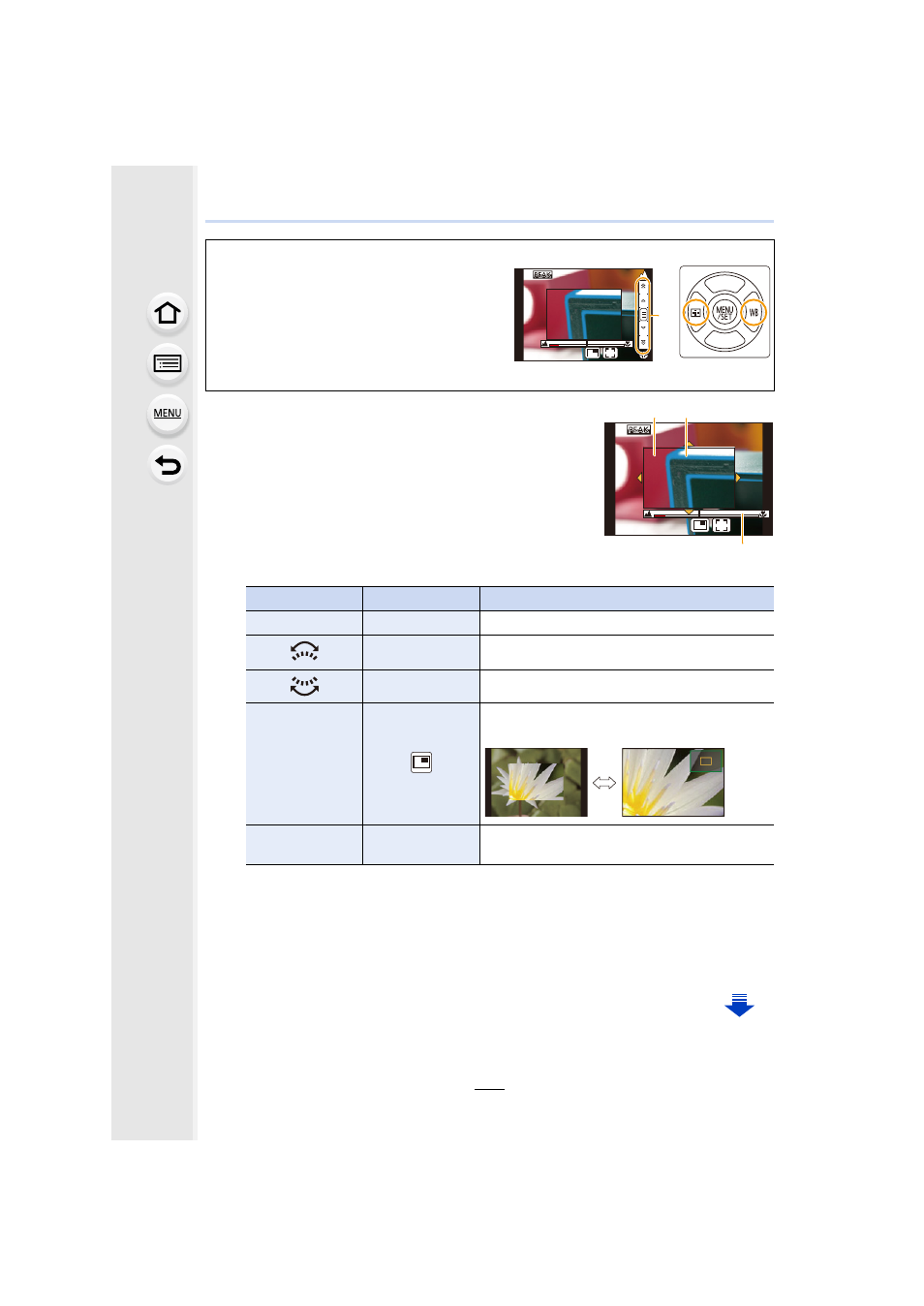
A MF Assist (enlarged screen)
B Peaking
C MF Guide
•
The in-focus portions will be highlighted. (Peaking)
•
You can check whether the point of focus is to the near
side or to the far side. (MF Guide)
You can perform the following operations:
¢ When using an interchangeable lens with no focus ring, you can perform these
operations after pressing 4 to display the screen that lets you set the area to be
enlarged.
•
When the picture is displayed in windowed mode, you can enlarge/reduce the picture by
approximately 3
k
to 6
k
; when the picture is displayed in full screen, you can enlarge/
reduce the picture by approximately 3
k
to 10
k
.
When using an interchangeable lens with no focus ring
Press 1: Focuses on nearby subject
Press 2: Focuses on distant subjects
A Slide bar
•
Pressing and holding 2/1 will increase the
focus speed.
•
Focus can also be adjusted by dragging the
slide bar.
Button operation Touch operation
Description of operation
3/4/2/1
¢
Dragging
Moves the enlarged area.
Pinching out/in Enlarges/reduces the screen in small steps.
s
Enlarges/reduces the screen in large steps.
s
Switches the enlarged display (windowed/full
screen).
[DISP.]
¢
[Reset]
¢
Resets the area to be enlarged back to the
center.
リヴヰ
ョㄏピ
AF
+
A
AF
+
C
B
A