Entering text – Panasonic Lumix DMC-G85M User Manual
Page 58
2. Getting Started/Basic Operations
58
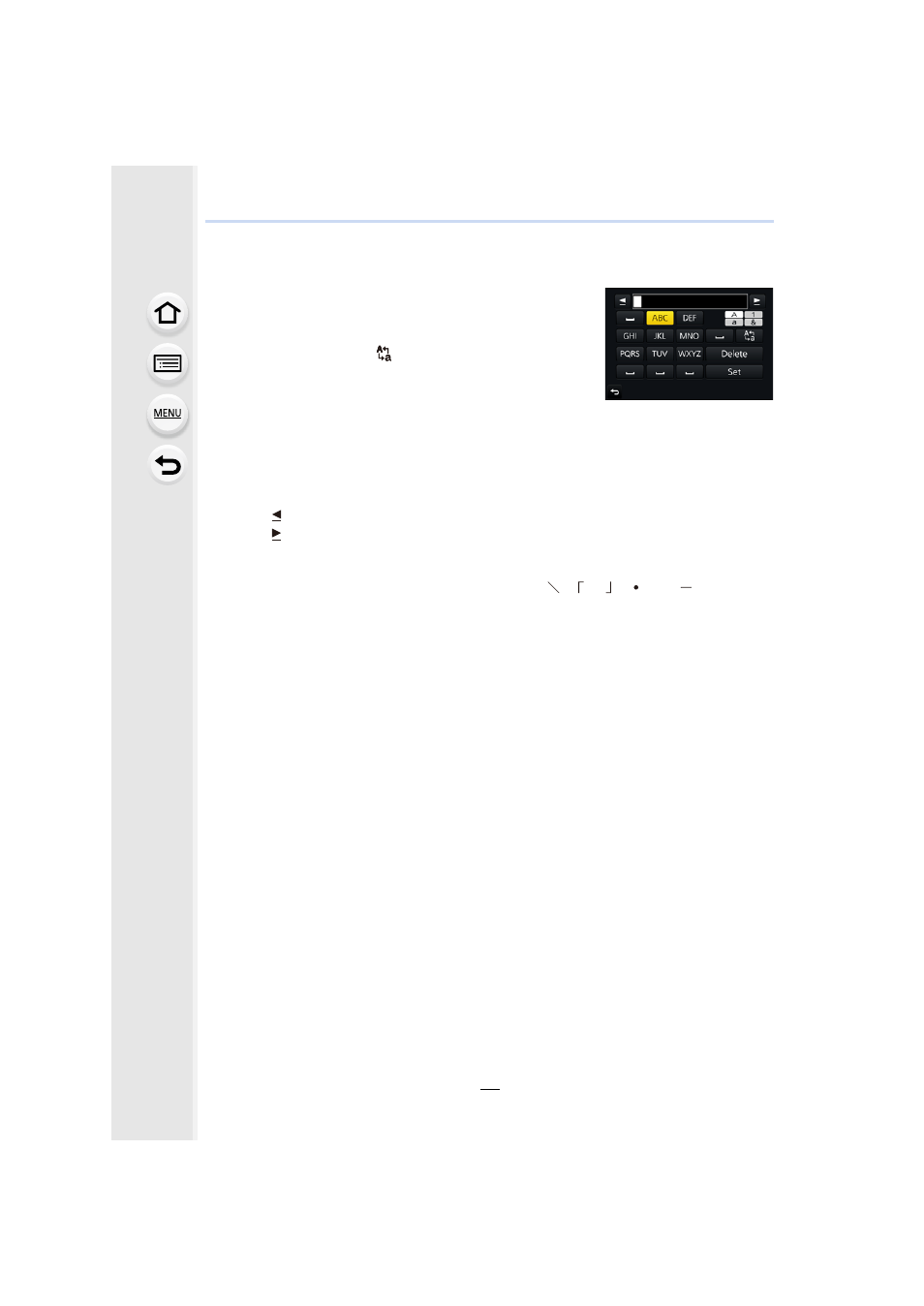
Entering Text
1
Press 3/4/2/1 to select text and then press
[MENU/SET] to register.
•
Move the cursor to [
] and then press [MENU/SET] to
switch text between [A] (capitals), [a] (lower case), [1]
(numbers) and [&] (special characters).
•
To enter the same characters in a row, move the cursor
by rotating the rear dial to the right.
•
The following operations can be performed by moving the cursor to the item and
pressing [MENU/SET]:
–
[]]: Enter a blank
–
[Delete]: Delete a character
–
[ ]: Move the entry position cursor to the left
–
[ ]: Move the entry position cursor to the right
•
A maximum of 30 characters can be entered.
(Maximum of 9 characters when setting names in [Face Recog.])
•
A maximum of 15 characters can be entered for [ ], [ ], [ ], [ ] and [ ].
(Maximum of 6 characters when setting names in [Face Recog.])
2
Press 3/4/2/1 to move the cursor to [Set] and then press
[MENU/SET] to end text input.